Design a comprehensive corporate training or workshop presentation with our customizable Product Training PowerPoint Template. When you are onboarding a new client on your product portal, professionals use a product training template for their client presentations. The purpose is to share use cases, applications, methodologies, and troubleshooting techniques with clients to achieve maximum output. If your organization has implemented a new system, the product training template helps operations directors provide an overview of how to use the new product for their project execution. This PPT template has a minimal design that makes the message clear to the audience. The product training deck is fully compatible with Google Slides and other versions of Microsoft PowerPoint.
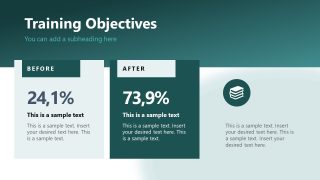
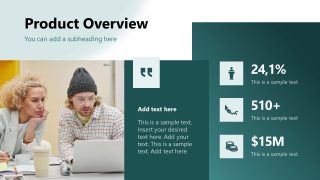
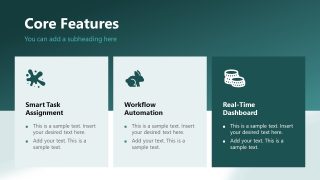
The Product Training PowerPoint Template features editable slides with compelling layouts, team collaboration visuals, and a gradient background to present information clearly. After the cover slide, you present the training objectives and provide an overview of the product to board members or employees. The core features slide has three text segments to share the key applications of the product, such as:
- Smart Task Assignment
- Workflow Automation
- Real-Time Dashboard
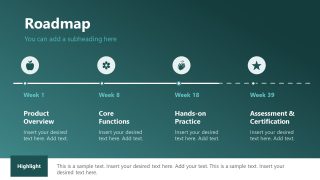
Further, you can share the product impact roadmap using the four-step timeline diagram. The template allows technical leaders to present the basics of troubleshooting, tips, best practices, use cases, and support and resources. Users can adjust the template components, such as colors, shapes, and fonts, to match their theme. Moreover, we have other product training template decks for our users to choose the most suitable design for their onboarding presentation. Download the product training PPT slide deck and communicate the product applications effectively.
What’s inside this template
Example presentation scenarios
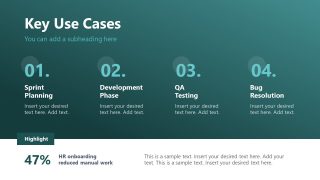
- A customer success manager can use the product overview metrics, key use cases, and support resources slides to onboard a new client team to a product portal.
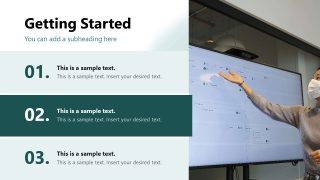
- A product manager can present the core feature cards, getting started steps, and roadmap timeline to explain how users should adopt a new release.
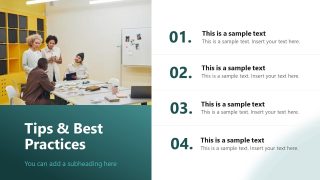
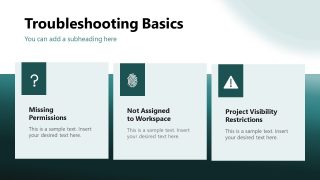
- A training lead can guide employees through best practices and troubleshooting cards so the audience learns how to prevent common workflow issues.
- An implementation consultant can use the objectives slide, numbered setup steps, and Q&A close to run a structured workshop for a new system rollout.
Features
- 100% editable presentation template
- Compatible with Microsoft PowerPoint and Google Slides
- 16:9 aspect ratio slides
- Scalable vector shapes, icons and illustrations
- AI-Ready for Microsoft Copilot and Claude
- Instant access and download
Frequently asked questions
Q: How should a presenter structure the training message with this deck?
A: Start with the objectives slide to define the before and after state, then use the product overview and core feature cards to establish what the tool does. Move into getting started steps, use cases, best practices, and troubleshooting before ending with resources and questions. This order helps learners understand purpose before procedure.
Q: Who is this template best suited for in a product rollout?
A: The deck is best for product managers, customer success teams, implementation consultants, and internal trainers who need to teach adoption rather than pitch a product. The roadmap, use case columns, troubleshooting cards, and support resources make it suitable for onboarding customers, training employees, or introducing a new system to operations teams.
Q: Why do the roadmap and numbered layouts work well for product training?
A: The roadmap frames the training as a journey from product overview to certification, while the numbered lists break setup and best practices into manageable actions. The card layouts separate features, issues, and resources into small visual units, which helps the audience remember the path from learning to independent use.




Product Training PowerPoint Template
11-slide product training presentation template with objectives, use cases, roadmap, and troubleshooting layouts
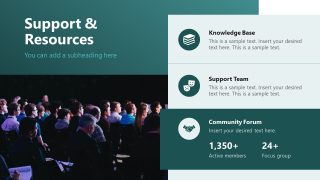
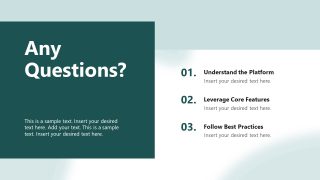
Product Training PowerPoint Template is an 11-slide training deck for product onboarding, customer education, and internal enablement. It includes training objectives, product overview metrics, core feature cards, getting started steps, key use cases, troubleshooting cards, a roadmap timeline, support resources, and a Q&A close for Microsoft PowerPoint and Google Slides.
- Category
- Business PowerPoint Templates
- Rating

 Loading...
- Aspect ratio
- 16:9
- Item ID
- 94214-02
- Colors
 Microsoft PowerPoint
  Microsoft Copilot
  Claude for PowerPoint
 Other formats supported
Subscribe today and get immediate
access to download our PowerPoint templates.