Prepare comprehensive educational or business presentations for training young students and employees using our Training Session PowerPoint Template. Training is an important component in developing the HR department. Organizations conduct coaching sessions or workshops regularly to train employees about the new process and implementation of changes in the company. We have crafted this template for professionals to make unique and impactful presentations. The template has multiple use cases, and users from different domains can utilize it.
This training program template is a slide deck with nineteen slides for showcasing various training content modules. The presentation starts with an impressive introduction slide, and then there are slides to present the session’s objectives, training program agenda, and quiz content. The presenters can divide their topics into chapters using separator slides. Also, the template uses stunning animations to create an interactive look. At the end of each chapter, a quiz slide tests the listeners’ understanding of the training topics. Next, professionals can discuss different case studies relevant to their presentation using map diagrams and pie charts. In the activity chapter, we have provided a diagram slide for brainstorming sessions where each letter depicts a particular aspect of brainstorming. At the end, there are infographic slides for group exercise, summary, feedback, Q&A, and resources.
Moreover, users can modify the PowerPoint components of the template to perfectly suit their needs and repurpose the slides based on their needs. Download our Training Session PowerPoint Template and personalize it today! Alternatively, you can check our article about crafting an effective training presentations or download more templates from our collection of slide deck templates.
What’s inside this template
Example presentation scenarios
- An HR trainer can use the agenda, objectives, and chapter divider slides to introduce an employee onboarding program and keep participants oriented through each module.
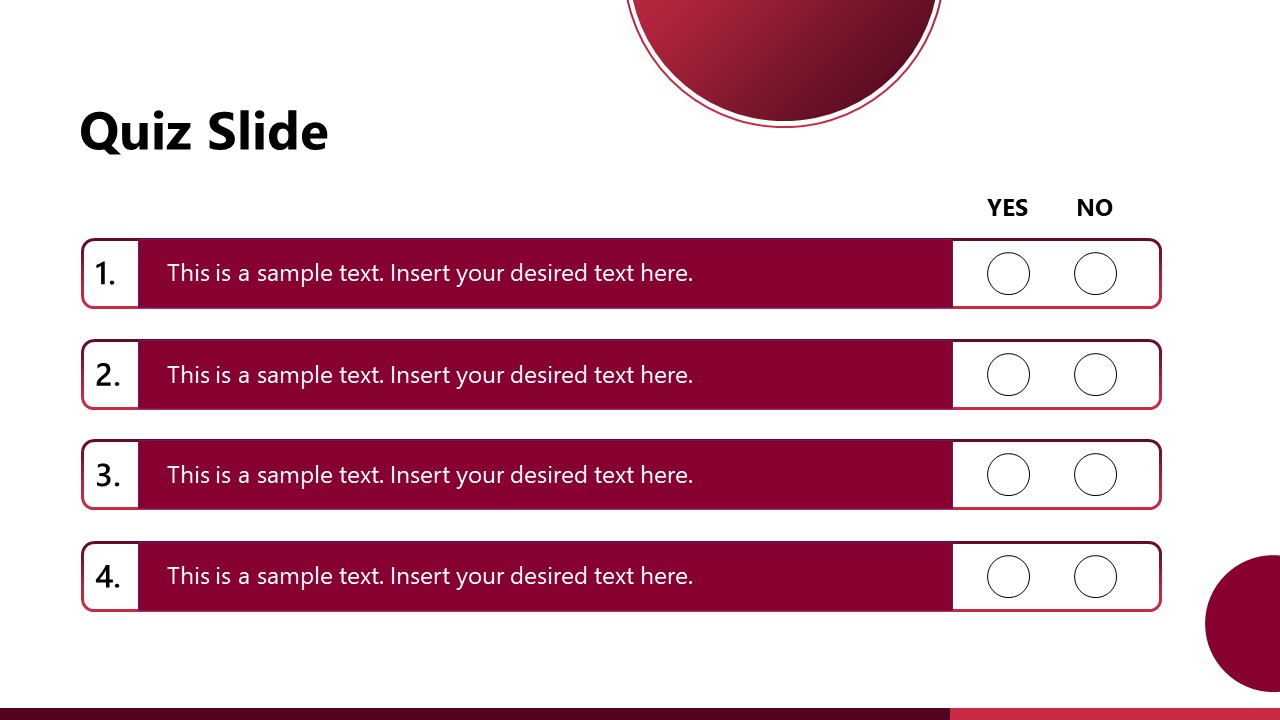
- A teacher or instructor can present a lesson with the quiz tables after Chapter 1 and Chapter 2 to check student understanding before moving to the next topic.
- A workshop facilitator can use the case study map, checklist, pie chart, and group brainstorming slide to move the audience from explanation into discussion and activity.
- A team lead can close a process training meeting with the summary, Q&A, resources, and feedback slides so participants know what to remember and where to find next steps.
Features
- 100% editable presentation template
- Compatible with Microsoft PowerPoint
- 16:9 aspect ratio slides
- Scalable vector shapes, icons and illustrations
- AI-Ready for Microsoft Copilot and Claude
- Instant access and download
Frequently asked questions
Q: How should a presenter structure a training message with this deck?
A: Start with the cover, agenda, objectives, and introduction to set learner expectations before presenting content. Use the chapter divider slides to mark transitions, then insert the quiz tables after each module to test retention. Close with the summary, Q&A, resources, and feedback slides so participants leave with actions and a way to respond.
Q: Who is this template best suited for in a business or education setting?
A: This template fits trainers, HR teams, teachers, and team leads who need to run a guided learning session rather than only deliver information. The visible agenda, objectives, chapter dividers, quizzes, case study, and activity slides support live facilitation, employee onboarding, classroom modules, change briefings, and small-group workshops.
Q: Why do the quizzes, chapter dividers, and activity diagrams improve the training flow?
A: The deck separates orientation, instruction, practice, and follow-up with clear visual signals. Chapter dividers reset attention, quiz rows create quick knowledge checks, and the brain-based brainstorming diagram gives the activity section a memorable metaphor. This sequencing helps the audience see where they are in the learning path.




Training Session PowerPoint Template
19-slide presentation template for training agendas, quizzes, case studies, and group activities
Training Session PowerPoint Template is a 19-slide 16:9 deck for employee or student training sessions in Microsoft PowerPoint. It includes a cover, objectives slide, agenda layouts, quiz tables, chapter dividers, a case study map with pie chart, brainstorming activity, summary, Q&A, resources, feedback, and closing slides. The pie chart data can be edited in Excel through PowerPoint.
- Category
- Template Backgrounds
- Rating

 Loading...
- Aspect ratio
- 16:9
- Item ID
- 77019-01
- Colors
 Microsoft PowerPoint
 Microsoft Copilot
 Claude for PowerPoint
Other formats supported
Subscribe today and get immediate
access to download our PowerPoint templates.