Orange Business PowerPoint Template is a presentation template ready to be used as a company profile and including orange color theme with gray & white colors. You can download this PPT template to make company presentations or any business related presentation including development of new products as well as creating pitches to investors or VCs.
What’s inside this template
Example presentation scenarios
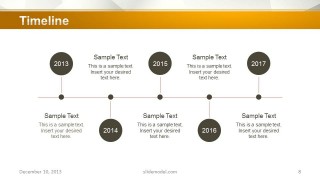
- A founder can use the deck to introduce a company to investors, starting with the team slide and global services slide before moving into the timeline and financial or traction charts.
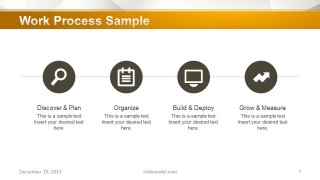
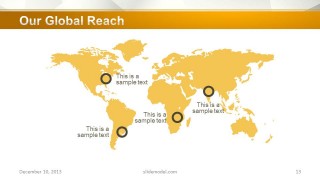
- A business development lead can present service capability to a prospective client, using the work process slide to explain delivery steps and the global reach map to show market presence.
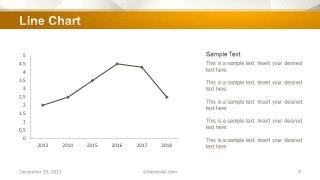
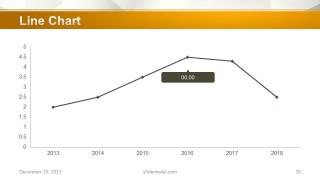
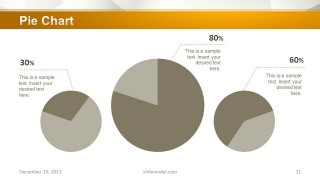
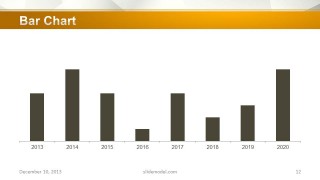
- An executive can report a business update to stakeholders, using the line chart, pie chart, and bar chart slides to explain trends, proportions, and year-by-year performance.
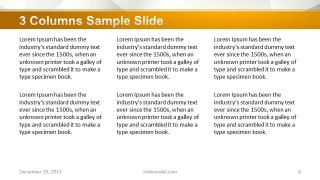
- A consultant can prepare a concise company profile for a client, using the two-column and three-column text slides to organize messaging and the testimonial slide to add external proof.
Features
- 100% editable presentation template
- Compatible with Microsoft PowerPoint and Google Slides
- Scalable vector shapes, icons and illustrations
- AI-Ready for Microsoft Copilot and Claude
- Instant access and download
Frequently asked questions
Q: How should the slides be arranged for a clear company profile pitch?
A: Open with the title, team, and global services slides to establish identity and scope. Then use the skills, text column, process, and timeline slides to explain capability and execution. Place the line, pie, bar, and global reach slides after the narrative so the data feels like proof rather than disconnected information.
Q: Who is this template best suited for before an investor or client meeting?
A: This template fits founders, executives, consultants, and business development teams that need a concise business overview rather than a long operating manual. The team slide, process diagram, timeline, and global reach map help explain who runs the company, what it does, how it delivers, and where it operates.
Q: Why does the orange banded design help the audience follow the message?
A: The repeated orange title band creates a clear reading path across mixed content types, from profile slides to charts and maps. Because the body areas stay mostly white and gray, the eye moves first to the slide topic, then to the key diagram, chart, or callout. This makes the deck easier to scan in a pitch setting.







Orange Business PowerPoint Template
15-slide PowerPoint presentation template for company profiles, timelines, charts, and global reach maps
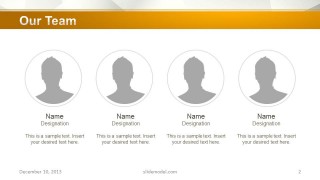
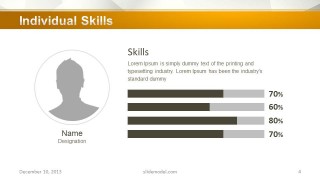
Orange Business PowerPoint Template is a 15-slide business presentation template for company profiles, investor introductions, and VC pitch support. It includes team profile, individual skills bars, work process, timeline, line chart, pie chart, bar chart, global reach map, testimonial, and thank-you layouts for founders, executives, and business teams. Chart data can be edited as an Excel spreadsheet in PowerPoint.


 Loading...
 Microsoft PowerPoint
  Microsoft Copilot
  Claude for PowerPoint
 Other formats supported
Subscribe today and get immediate
access to download our PowerPoint templates.