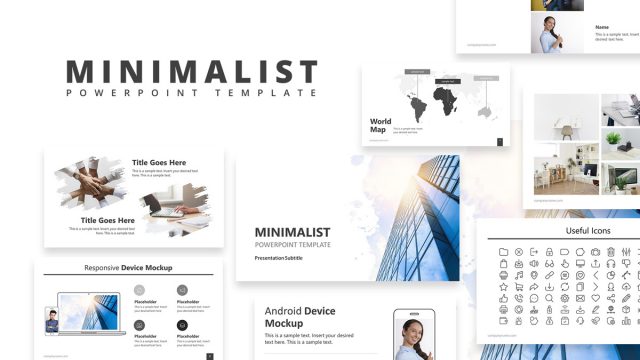
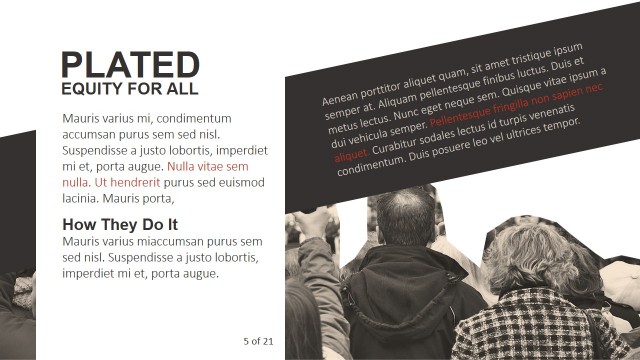
The Minimal Portfolio PowerPoint Templates is a business presentation design with various photo collage art layouts. These photos include an image collection of vintage tools and items to highlight company’s portfolio. This PowerPoint template provides a pre-design slide deck for professional photographers, graphic designers, and other visual content creators. They can demonstrate their work through picture placeholders and frames. Further, range of layouts in minimal portfolio will assist users to deliver their work and experience effectively. Simply put, these portfolio slides will benefit users in sales, marketing, or case studies presentation.
The Minimal Portfolio PowerPoint Templates contain 10 slides with vertical two-contents layout. These slide layouts display different photo collage art styles to add suitable images. This photography PowerPoint template is a creative portfolio to introduce business through minimalist modern presentation. All images in this template are high-resolution photos, cropped to fit-in the desired size or shape. This crop-feature is available in PowerPoint picture tools menu as crop-to-shape, offering range of image cuts. Additionally, the complete catalog slides contain text boxes as a labeling option for photos.
The art of photography and visual content development is found in every field of society in one form or another. For example, magazines, print media, scientific, or educational photos catalog. Therefore, minimal portfolio template is an important presentation to attract audience with creative storytelling photo collage. These image slides are also helpful in discussing business concepts by selecting desired slide layout for another presentation.
What’s inside this template
Example presentation scenarios
- A photographer can use the cover layouts and three-image gallery slide to introduce a client portfolio and keep attention on the strongest visual samples.
- A graphic designer can use the image grid pages and caption overlay mosaics to explain project categories, creative direction, and selected outcomes during a portfolio review.
- A product marketer can use the wide gallery strip and multi-column collage slides to show a curated product showcase with short labels for features or collections.
- A creative agency presenter can use the dark theme cover and mockup slide to frame a case study, then move into visual evidence through the photo collage pages.
Features
- 100% editable presentation template
- Compatible with Microsoft PowerPoint and Google Slides
- 16:9 aspect ratio slides
- Scalable vector shapes, icons and illustrations
- AI-Ready for Microsoft Copilot and Claude
- Instant access and download
Frequently asked questions
Q: How should a presenter organize a visual portfolio with this template?
A: Start with one of the title or cover slides to set the portfolio theme, then move into the image grid and caption overlay slides for selected work. Keep copy short and use the caption bars to label context, medium, client type, or result. End with the mockup or featured project slide to leave one memorable image.
Q: Who is this portfolio format best suited for?
A: This format fits presenters whose proof is visual: photographers, designers, creative agencies, product marketers, and makers showing collections. The large photo placeholders and clean gallery layouts work best when the audience needs to assess style, craft, mood, or product appearance quickly, without reading a dense proposal.
Q: Why do the collage layouts help communicate creative work?
A: The collage metaphor makes the deck feel like a curated wall or editorial spread, so viewers compare images by theme and mood instead of slide-by-slide detail. Alternating white and dark backgrounds adds pacing, while the caption bars create just enough structure to explain each image without weakening the visual hierarchy.


Minimal Portfolio PowerPoint Templates
16-slide portfolio presentation template with photo collage layouts and product showcase pages
Minimal Portfolio PowerPoint Templates is a 16-slide photo portfolio presentation template for photographers, designers, visual creators, and product teams. It includes title cover layouts, vertical photo collages, image grid pages, caption overlay mosaics, and a mockup slide. The template is available for Microsoft PowerPoint and Google Slides.
- Category
- Pictures
- Rating


 Loading...
- Aspect ratio
- 16:9, 4:3
- Item ID
- 13068-02
- Colors
 Microsoft PowerPoint
 Microsoft Copilot
 Claude for PowerPoint
Other formats supported
Subscribe today and get immediate
access to download our PowerPoint templates.