Laffer Curves for PowerPoint contains different slide designs with the Laffer curve used in Economy and by Governments. You can download this Laffer curve template to prepare presentations on government tax rules and controlled foreign corporation.
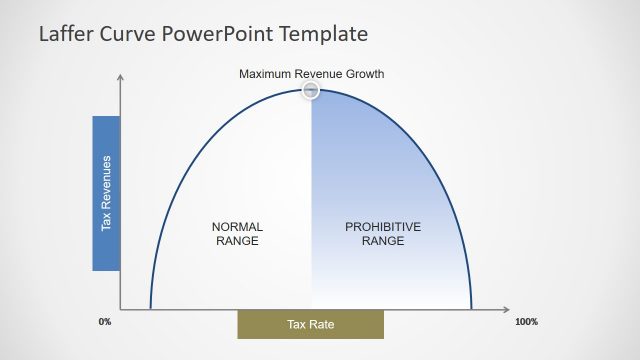
Laffer Curves are coined to Arthur Laffer and it is a kind of curve showing the relationship between the tax revenue and tax rates collected by any government. Laffer Curve suggests that taxes are increasing from the low levels and the tax revenue collected by the government also increases until a point and then starts to reduce the tax revenue. In the case that tax rates reach the 100% then it is supposed that all people would not work because all their salary would go to the government.
What’s inside this template
Example presentation scenarios
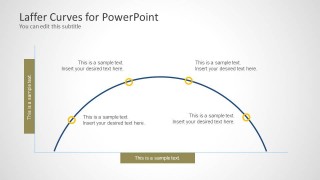
- A public policy analyst can use the marked arc slide to explain how tax revenue changes as tax rates move from low to high levels.
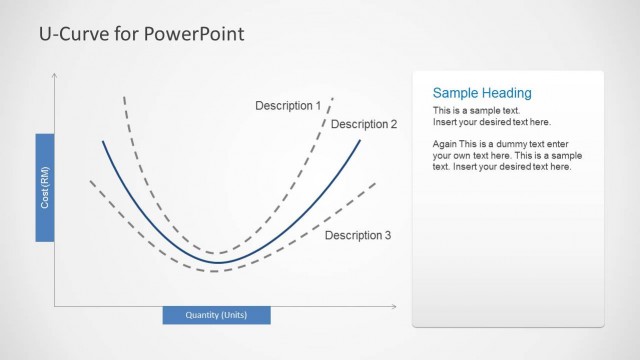
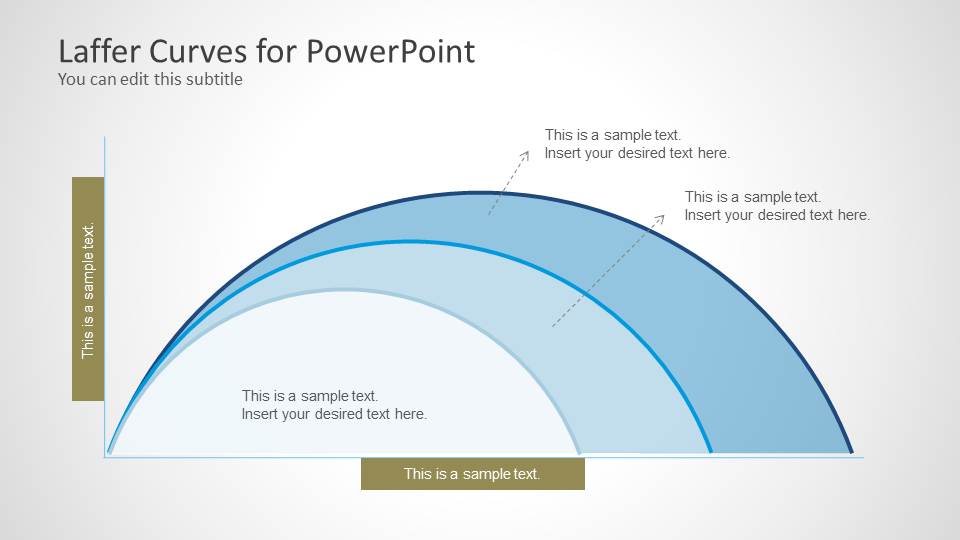
- An economics instructor can use the layered curve comparison to contrast alternative curve assumptions during a classroom lecture on public finance.
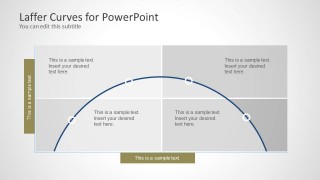
- A tax consultant can use the quadrant curve layout to structure a client discussion about policy tradeoffs, revenue expectations, and behavioral response.
- A government finance presenter can use the callout annotations to identify key points on the revenue curve during a budget or tax reform briefing.
Features
- 100% editable presentation template
- Compatible with Microsoft PowerPoint and Google Slides
- Scalable vector shapes, icons and illustrations
- AI-Ready for Microsoft Copilot and Claude
- Instant access and download
Frequently asked questions
Q: How should a presenter explain the Laffer curve without making the slide feel too theoretical?
A: Start with the axis labels and describe the basic relationship before pointing to the peak of the curve. Use the marked arc slide to walk left to right across the model, then attach each callout to a practical policy question such as revenue growth, diminishing returns, or behavioral response.
Q: Who is this template best suited for?
A: This template fits presenters who need to explain a tax policy concept rather than report detailed tax data. Economists, policy analysts, finance instructors, and tax advisors can use the curve diagrams to frame a discussion about revenue, rates, and the point where additional taxation may reduce expected returns.
Q: Why do the curved layouts work well for this topic?
A: The arc visualizes the central metaphor of the Laffer curve: revenue rises, reaches a high point, and then declines. The layered version supports comparison, the marked arc supports step-by-step explanation, and the quadrant background gives the presenter space to group implications around the same curve.


Laffer Curves for PowerPoint
3-slide Laffer curve presentation template for tax policy, revenue curves, and government economics diagrams
Laffer Curves for PowerPoint is a 3-slide diagram template for explaining the relationship between tax rates and tax revenue. It includes a layered curve comparison, a marked arc with callout points, and a quadrant-style curve layout for policy discussion, economics teaching, or government finance presentations.


 Loading...
 Microsoft PowerPoint
  Microsoft Copilot
  Claude for PowerPoint
 Other formats supported
Subscribe today and get immediate
access to download our PowerPoint templates.