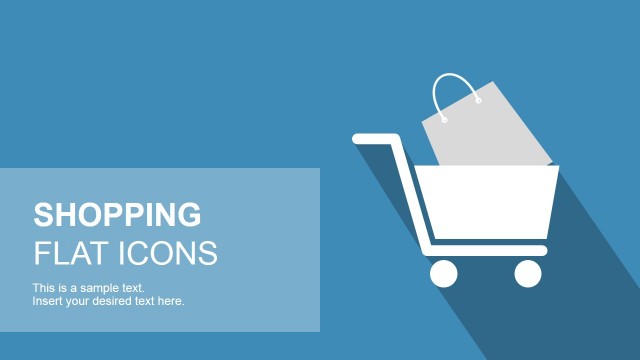
Fashionable Bag Shapes for PowerPoint is the perfect choice for ladies and fashion professionals who are looking for beautiful handbags and shopping bags background for their PowerPoint presentations. This PowerPoint contains 12 fashionable bag shapes templates that you can download and use for any fashion presentation about purses, shopping, retail or fashion events. You can download this PowerPoint templates and edit it according to your liking, may it be putting handbags brands as well as handbags for sale.
This PowerPoint templates can also be integrated with other templates and backgrounds. These are fully customizable vectors and illustration that you can create engaging shopping trends or any e-commerce PowerPoint presentations.
This PowerPoint includes shopping bags, clutches, purses, handbags, travel bags, snapbacks, purses and wallets that are absolutely flexible into editing the different fashion brands. Just have a look at some top names in terms of fashionable purses and bags which have ruled the industry up to date.
Fashionable Bag Shapes for PowerPoint is professionally designed with high-resolution graphics. This PowerPoint templates contains embedded background photos, clip arts and icons with multiple title layouts. Check more e-commerce bags layouts for PowerPoint now. Or visit our gallery for more awesome PowerPoint templates.
What’s inside this template
Example presentation scenarios
- A fashion marketing team can use the cover slide and product shape galleries to introduce a handbag campaign and keep the audience focused on accessory categories.
- An ecommerce manager can use the icon sheet to label purse, luggage, and shopping bag sections in a product category or online store presentation.
- A retail merchandiser can use the travel bag and handbag gallery slides to compare accessory families during a seasonal assortment review.
- A presentation designer can combine the editable bag icons with other retail slides to create a visual system for shopping trends or store concepts.
Features
- 100% editable presentation template
- Compatible with Microsoft PowerPoint and Google Slides
- 16:9 aspect ratio slides
- Scalable vector shapes, icons and illustrations
- AI-Ready for Microsoft Copilot and Claude
- Instant access and download
Frequently asked questions
Q: How should a presenter use these bag shapes without making the deck feel like clip art?
A: Use each bag shape as a category marker, not as decoration. For example, pair the travel bag row with luggage messaging, use the handbag row for accessory positioning, and reserve the two-row icon sheet for navigation or legends. Keeping one visual meaning per bag type helps the audience read the slides quickly.
Q: Who is this template best suited for in a retail or fashion presentation?
A: It works best for presenters who need a visual vocabulary for bags, purses, luggage, and shopping. Fashion marketers, ecommerce teams, and retail merchandisers can use the galleries to introduce product categories, campaign themes, or shopping concepts when real product photography is not available or should be abstracted.
Q: Why does the template alternate coral title slides with white gallery slides?
A: The coral slides create clear entry and closing moments, while the white gallery slides make individual bag shapes easier to scan. This contrast gives the deck a simple rhythm: introduce the theme, show grouped product visuals, then close with a branded title-style composition. The flat icon metaphor keeps attention on categories instead of specific brands.


Fashionable Bag Shapes for PowerPoint
7-slide presentation template with editable handbag, shopping bag, and travel bag shapes for retail visuals
Fashionable Bag Shapes for PowerPoint is a 7-slide presentation template of editable bag illustrations for retail, fashion, and shopping topics. It includes a cover slide, product shape galleries, a travel bag row, a handbag and shopping bag row, an icon sheet, and a closing title slide for Microsoft PowerPoint and Google Slides.
- Category
- Shapes
- Rating


 Loading...
- Aspect ratio
- 16:9
- Item ID
- 7210
- Colors
 Microsoft PowerPoint
 Microsoft Copilot
 Claude for PowerPoint
Other formats supported
Subscribe today and get immediate
access to download our PowerPoint templates.