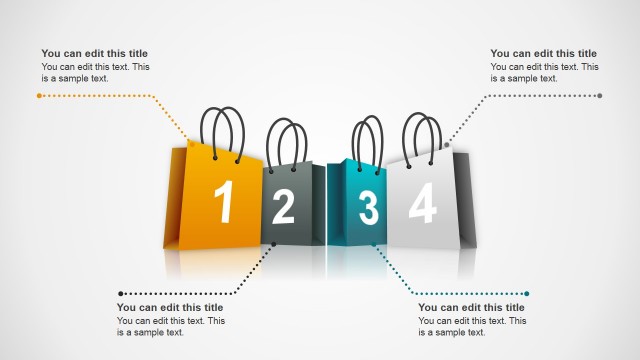
Shopping Bags SALE PowerPoint Shapes is a creative and professional design of a SALE poster created with shopping bags. Each bag represent a letter of the banner and can be edited as a text field. The bags are created as PowerPoint objects allowing the user to changes their properties as size, color, gradient and position.
This set of slides is ideal for complementing Retail presentations, creating SALE posters for your shop or small business or even a marketing lectures.
The presentation is themed using a splash slide with the shopping bags, then the bags and a couple of text boxes with titles. To develop the topics, the third and forth slide are constructed as staged descriptions, that means a text box with a shopping bag in the bottom, that matches the bag palette. To close the presentation the last slide presents the bags distributed in to layers and without text.
Create appealing presentations with this modern and professional Shopping Bags SALE PowerPoint Shapes that can be used in different presentations. Combine this awesome Shapes with our Cool Shapes or Creative Cartoons.
What’s inside this template
Example presentation scenarios
- A retail marketing manager can introduce a storewide sale by opening with the SALE bag poster and then using the stacked callout panels to explain the main offer and timing.
- An ecommerce manager can present discount categories to internal teams with the three-column promotion card slide, assigning each colored bag to a product group or channel.
- A small business owner can create a simple in-store sale presentation by using the four-column staged description slide for featured deals, store policies, or customer benefits.
- A marketing instructor can teach retail promotion structure by using the shopping bag icon layout to discuss how visual metaphors make sale messages easier to remember.
Features
- 100% editable presentation template
- Compatible with Microsoft PowerPoint and Google Slides
- 16:9 aspect ratio slides
- Scalable vector shapes, icons and illustrations
- AI-Ready for Microsoft Copilot and Claude
- Instant access and download
Frequently asked questions
Q: How should a presenter structure a sale message with this template?
A: Start with the SALE bag poster to make the promotion instantly clear, then move to the two stacked callouts for the headline offer and conditions. Use the three-column or four-column slides to separate product categories, channels, or customer segments. Keep each panel short so the colorful bags remain the visual anchor.
Q: Who is this template best suited for in a business presentation?
A: This template fits retail marketers, ecommerce teams, and small business owners who need to announce a promotion without building a full campaign deck. It works best when the audience needs a quick understanding of the sale, such as store staff, franchise partners, sales representatives, or customers in a promotional screen presentation.
Q: Why use shopping bags as the main visual metaphor?
A: Shopping bags create an immediate connection to retail buying behavior, so the audience understands the context before reading the copy. The repeated bag shapes also create a consistent visual system: one bag can represent one offer, product group, campaign step, or customer benefit, reducing the need for dense explanation.


Shopping Bags SALE PowerPoint Shapes
5-slide presentation template for retail sale posters, shopping bags, and promotion cards
Shopping Bags SALE PowerPoint Shapes is a 5-slide retail presentation template with editable vector shopping bag shapes. It includes a SALE poster cover, two stacked callout panels, three-column and four-column promotion cards, and a closing bag icon layout for retailers, ecommerce teams, and small businesses using Microsoft PowerPoint or Google Slides.
- Category
- Shapes
- Rating


 Loading...
- Aspect ratio
- 16:9
- Item ID
- 6480-03
- Colors
 Microsoft PowerPoint
 Microsoft Copilot
 Claude for PowerPoint
Other formats supported
Subscribe today and get immediate
access to download our PowerPoint templates.