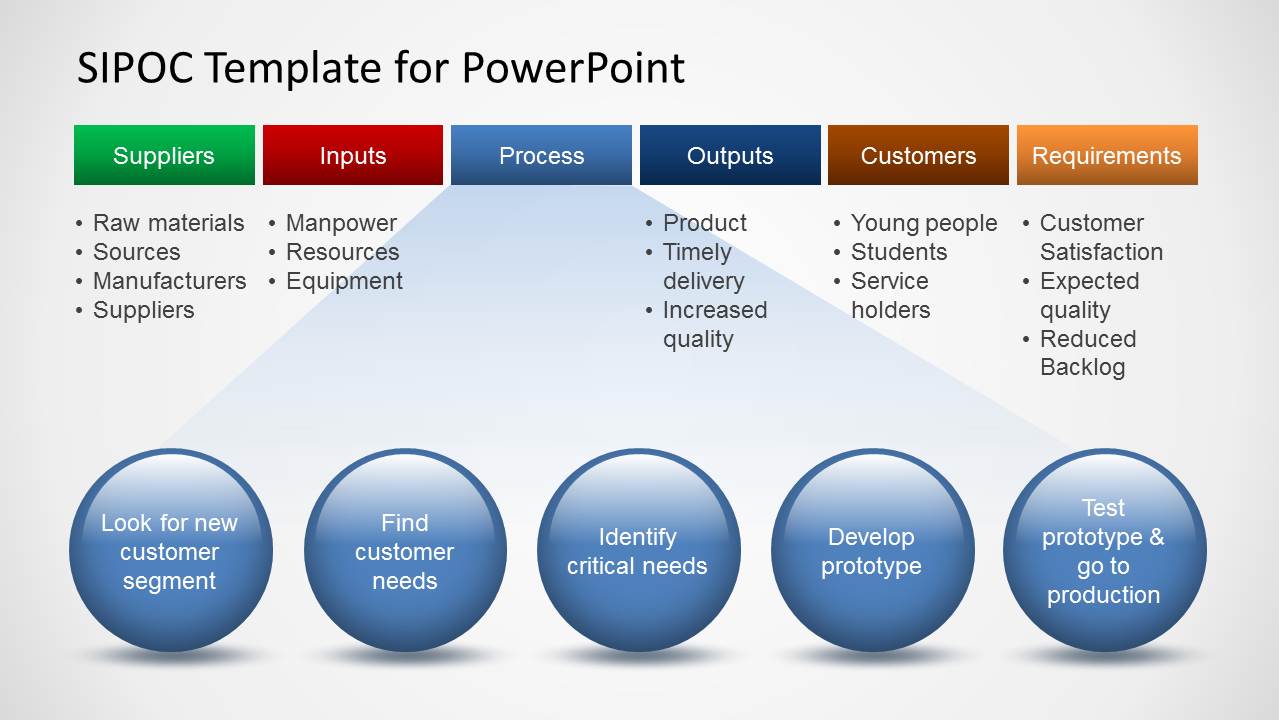
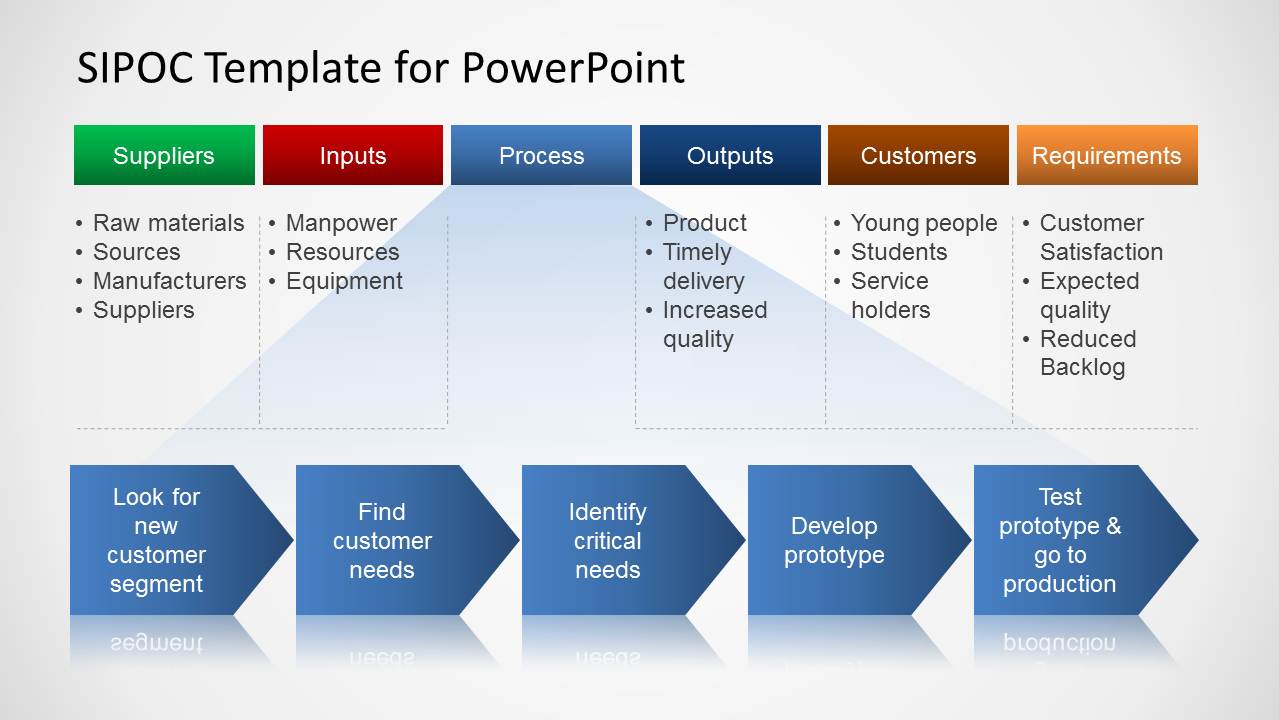
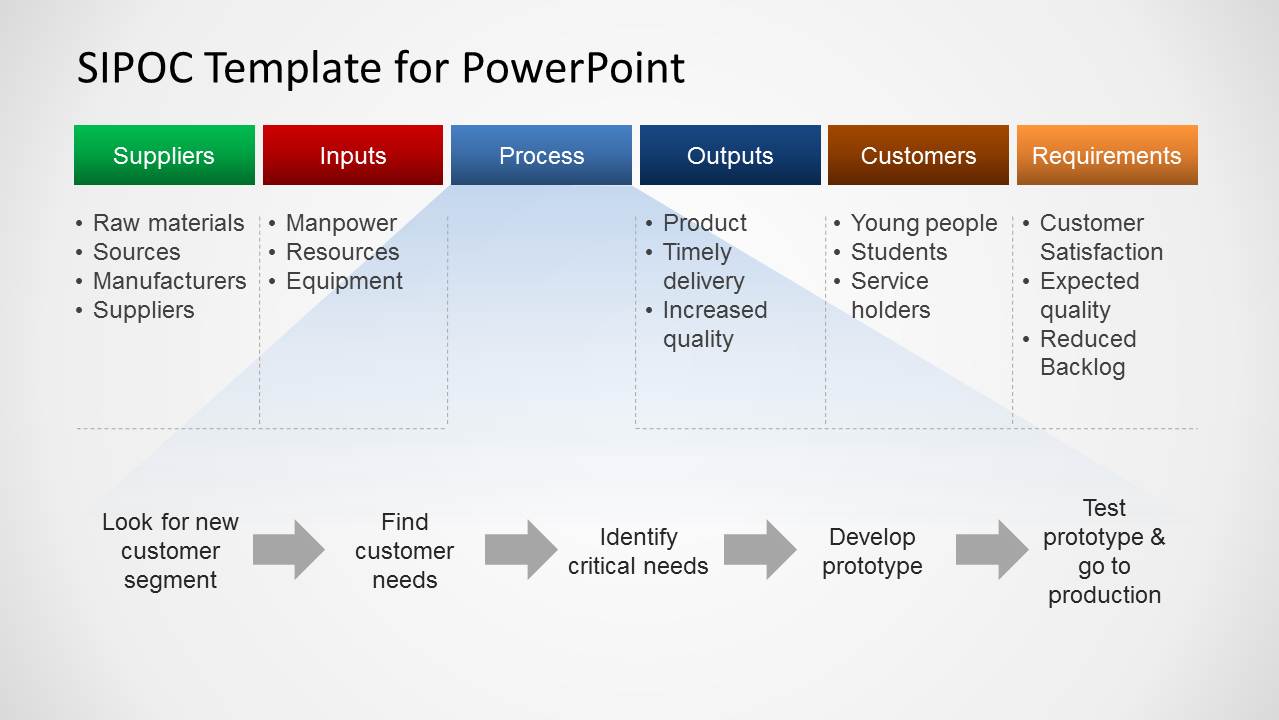
SIPOC Template for PowerPoint is a presentation slide design containing a SIPOC Process example diagram that you can use to make presentations on Six Sigma, Process Improvement and Quality Management. SIPOC template is sometimes called COPIS and it is a tool that summarizes the inputs and outputs of one or more processes in table form.
SIPOC stands for Suppliers, Inputs, Process, Outputs, and Customers. Sometimes a new column Requirements is added at the end of the list. SIPOC process diagrams were widely used in Total Quality Management programs of the late 1980 but nowadays continues to be used today in Six Sigma and Lean manufacturing.
You can download this SIPOC template for PowerPoint to prepare presentations where SIPOC process diagrams should be described or presented with visual elements. Alternatively you can download other process map templates for PowerPoint presentations to be used in Lean Manufacturing topics or Six Sigma, as well as awesome slide designs and diagrams for Six Sigma presentations.
Alternatively, you can download SIPOC PPT templates, or learn how to create a SIPOC diagram for presentations.
What’s inside this template
Example presentation scenarios
- A Six Sigma facilitator can use the SIPOC table and chevron flow to align a project team on process scope before moving into measurement or root cause analysis.
- A quality manager can present the circular process slide to explain how customer needs move through prototype development and production testing.
- An operations consultant can use the gray arrow process map to summarize a client workflow without distracting from the SIPOC categories above it.
- A Lean manufacturing team leader can use the Requirements column to connect expected quality, customer satisfaction, and backlog reduction to process improvement goals.
Features
- 100% editable presentation template
- Compatible with Microsoft PowerPoint and Google Slides
- 16:9 aspect ratio slides
- Scalable vector shapes, icons and illustrations
- AI-Ready for Microsoft Copilot and Claude
- Instant access and download
Frequently asked questions
Q: How should a presenter explain the SIPOC message without overloading the audience?
A: Start with the top table and define each column in order: Suppliers, Inputs, Process, Outputs, Customers, and Requirements. Then use the lower process graphic as the story line. Keep each bullet short, and make the process steps concrete so the audience can see where customer needs become outputs.
Q: Who is this template best suited for during a process improvement discussion?
A: It fits quality managers, Six Sigma facilitators, Lean teams, and operations consultants who need to scope a process before deeper analysis. The SIPOC table is useful when stakeholders disagree about process boundaries, while the chevron or arrow flow helps turn that discussion into a shared sequence.
Q: Why do the table and process-flow layouts work together?
A: The table separates the analytical categories, while the circles, chevrons, and arrows show movement through the work. This pairing prevents the SIPOC from feeling like a static checklist. The visual metaphor of progression helps the audience connect upstream suppliers and inputs to downstream customers and requirements.
SIPOC Template for PowerPoint
3-slide SIPOC presentation template with process map and Six Sigma flow diagrams
This 3-slide SIPOC Template for PowerPoint presents a supplier-input-process-output-customer framework with a visible Requirements column. It includes a SIPOC table, circular process steps, chevron flow, and arrow process map for quality management, Lean, and Six Sigma presentations in Microsoft PowerPoint and Google Slides.
- Category
- Diagrams
- Rating


 Loading...
- Aspect ratio
- 16:9
- Item ID
- 6232-02
- Colors
 Microsoft PowerPoint
  Microsoft Copilot
  Claude for PowerPoint
 Other formats supported
Subscribe today and get immediate
access to download our PowerPoint templates.