Slide 2 of 3 from SIPOC Template for PowerPoint
SIPOC Process Map Diagram Design for PowerPoint
SIPOC Process Flow Diagram for PowerPoint
- Diagram
- Process Flow
- Process Slide
- 16:9
- 100% Editable
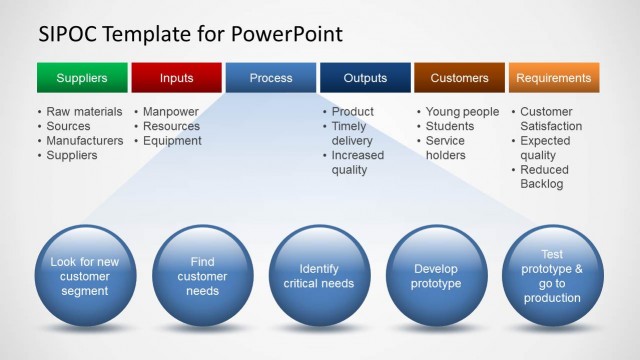
The SIPOC Process Flow slide from the SIPOC Template for PowerPoint provides a clear visual representation of suppliers, inputs, processes, outputs, customers, and requirements. This slide layout is ideal for business presentations and Lean Manufacturing workshops, offering editable shapes and vector icons to facilitate process mapping and quality management discussions within a professional slide deck.
About This Slide
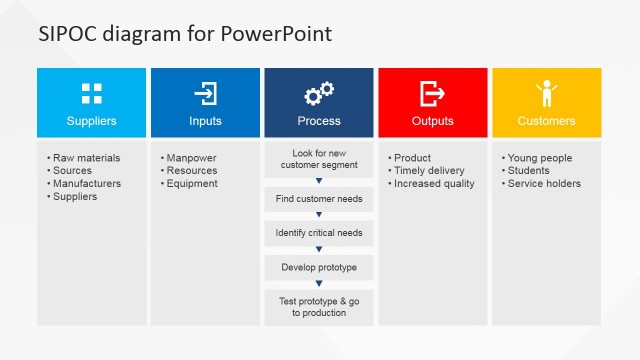
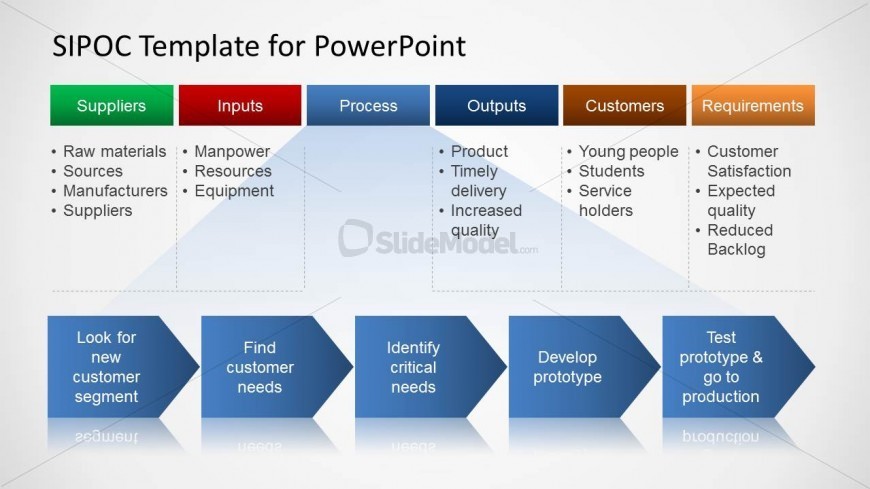
SIPOC diagram for PowerPoint with detailed process map description and chevron arrows.
What’s on This Slide
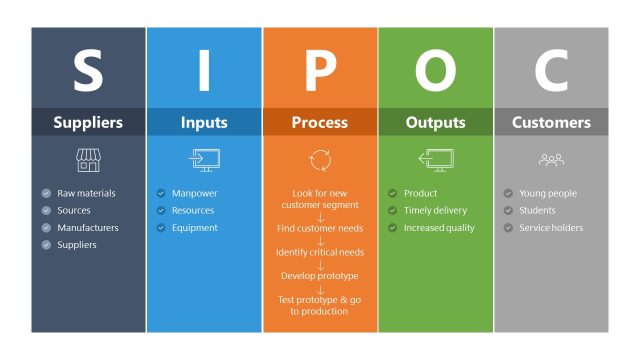
The layout features a horizontal arrangement of five labeled sections: Suppliers, Inputs, Process, Outputs, and Customers, with a Requirements column. Each section has a distinct background color, with green for Suppliers, red for Inputs, blue for Process, and orange for Requirements. Below the sections, there are four blue arrow shapes indicating a flow from left to right, each containing text placeholders for specific tasks. Text placeholders are aligned centrally within their respective sections. The overall composition is structured to emphasize the flow of information.
How to Use It
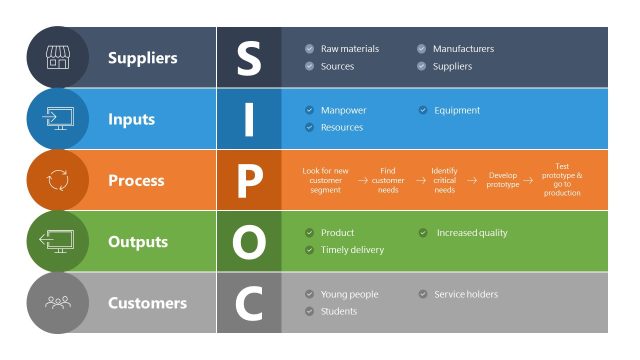
This layout serves as a SIPOC diagram, illustrating the relationships between suppliers, inputs, processes, outputs, customers, and requirements. It fits into a presentation sequence that discusses process improvement or quality management. This structure is useful for workshops or meetings focused on Lean Manufacturing or Six Sigma methodologies, where stakeholders need to understand the process flow and key components involved in delivering value to customers.
Text Placeholders & Capacity
Keep your copy within these limits so it fits without resizing. Node body slots can hold roughly 10-15 words each.
| Placeholder | Count | Max characters (approx.) |
|---|---|---|
| Slide title | 1 | 30 |
| Item heading | 5 | 20 |
| Item body | 4 | 50 |
Slide Keywords
Download unlimited PowerPoint templates, charts and graphics for your presentations with our annual plan.
DOWNLOADReturn to SIPOC Template for PowerPoint.