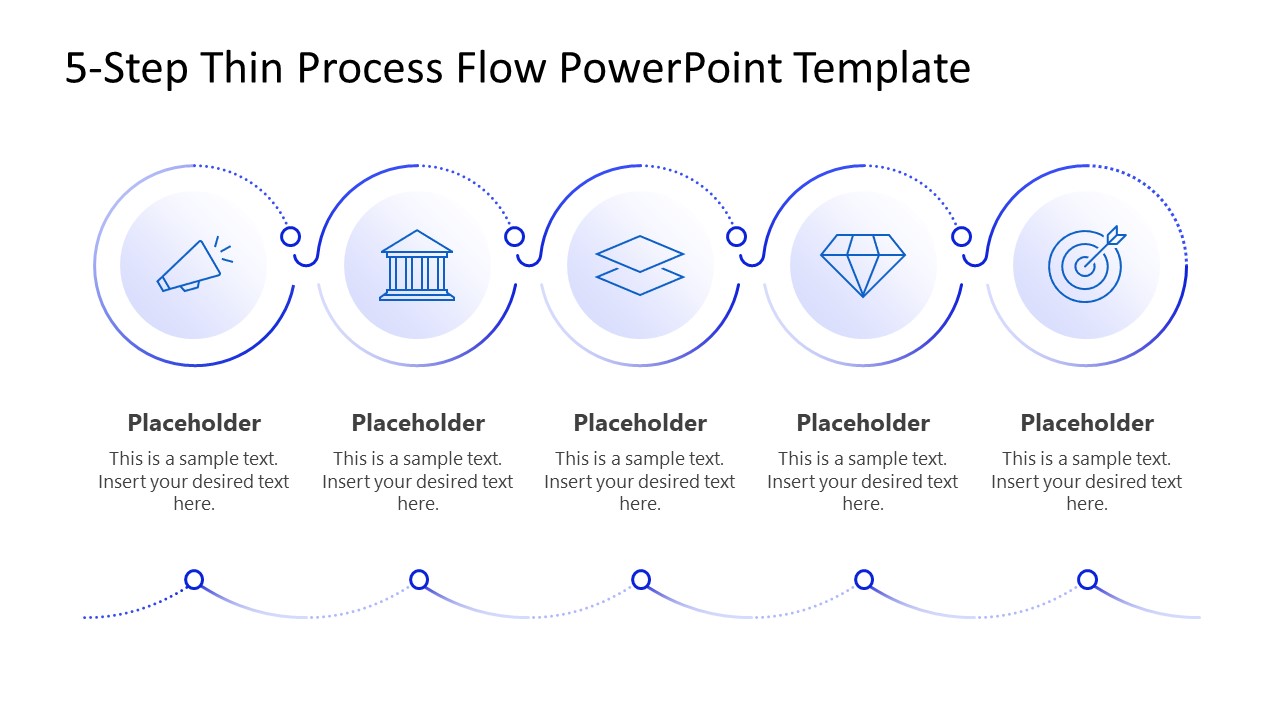
Outline the multiple stages of the supply chain process in your logistics review presentations using our 5-Step Thin Process Flow PowerPoint Template. A thin process diagram features an arrangement of circular shapes with placeholder icons, connected by a continuous thin circular line depicting interconnections. This PowerPoint diagram helps corporate or educational professionals illustrate the sequential stages or timelines of a business process. They can add custom text to placeholder segments to mention dates for project milestones or key activities during sprint meetups.
Our 5-Step Thin Process Flow PowerPoint Template is also compatible with Google Slides. The diagram shows a horizontal chain of circular nodes linked to depict the continuity of a process. This makes it easier for the audience to follow each stage of the process and to see how the stages connect. This PPT template is perfect for professionals who need to communicate structured workflows without any complex graphical layout. We have given our users the option to easily change icons, shapes, or text based on their preferences. You can also try it with Google Slides.
Operations managers can use the five circular shapes to visually represent the management SOP for cross-functional teams. Project managers can showcase the five-month delivery pipeline to stakeholders using this five-node diagram. They can present assigned roles and responsibilities to their team members in their team session using this thin process flow template. Download our editable 5-step thin process flow PPT template and use it in your business presentations to outline the logical sequence of a supply chain process, or explore our collection of process diagram templates to find the most suitable design for your talk.
What’s inside this template
Example presentation scenarios
- An operations manager can present a standard operating procedure to cross-functional teams by assigning each circular node to one required step and using the text areas for responsibilities or checkpoints.
- A project manager can brief stakeholders on a five-month delivery pipeline by replacing the placeholder icons with milestone symbols and using the connected flow to show sequence.
- A logistics presenter can explain a supply chain review by mapping order intake, processing, dispatch, transport, and completion across the five linked process nodes.
- A business analyst can compare a current checkout process with a proposed sequence by using the five labeled placeholders to clarify where each action occurs.
Features
- 100% editable presentation template
- Compatible with Microsoft PowerPoint and Google Slides
- 16:9 aspect ratio slides
- Scalable vector shapes, icons and illustrations
- AI-Ready for Microsoft Copilot and Claude
- Instant access and download
Frequently asked questions
Q: How should a presenter make the five-step flow easy to understand?
A: Assign one clear action to each circular node and keep the body text to one short phrase or sentence. The connected line already signals sequence, so avoid adding long explanations inside every step. Use the headline to state the process name, then walk left to right and explain how each stage triggers the next.
Q: Who is this process diagram best suited for?
A: This template is best for presenters who need to explain a simple five-part workflow without building a full operations deck. It fits project leads, logistics managers, business analysts, and educators presenting a delivery process, checkout process, SOP, sprint cycle, or milestone sequence where every stage has equal weight.
Q: Why use a thin connected circle design instead of a standard numbered list?
A: The circular nodes and curved connector turn a list into a visible path, helping the audience see continuity between steps. Icons create quick recognition before the presenter explains details, while the repeated circular structure makes the five stages feel balanced. This supports process comprehension better than stacked text alone.
5-Step Thin Process Flow PowerPoint Template
1-slide presentation template with five-node process flow, icons, and step placeholders for workflows
This 1-slide process diagram template presents a five-step thin process flow with circular icon nodes, a continuous curved connector line, step titles, and short text placeholders. It is built for operations, project, logistics, and business presenters who need to explain a workflow sequence in Microsoft PowerPoint or Google Slides.
- Category
- Process Diagrams
- Rating

 Loading...
- Aspect ratio
- 16:9
- Item ID
- 23609-01
- Colors
 Microsoft PowerPoint
  Microsoft Copilot
  Claude for PowerPoint
 Other formats supported
Subscribe today and get immediate
access to download our PowerPoint templates.