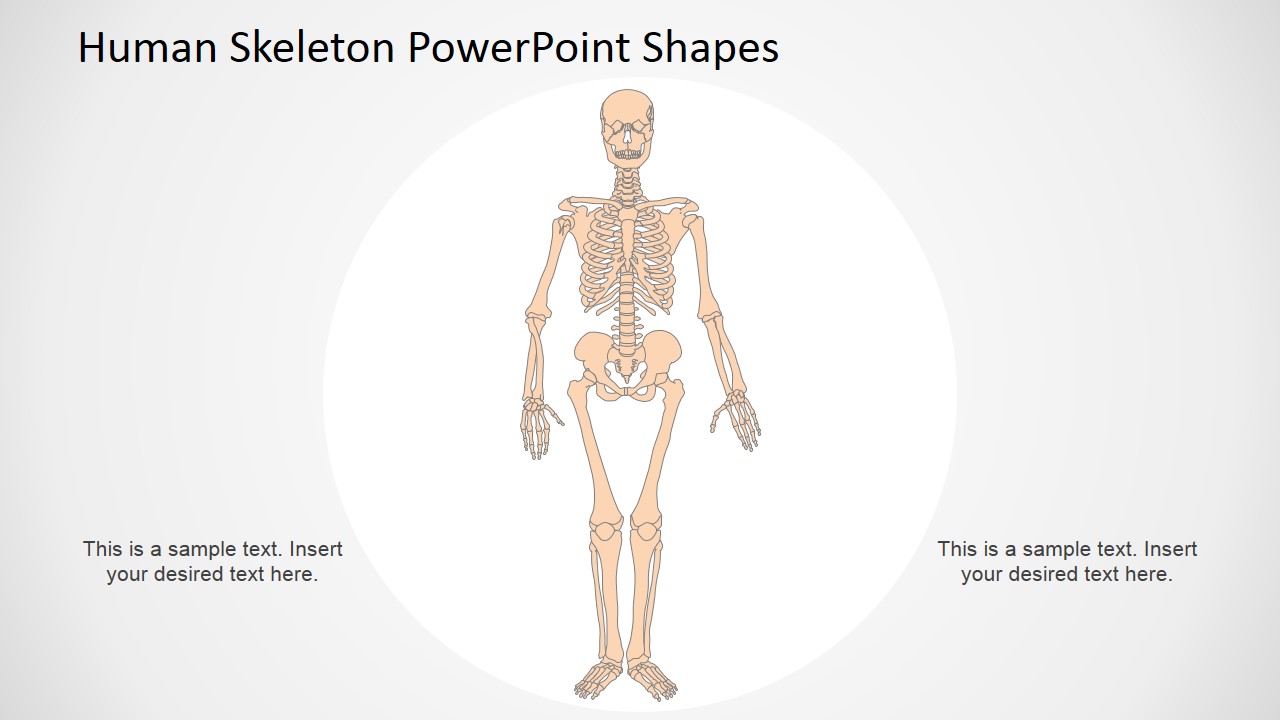
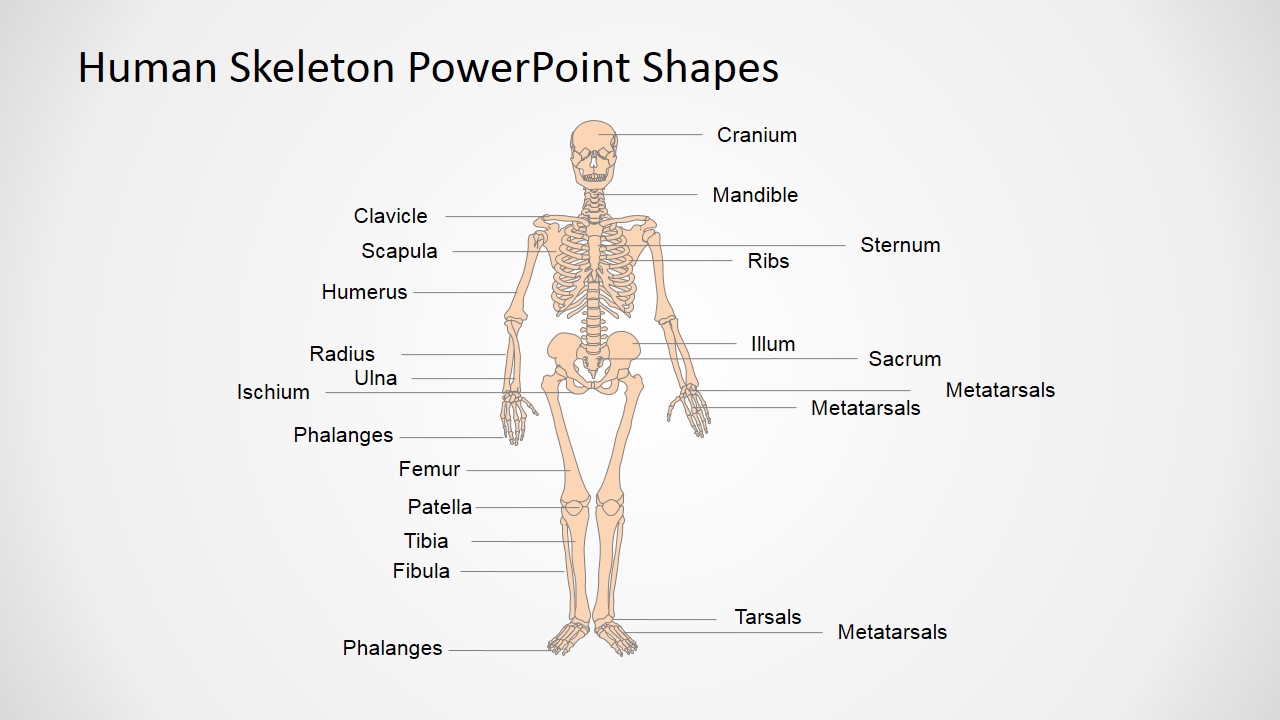
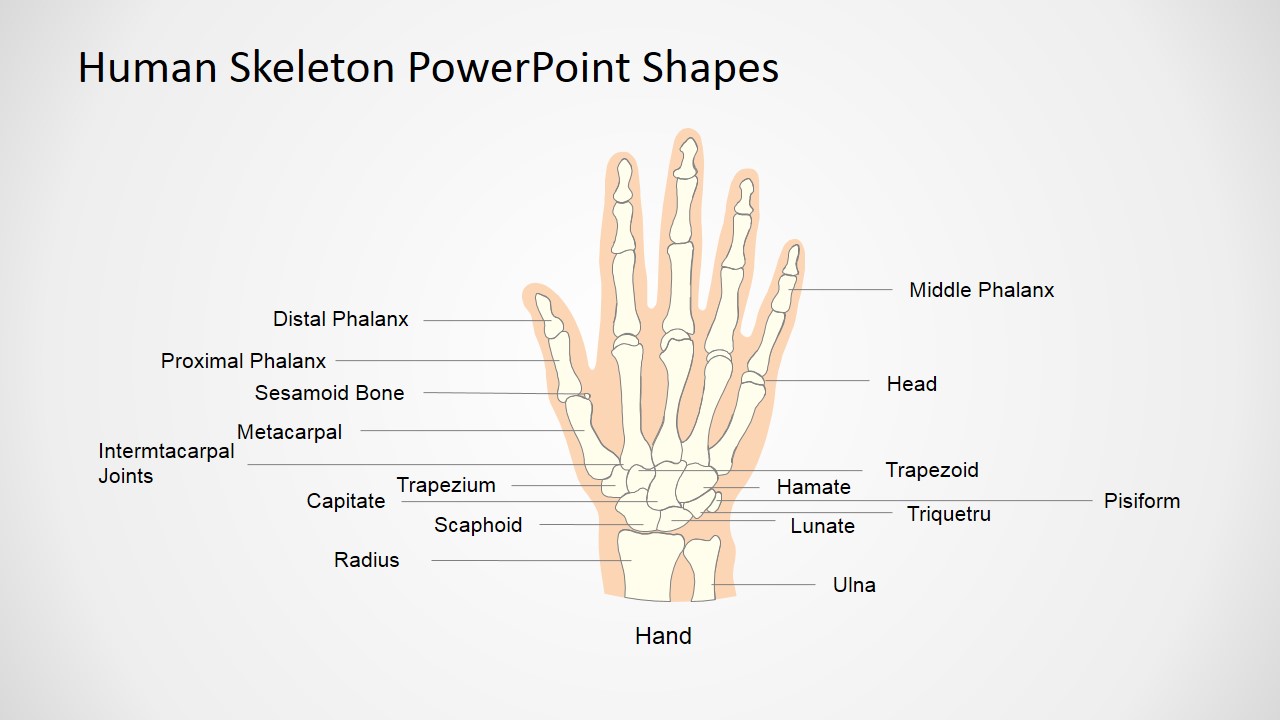
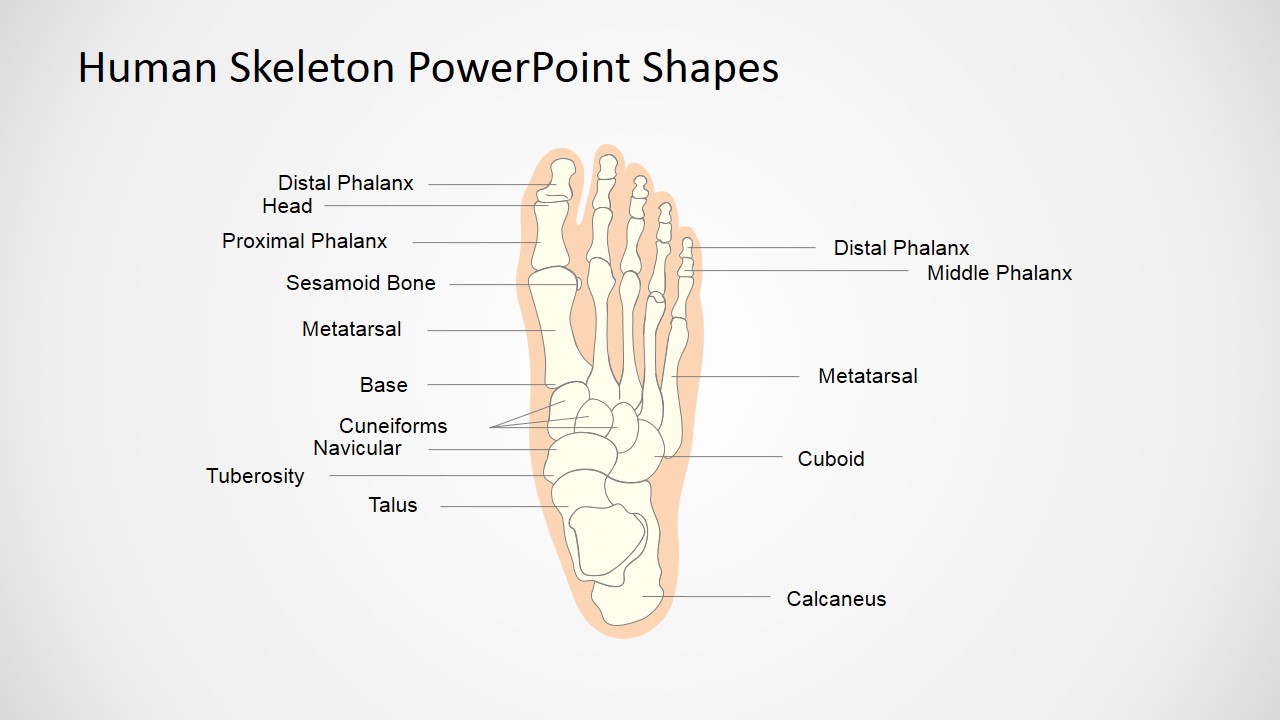
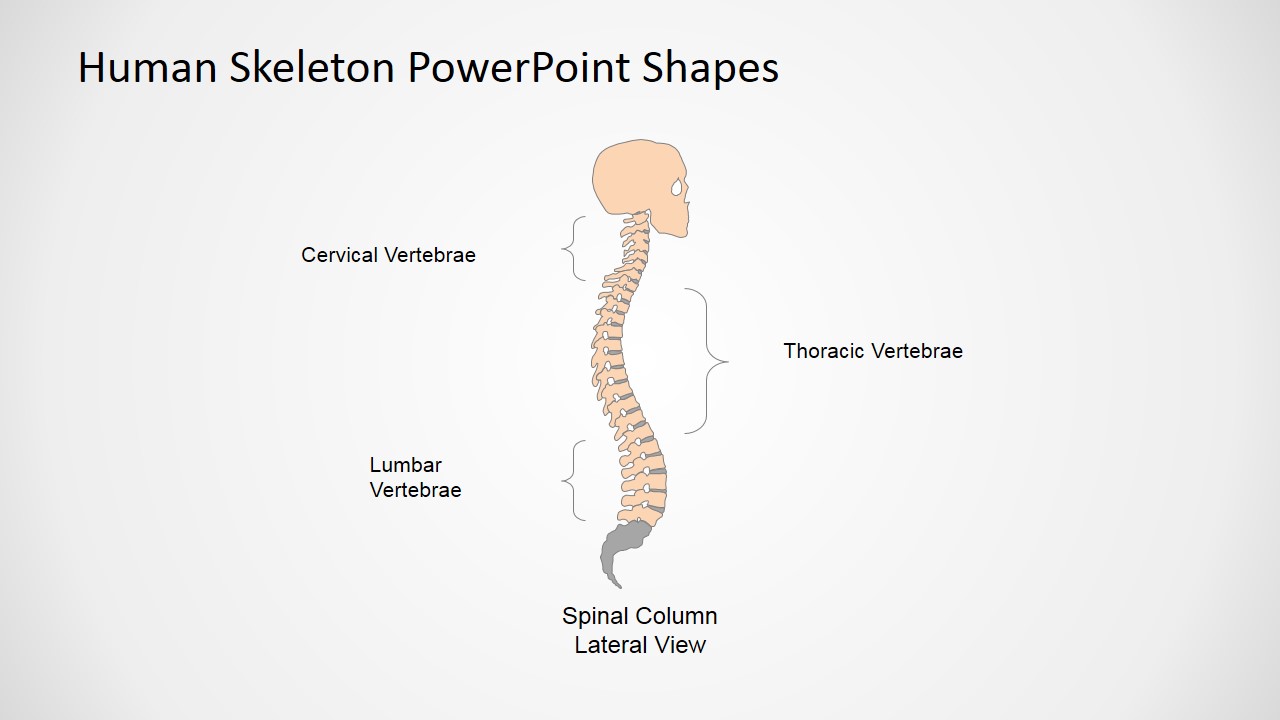
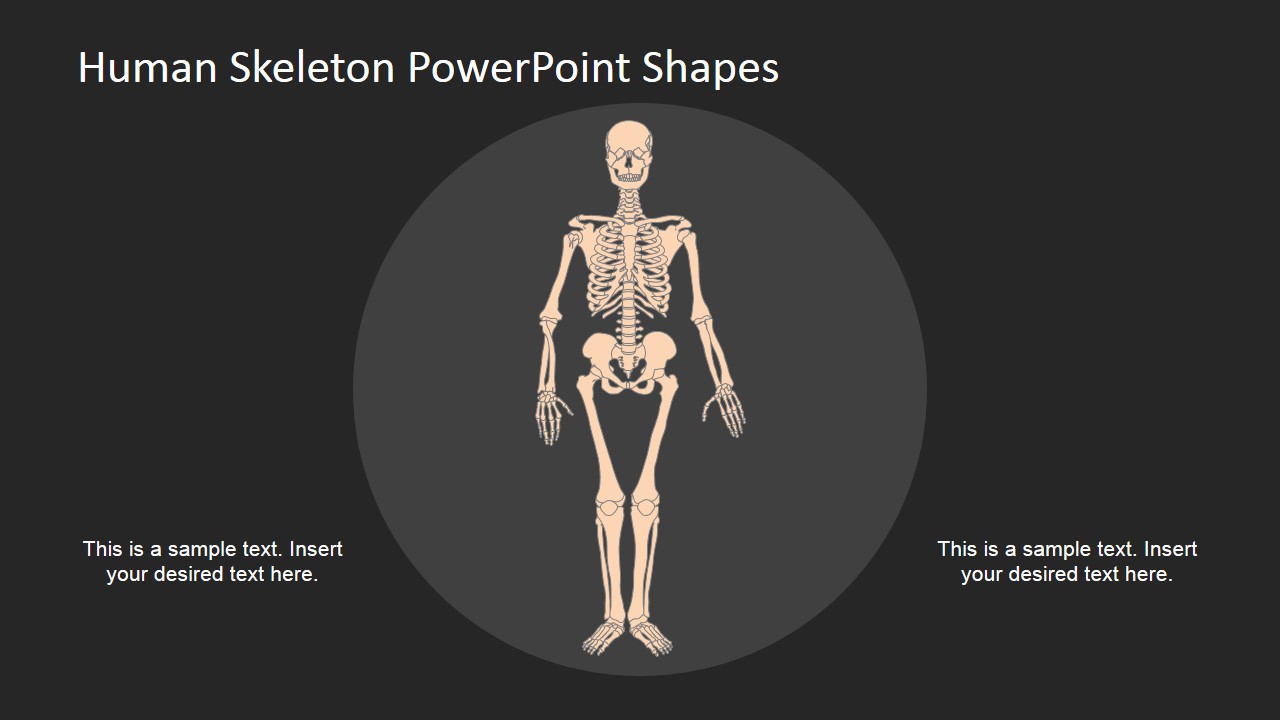
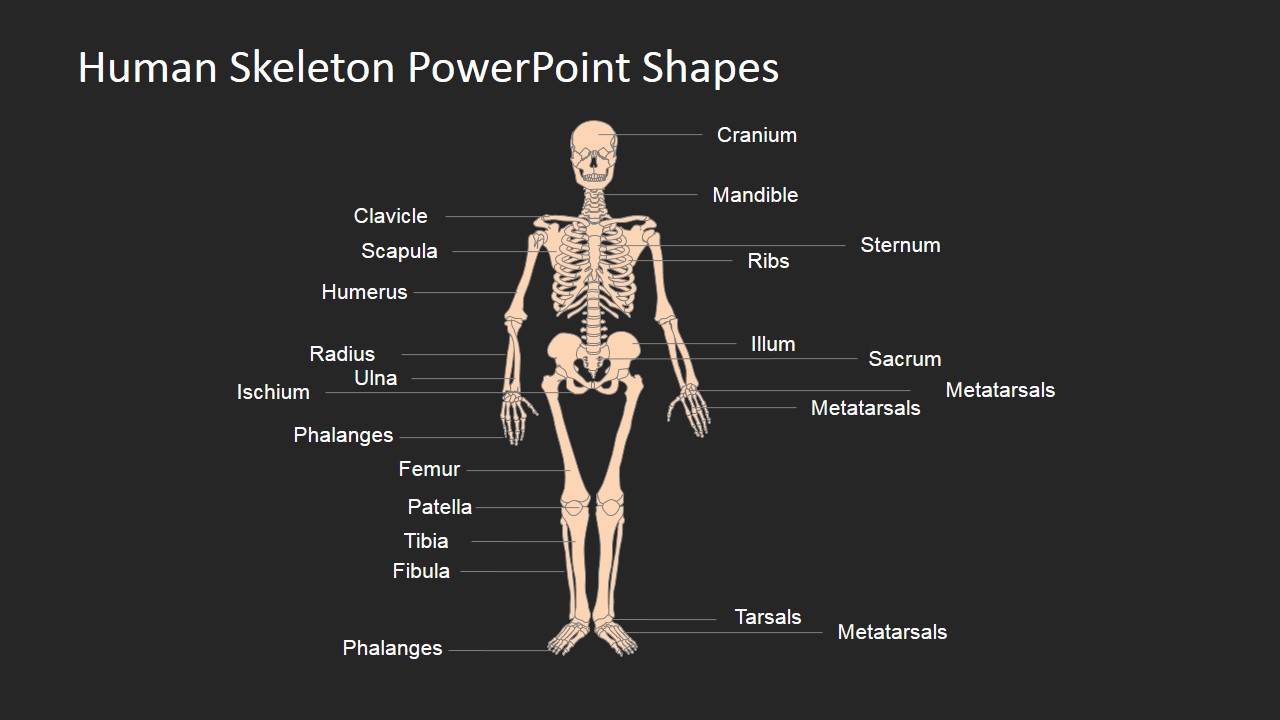
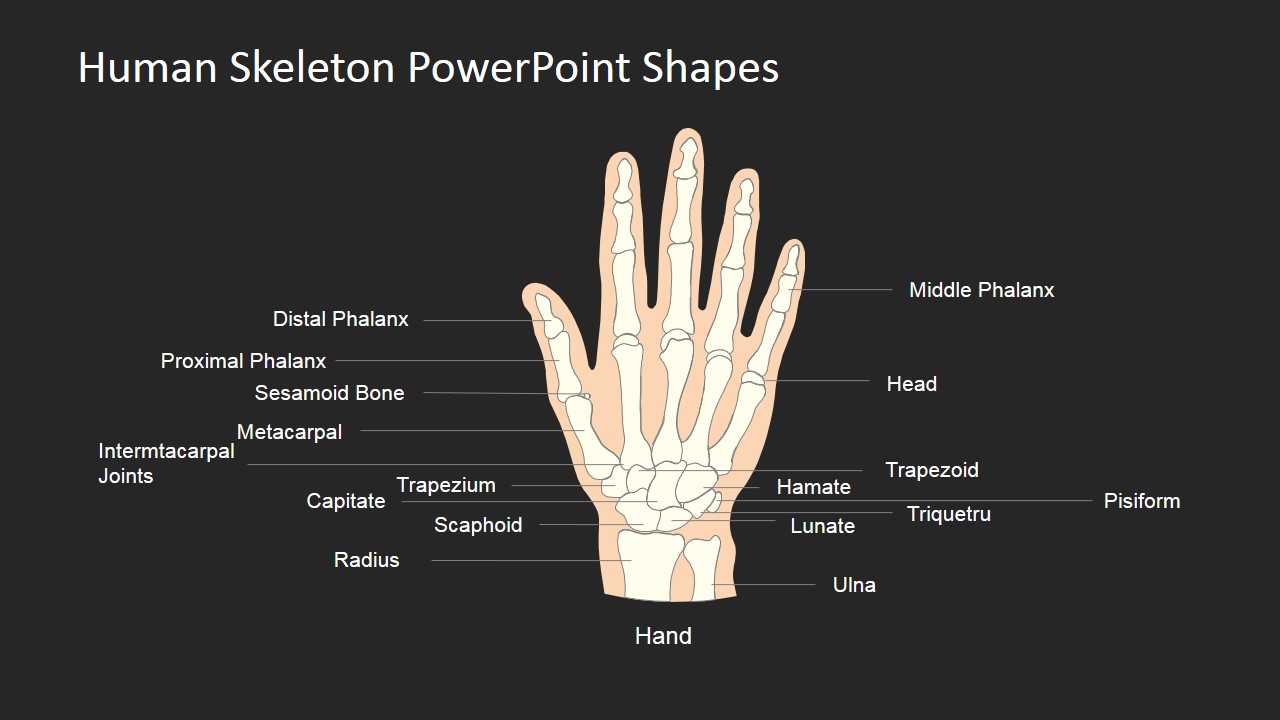
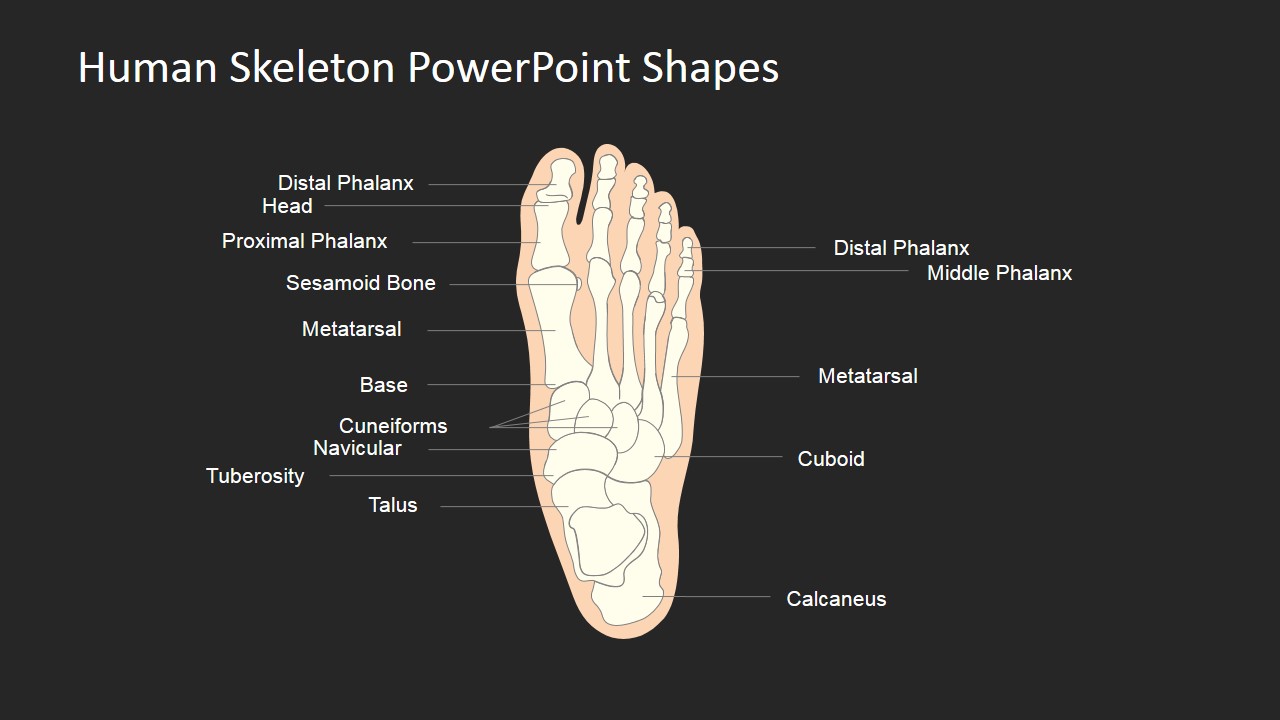
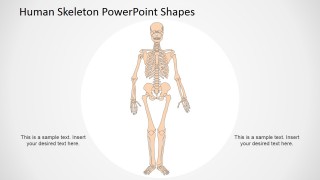
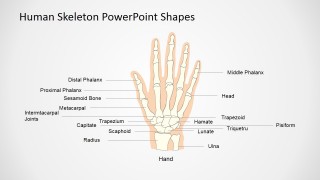
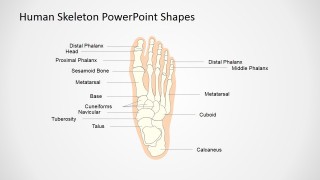
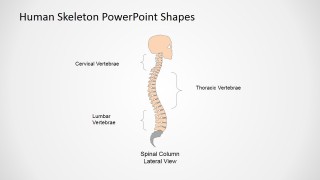
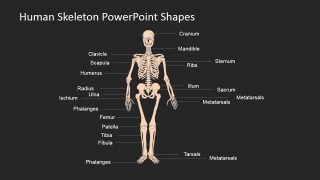
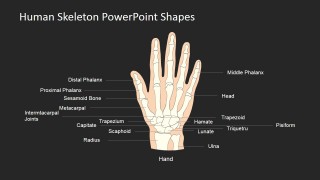
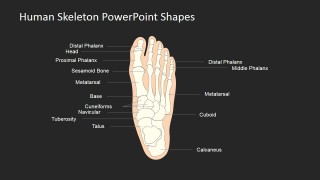
Human Skeleton PowerPoint Shapes – This PowerPoint template is perfect for the human skeleton presentation in medical or school activities. The slides show an accurate illustration of the human skeletal system. Each bone parts are accurately labeled with its scientific names. This design also shows sections of the skeleton with smaller bones so that its structure can be more visible and accurately labeled. This template’s individual slide for separate skeletal sections also allows the participants to familiarize the structure.
If you are lecturing a huge crowd, the goal of course is for everyone to be able to see your visual aid. That’s what makes this skeletal system template for PowerPoint handy. It can be enlarged without affecting the quality of the image. The image is resizable in PowerPoint and other presentation tools while maintaining quality of image structure and text legibility.
One of the advantages in using this PowerPoint presentation is its mobility. You can carry the presentation files in a stick. There’s no need to carry bulky presentation banners and materials. Also, medical subjects have complicated terms such as the scientific names of all the bones in our body – it’s the kind that needs a few days to completely memorize. If you have these types of presentations, you can easily hand out literature to your students or participants. This is a great way to make sure all your students are in the same pace because they have identical study materials.
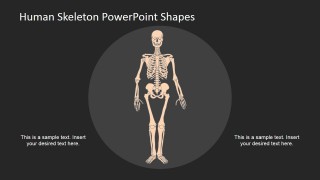
This medical slide presentation is great for beginners like the kids. They are able to see the entire skeletal system in a beginner-friendly visual aid. It has nothing gross or too complicated images. This design is comparable to a cartoon illustration with the accuracy of a sophisticated diagram. It is a simple yet informative design.
Another use for this template is a test questionnaire. You can print it out and the students can conveniently fill out the bone names.
All the shapes are created as PowerPoint objects, allowing the user to fully customize the shape properties (size, colo, effects, etc.) without affecting its visual quality.
What’s inside this template
Example presentation scenarios
- A science teacher can introduce bone groups to middle school or high school students using the full-body skeleton diagram, then move into the labeled hand and foot anatomy slides.
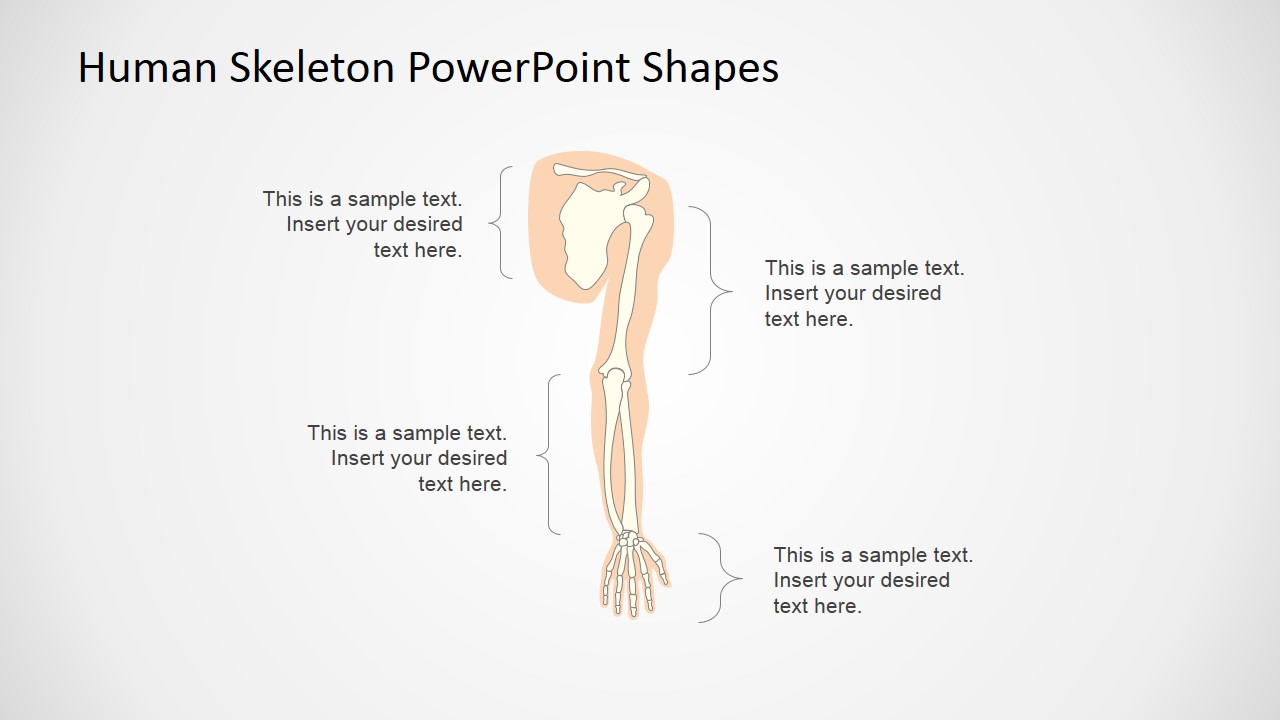
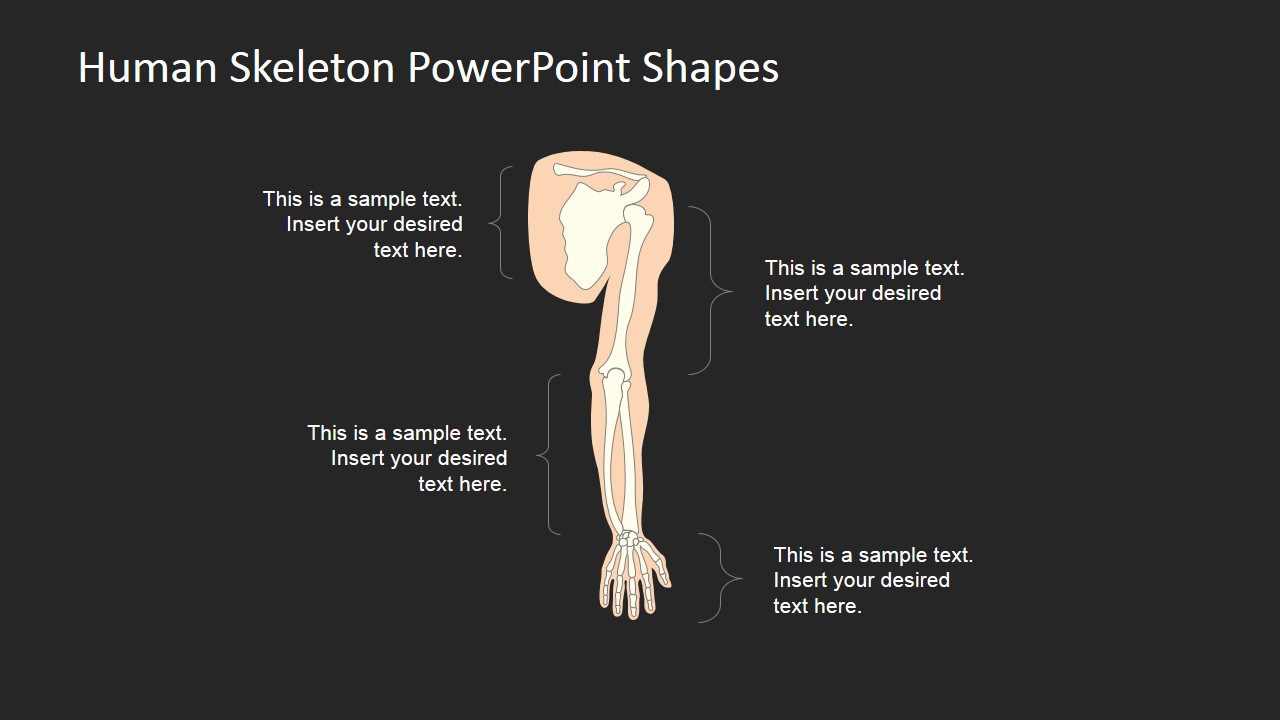
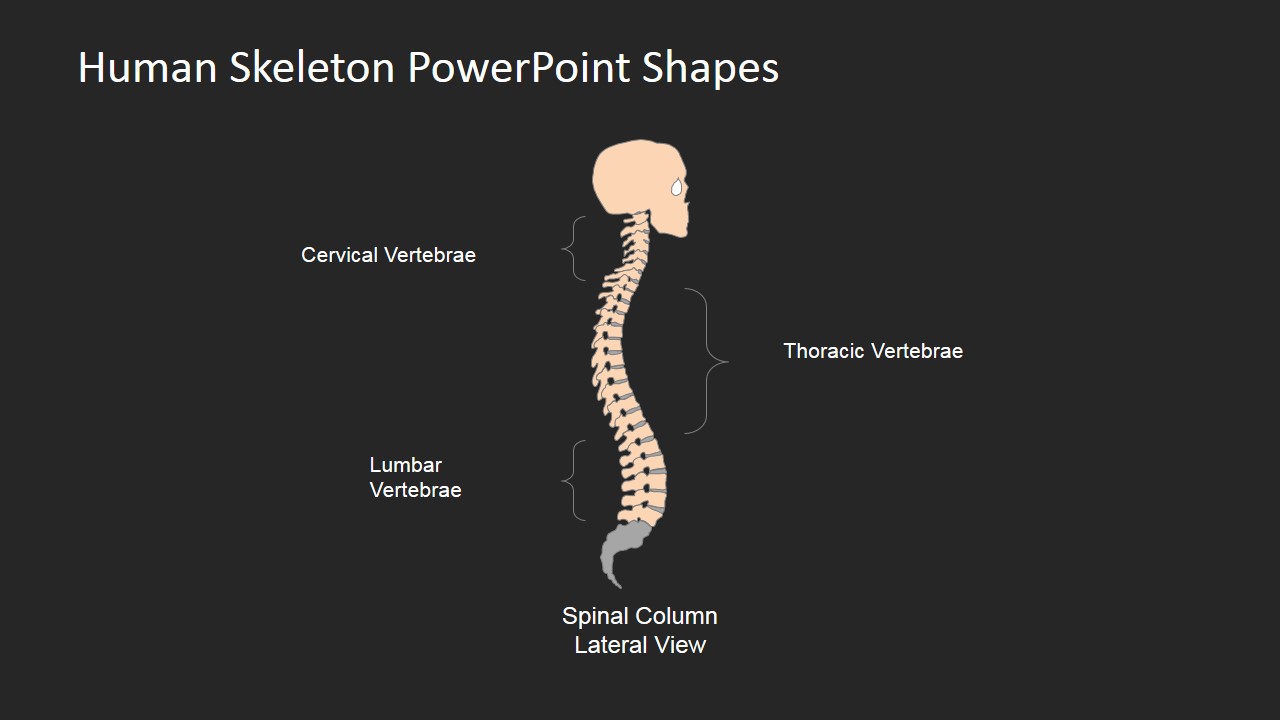
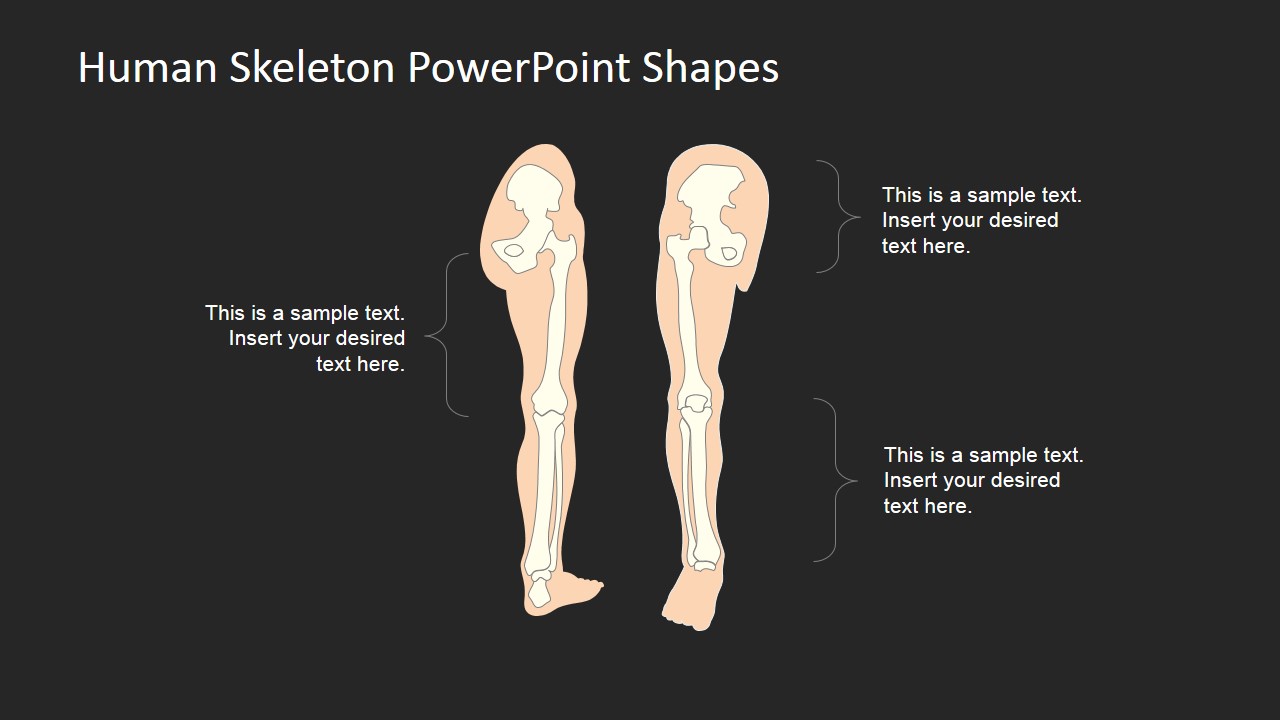
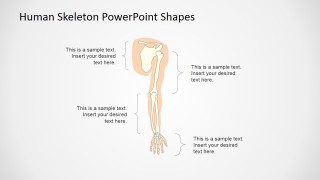
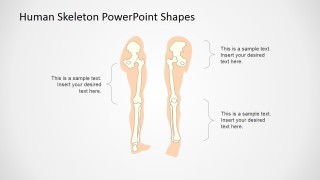
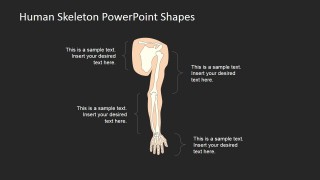
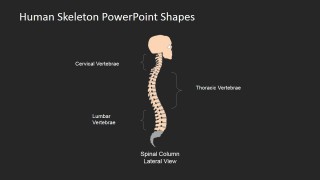
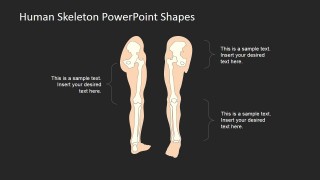
- A medical educator can explain regional anatomy to beginners by isolating the spinal column, upper limb, and leg callout slides instead of showing every bone at once.
- A healthcare trainer can prepare a short musculoskeletal overview for staff orientation using the dark-background skeleton and limb diagrams for projected lecture rooms.
- An instructor can create a quiz or review handout by removing selected labels from the full-body, hand, or foot anatomy diagrams and asking learners to fill them in.
Features
- 100% editable presentation template
- Compatible with Microsoft PowerPoint and Google Slides
- 16:9 aspect ratio slides
- Scalable vector shapes, icons and illustrations
- AI-Ready for Microsoft Copilot and Claude
- Instant access and download
Frequently asked questions
Q: How should a presenter teach the skeleton without overwhelming beginners?
A: Begin with the full-body skeleton to orient the audience, then isolate one region at a time with the hand, foot, spine, arm, and leg slides. Keep labels visible only for the bones being discussed in that segment. This pacing turns a dense anatomy topic into a sequence of smaller visual checkpoints.
Q: Who is this anatomy template best suited for?
A: This template fits teachers, medical instructors, and healthcare trainers who need a clear skeletal reference rather than clinical imagery. It is strongest for introductory lessons, review sessions, study materials, and simple assessment slides because the visuals show recognizable bone structures with readable labels and text callouts.
Q: Why does the template include both full-body and regional anatomy layouts?
A: The full-body diagram gives learners the overall frame, while the regional slides reduce cognitive load by enlarging detailed areas such as the hand, foot, and spinal column. The design uses literal anatomical reference, not an abstract metaphor, so the visual value comes from scale, labeling, and controlled focus.


Human Skeleton PowerPoint Shapes
13-slide presentation template with labeled skeleton diagrams, hand and foot anatomy, and editable bone shapes
Human Skeleton PowerPoint Shapes is a 13-slide presentation template for teaching skeletal anatomy. It includes a full-body skeleton diagram, labeled hand and foot anatomy, lateral spinal column views, and limb callout slides. Medical educators, science teachers, and trainers can edit the vector bone shapes in Microsoft PowerPoint or Google Slides.
- Category
- People & Silhouettes
- Rating

 Loading...
- Aspect ratio
- 16:9, 4:3
- Item ID
- 6599-01
- Colors
 Microsoft PowerPoint
  Microsoft Copilot
  Claude for PowerPoint
 Other formats supported
Subscribe today and get immediate
access to download our PowerPoint templates.