Geospatial Information Value Chain PowerPoint Diagram – The Geospatial Industry references the commercialization of statistical analysis over location – spatial information and the software that involves its visualization and utilization. Its uses ranges from local advertisement , leisure and travel and even to response to national disasters. This industry produces information (for instance in the form of statistics relating to the geographic distribution of Ebola or of social service centres), products (for example GPS receivers and phones) and services (for instance storm or earthquake tracking).
While the consumer products are broadly user-friendly – many requiring only an address to be inputted – the professional applications require significant and continued technical training. This has precipitated a growth in the geospatial analysis market as people seek to provide an approach to applying statistical analysis and other informational techniques to data which has a geographical or geospatial aspect.
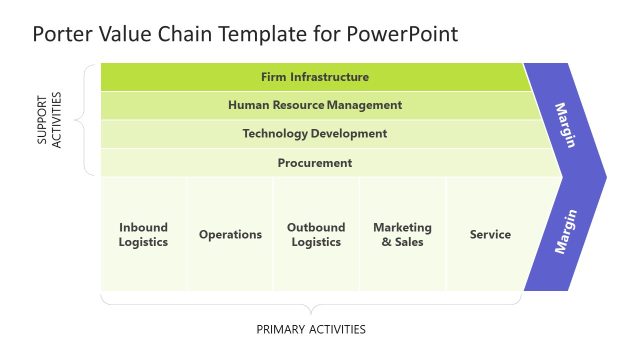
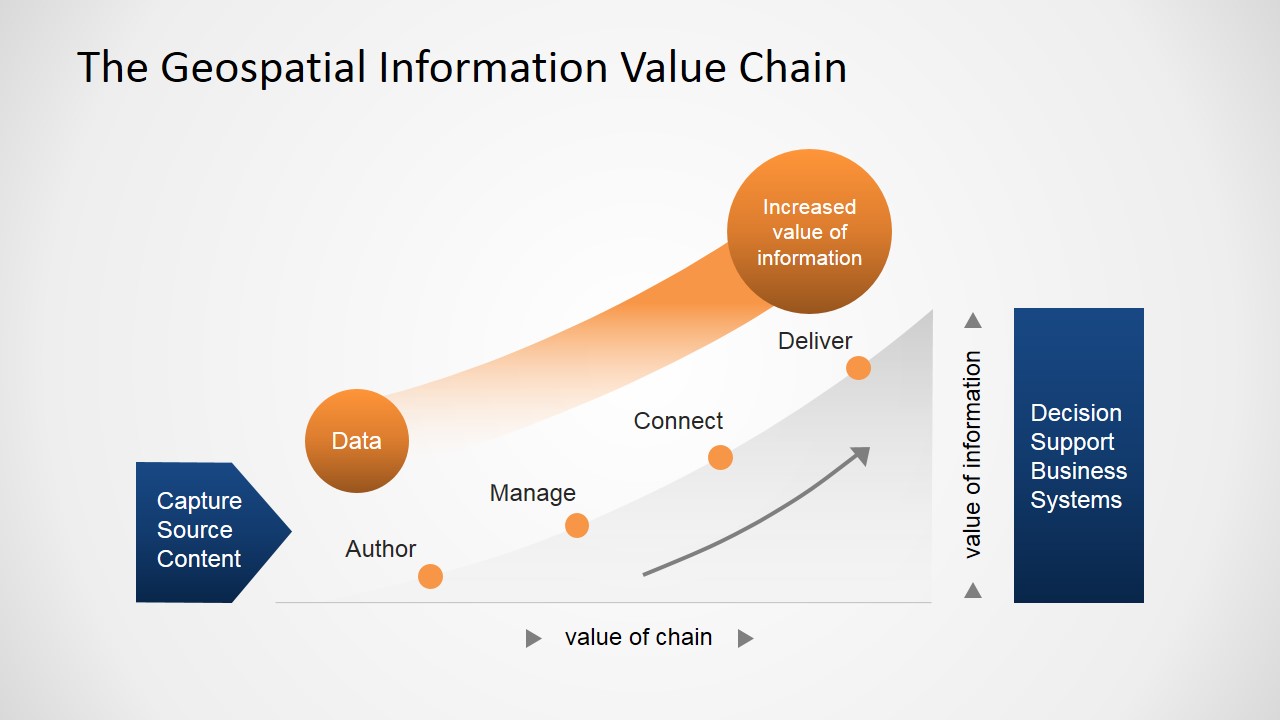
The Geospatial Information Value Chain PowerPoint Diagram provides a professional designed visual aid that offers capabilities with which to capture, store, manipulate, analyze, manage, and present all types of geographical data, and utilise geospatial analysis in the form of a conventional value chain. Using a value chain, lecture and seminar presenters can present (as a chain) a list of activities that a firm or business is operating within a specific industry in order to deliver a valuable product or service for the market. The idea being to present a process view of the organisation as a system made up of subsystems each with inputs, transformation processes and outputs.
This PowerPoint template diagram is entirely editable. All of the icons on display here are formed of high quality clip art vector images that have been sourced from the vast banks freely available in all PowerPoint applications.
What’s inside this template
Example presentation scenarios
- A GIS consultant can use the value chain diagram to explain how captured source content is authored, managed, connected, and delivered into client decision support systems.
- A geospatial data manager can use the rising information-value curve to show executives why raw location data becomes more useful after processing and delivery.
- An instructor can use the process markers and axis labels to teach students how geospatial information flows through a structured analytical workflow.
- A public sector planning team can use the input and output blocks to connect field data collection with emergency response, urban planning, or service delivery decisions.
Features
- 100% editable presentation template
- Compatible with Microsoft PowerPoint and Google Slides
- 16:9 aspect ratio slides
- Scalable vector shapes, icons and illustrations
- AI-Ready for Microsoft Copilot and Claude
- Instant access and download
Frequently asked questions
Q: How should I present the value chain so the audience understands the progression?
A: Start at the Capture Source Content arrow and move left to right through Data, Author, Manage, Connect, and Deliver. Treat the orange curve as the main storyline: each step increases the value of information. End at Decision Support Business Systems so the audience sees the practical business result, not only the technical workflow.
Q: Who is this diagram best suited for in a business or education setting?
A: This diagram works best for GIS analysts, geospatial consultants, data managers, and instructors who need to explain how location-based information becomes useful output. It is appropriate for strategy briefings, client discovery sessions, and classroom introductions where the audience needs a simple process view before seeing detailed system architecture.
Q: Why does the design use a rising curve instead of a flat process chain?
A: The rising curve makes the value metaphor visible: raw data starts with limited context, then gains meaning as it is authored, managed, connected, and delivered. The gray base supports the process steps, while the orange highlight draws attention to the increasing value of information. This helps nontechnical audiences follow the concept quickly.

Geospatial Information Value Chain PowerPoint Diagram
2-slide presentation template for geospatial value chain diagrams, source content, and decision support systems
This 2-slide diagram template presents a geospatial information value chain for PowerPoint and Google Slides. It uses a chain diagram, rising information-value curve, process markers, and input-output system blocks to show how source content becomes decision support business systems. It is suited to geospatial analysts, GIS consultants, educators, and technology teams.
- Category
- Diagrams
- Rating


 Loading...
- Aspect ratio
- 16:9, 4:3
- Item ID
- 6549-01
- Colors
 Microsoft PowerPoint
  Microsoft Copilot
  Claude for PowerPoint
 Other formats supported
Subscribe today and get immediate
access to download our PowerPoint templates.