Slide 6 of 7 from Financial PowerPoint Template with Calculator
Financial Slide Design with World Map Shape
Financial Calculation Layout for Presentations
- Text Layout
- Other
- Financial Summary Slide
- 16:9
- 100% Editable
About This Slide
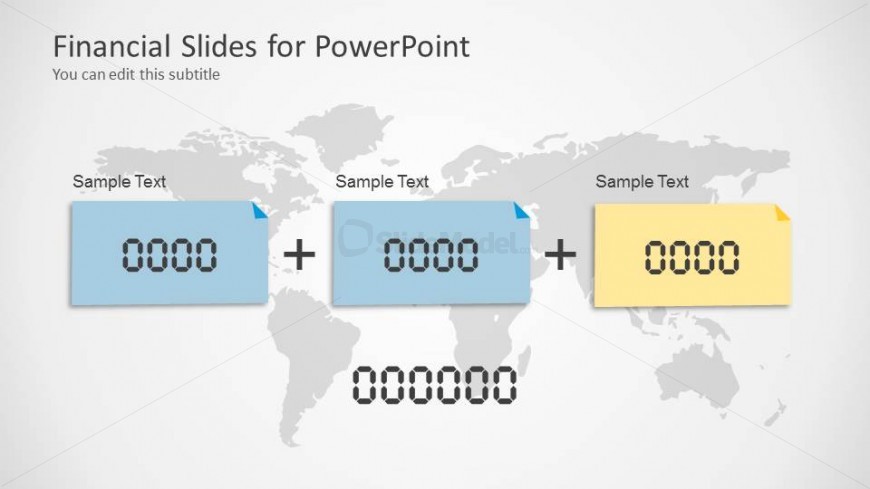
Creative slide design with 3 placeholders to add financial data and KPI into a financial PowerPoint presentation. The editable slide design has a world map background design and sticky notes created as PowerPoint shapes that you can easily edit to change the styles and effect.
What’s on This Slide
The layout features three rectangular containers positioned horizontally across the center of the slide. Each container has a blue or yellow background with a folded corner, housing a placeholder for numeric data. Below these containers, a large placeholder displays a total value in a bold font. The background features a subtle world map graphic that spans the entire slide. Text placeholders are aligned at the top of the containers, while the total value placeholder is centered below them. The overall composition is clean and organized, emphasizing the financial data.
How to Use It
This layout serves as a financial calculation slide, ideal for presenting sums or comparisons of financial figures. It fits well in a sequence after introductory slides, providing clarity on financial totals. Suitable scenarios include budget summaries, financial reports, or accounting presentations. The layout allows for easy updates to numeric data, making it practical for live presentations or reports. It effectively communicates financial information in a structured manner, enhancing audience understanding.
Text Placeholders & Capacity
Keep your copy within these limits so it fits without resizing. Node body slots can hold roughly 20 characters each, while title and subtitle slots can accommodate about 40 characters each.
| Placeholder | Count | Max characters (approx.) |
|---|---|---|
| Item body | 3 | 20 |
| Item body | 1 | 20 |
| Slide title | 1 | 40 |
| Subtitle | 1 | 40 |
Slide Keywords
Download unlimited PowerPoint templates, charts and graphics for your presentations with our annual plan.
DOWNLOAD