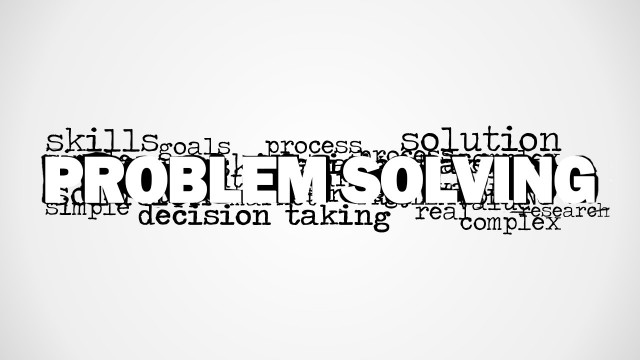
Decision Making Word Cloud Picture for PowerPoint is a creative tag cloud illustration picture that you can use to decorate your business slides and presentations on decision making and problem solving. It contains a main keyword decision making and other secondary keywords behind such as planning, solution, problem, tasks, dilemma, success, goals, question and more.
Alternatively, you can download other decision making presentation templates for PowerPoint & Google Slides.
What’s inside this template
Example presentation scenarios
- A business consultant can open an executive problem solving workshop by using the word cloud to frame dilemma, solution, goals, and success as the vocabulary for the session.
- A project manager can introduce a planning meeting by placing the word cloud before a discussion agenda and using the blank canvas for the key decision question.
- A corporate trainer can use the white-background word cloud as a section divider before teaching decision criteria, task prioritization, or question-based problem solving.
- A strategy team lead can use the gray-gradient word cloud visual to start a review conversation about competing options, risks, and expected outcomes.
Features
- 100% editable presentation template
- Compatible with Microsoft PowerPoint and Google Slides
- 16:9 aspect ratio slides
- Scalable vector shapes, icons and illustrations
- AI-Ready for Microsoft Copilot and Claude
- Instant access and download
Frequently asked questions
Q: How should this word cloud be presented so it supports the message instead of acting as decoration?
A: Use the large Decision Making phrase as the anchor, then call out three or four surrounding terms that match the meeting purpose, such as problem, solution, question, and goals. Avoid reading every word. Treat the visual as a discussion prompt that prepares the audience for the decision framework or agenda that follows.
Q: Who is this template best suited for during a business presentation?
A: This template fits consultants, project managers, facilitators, and trainers who need a concise visual opener for a decision making or problem solving topic. It works best before a workshop agenda, planning conversation, brainstorming exercise, or leadership discussion where the audience first needs shared language before details are introduced.
Q: Why does the central word cloud design work for decision making topics?
A: The design uses a visual hierarchy metaphor: one dominant concept surrounded by the issues that shape it. Decision Making is intentionally larger than terms like plan, dilemma, tasks, and success, helping the audience see the central theme first and then recognize the related pressures, questions, and outcomes around it.




Decision Making Word Cloud Picture for PowerPoint
2-slide presentation template with a decision making word cloud picture for planning and problem solving topics
This is a 2-slide picture presentation template for decision making and problem solving topics. Visible layouts include a full-width monochrome word cloud on a gray gradient background, a blank white canvas, and a white-background word cloud variant. It is for consultants, project managers, and trainers using Microsoft PowerPoint or Google Slides.
- Category
- Pictures
- Rating


 Loading...
- Aspect ratio
- 16:9
- Item ID
- 8185-01
 Microsoft PowerPoint
  Microsoft Copilot
  Claude for PowerPoint
 Other formats supported
Subscribe today and get immediate
access to download our PowerPoint templates.