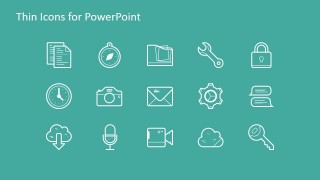
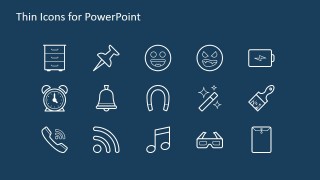
This creative icon set template for PowerPoint contains a collection of 85+ thin icons for PowerPoint that you can use to decorate your presentations. You can easily copy and paste each icon into your own slides and resize them without losing image quality. Moreover, given that the thin icons in this collection are created as PowerPoint shapes, you can modify the shape properties and change colors or shape effects in PowerPoint.
What’s inside this template
Example presentation scenarios
- A consultant can use the themed icon grids to create consistent section markers for a client strategy report, choosing symbols such as the lock, key, chart, and calendar to label risks, access, performance, and timing.
- A marketing presenter can use the media and device icon grid to explain campaign channels, replacing bullet labels with the eye, play button, phone, tablet, laptop, and link icons.
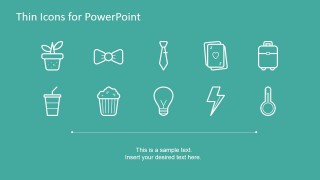
- A trainer can use the captioned icon selection slide to introduce classroom activities or learning modules, pairing the lightbulb, plant, lightning bolt, or thermometer symbols with short explanatory text.
- A finance or operations lead can use the commerce and institution icons to clarify payment, cost, banking, insurance, and location topics with the dollar coin, credit card, bank, shield, and map symbols.
Features
- 100% editable presentation template
- Compatible with Microsoft PowerPoint and Google Slides
- 16:9 aspect ratio slides
- Scalable vector shapes, icons and illustrations
- AI-Ready for Microsoft Copilot and Claude
- Instant access and download
Frequently asked questions
Q: How should a presenter use this icon set without making slides feel crowded?
A: Start by assigning one icon to one idea, not one icon to every sentence. The thin line style works best as a label for sections, steps, features, or categories. Use the cover icon cluster only as a decorative opener, then copy individual icons from the grids into slides where they clarify the message.
Q: Who is this template best suited for in a business presentation workflow?
A: This template is best for presenters who already have a report, pitch, lesson, or internal update and need a consistent set of visual cues. Consultants, marketers, trainers, and operations teams can use the business, media, finance, healthcare, and lifestyle icons to make recurring categories easier for the audience to scan.
Q: Why do thin line icons improve communication in this template?
A: The icons act as simple metaphors: a lock for security, a key for access, a map for location, a bank for finance, and a lightbulb for ideas. Because the drawings share one stroke style, the audience reads them as one system instead of separate clip art, which keeps attention on the message.





Thin Icons for PowerPoint
6-slide presentation template with thin line icons, icon grids, and editable vector shapes
Thin Icons for PowerPoint is a 6-slide presentation template containing 85+ editable thin line icons for Microsoft PowerPoint and Google Slides. The contact sheet shows a title cover with an icon cluster, themed icon grid slides, and a captioned icon selection layout for adding consistent visual markers to business presentations.
- Category
- Shapes
- Rating


 Loading...
- Aspect ratio
- 16:9
- Item ID
- 6884-01
- Colors
 Microsoft PowerPoint
  Microsoft Copilot
  Claude for PowerPoint
 Other formats supported
Subscribe today and get immediate
access to download our PowerPoint templates.