Ansoff Growth Matrix Template for PowerPoint is a presentation slide template for making strategic marketing planning models.
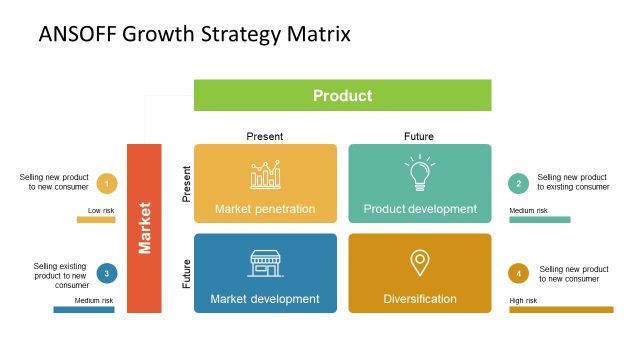
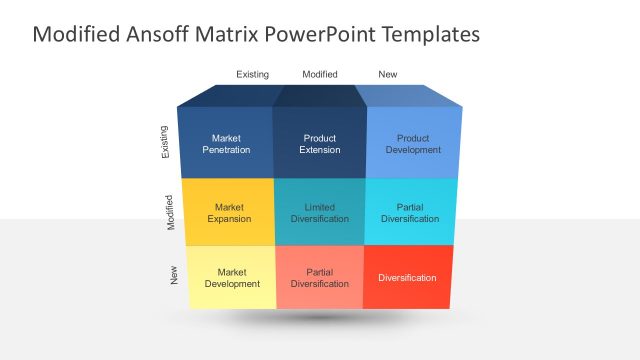
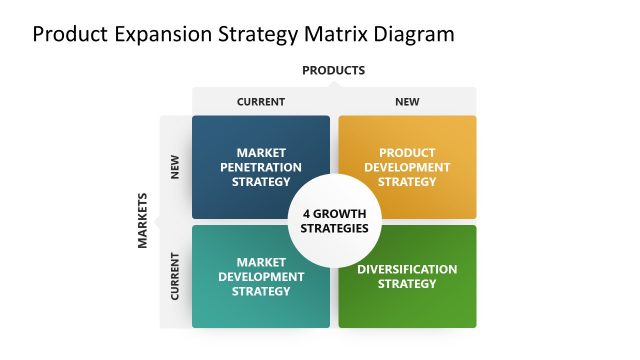
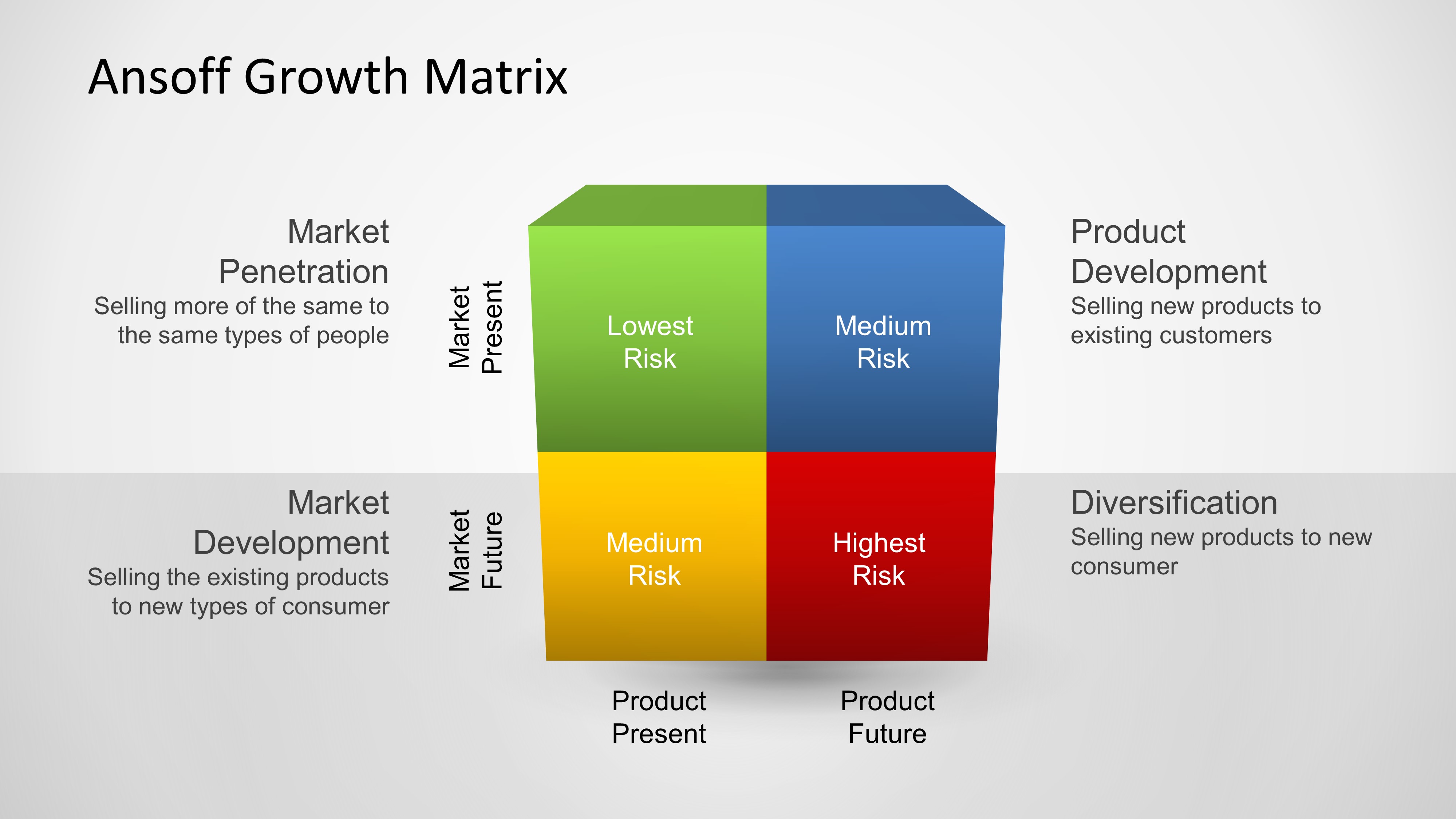
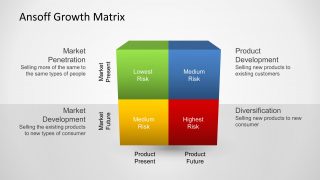
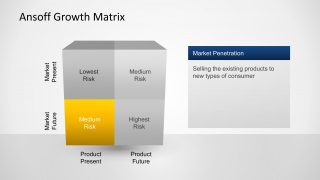
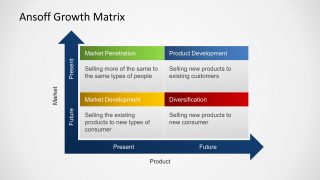
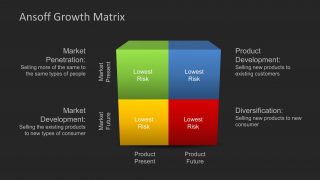
This 3D-style Ansoff Growth Matrix slide template visually represents the four strategic options for business growth: Market Penetration, Product Development, Market Development, and Diversification. The matrix is displayed in a 2×2 cube format, making it easy to distinguish between levels of strategic risk, ranging from Lowest Risk to Highest Risk.
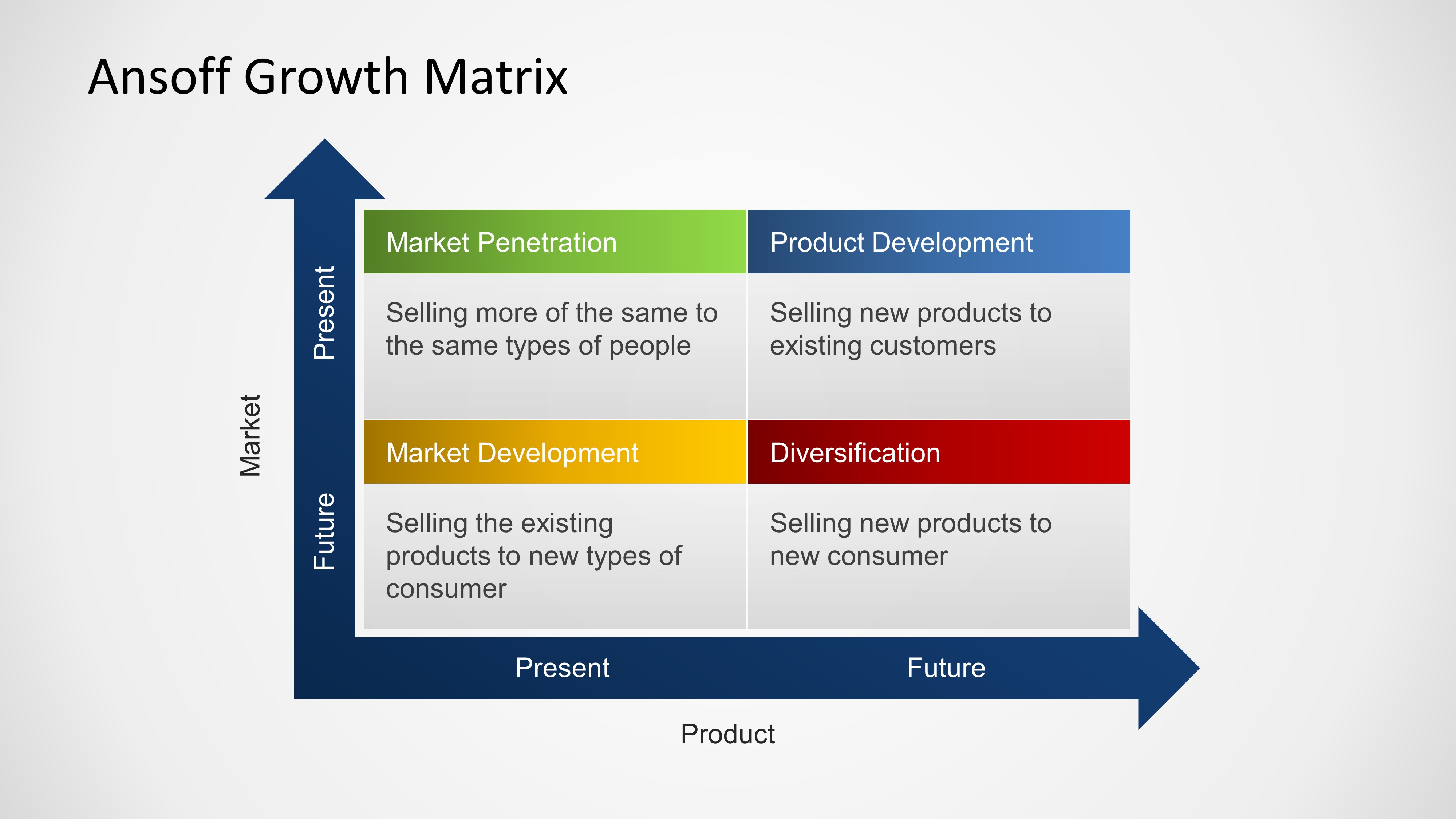
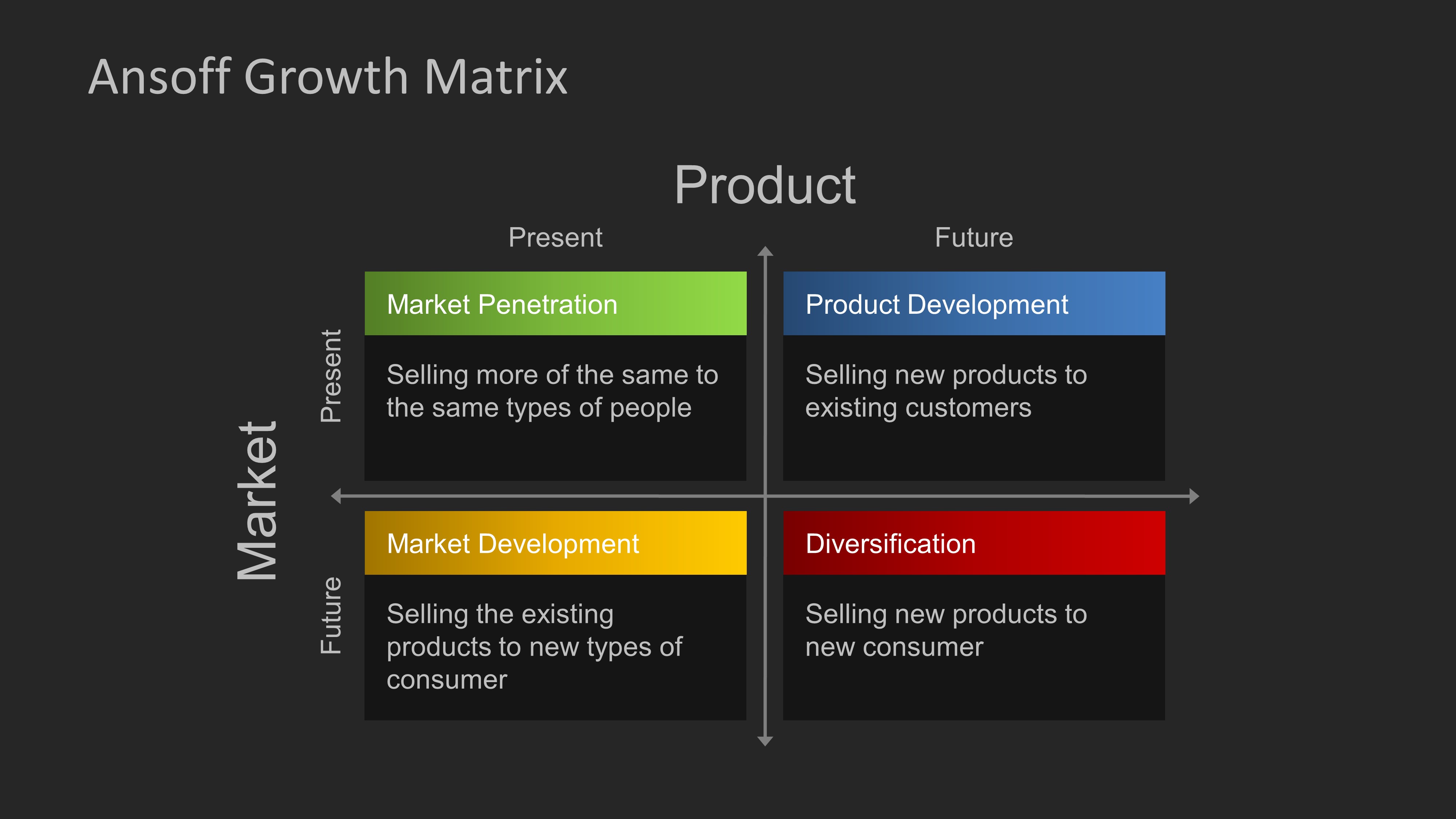
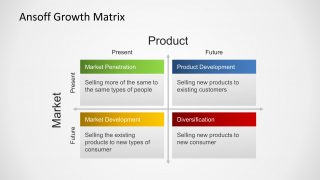
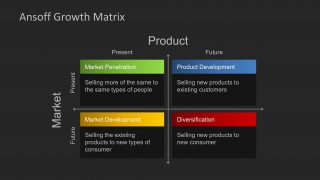
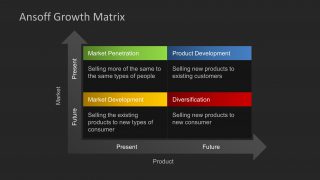
The horizontal axis maps product evolution from Present to Future, while the vertical axis represents market dynamics from Present to Future. Each quadrant is clearly labeled and color-coded to reflect its risk profile:
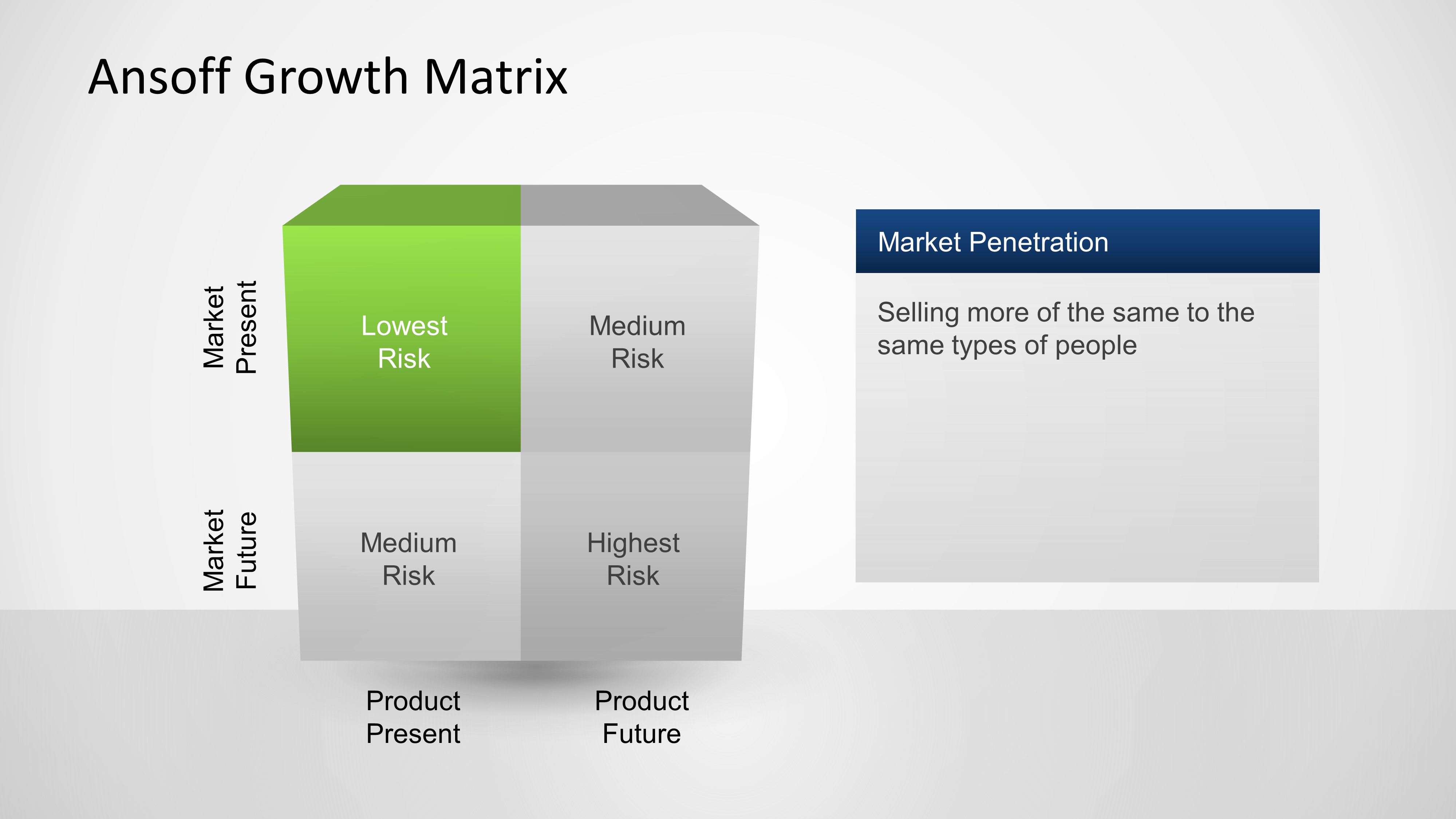
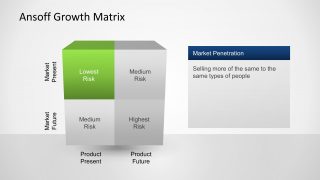
- Market Penetration (green): Selling existing products to existing markets—Lowest Risk
- Product Development (blue): Introducing new products to existing markets—Medium Risk
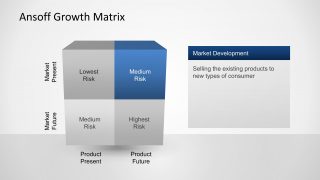
- Market Development (yellow): Offering existing products to new markets—Medium Risk
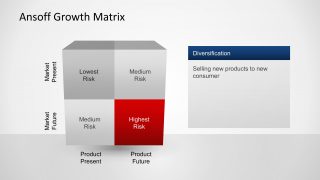
- Diversification (red): Launching new products in new markets—Highest Risk
With this editable diagram template you can craft a professional looking Ansoff Matrix for use in presentations.
This editable Ansoff matrix PPT slide is ideal for strategy presentations, business development plans, and marketing roadmaps. It helps audiences quickly grasp the trade-offs and opportunities in growth planning, and it’s fully compatible with PowerPoint and Google Slides for flexible editing.
Alternatively, you can download editable Ansoff matrix PPT templates for presentations, fully compatible with PowerPoint and Google Slides.
What’s inside this template
Example presentation scenarios
- A marketing director can use the 3D Ansoff cube to explain the relative risk of current-market and new-market growth options to an executive committee.
- A product manager can use the focused quadrant callout slides to compare product development and diversification choices before committing resources.
- A strategy consultant can use the flat arrow-axis matrix to facilitate a client workshop on where new products and new markets should fit in the growth plan.
- A business development leader can use the dark theme matrix slides to summarize expansion options in a board-ready strategy update.
Features
- 100% editable presentation template
- Compatible with Microsoft PowerPoint and Google Slides
- 16:9 aspect ratio slides
- Scalable vector shapes, icons and illustrations
- AI-Ready for Microsoft Copilot and Claude
- Instant access and download
Frequently asked questions
Q: How should a presenter explain the four Ansoff options without overwhelming the audience?
A: Start with the full 3D matrix to define the two axes: present to future markets and present to future products. Then move to the highlighted quadrant slides to explain one strategy at a time. This pacing lets the audience understand Market Penetration, Product Development, Market Development, and Diversification as distinct choices rather than one dense framework.
Q: Who is this template best suited for in a strategy discussion?
A: It fits presenters who need to compare growth paths before a decision, such as marketing leaders, product managers, consultants, and business development teams. The template is strongest when the audience must choose between expanding existing offers, entering new markets, building new products, or accepting the higher risk of diversification.
Q: Why does the template use cube and arrow-axis versions of the same matrix?
A: The 3D cube makes risk levels feel spatial and easy to scan, while the flat arrow-axis layouts make the market and product dimensions more explicit. Using both versions helps the presenter first frame the concept visually, then shift into a more practical discussion of where each initiative belongs.





Ansoff Growth Matrix Template for PowerPoint
10-slide presentation template with Ansoff matrix, growth strategy quadrants, and market product axes
The Ansoff Growth Matrix Template for PowerPoint is a 10-slide strategy planning deck for comparing growth options. It includes 3D quadrant cubes, focused quadrant callouts, arrow-axis matrices, and light and dark theme variants. Business strategists, marketers, and executives can edit it in Microsoft PowerPoint or Google Slides.
- Category
- Models
- Rating


 Loading...
- Aspect ratio
- 16:9
- Item ID
- 6481-01
 Microsoft PowerPoint
  Microsoft Copilot
  Claude for PowerPoint
 Other formats supported
Subscribe today and get immediate
access to download our PowerPoint templates.