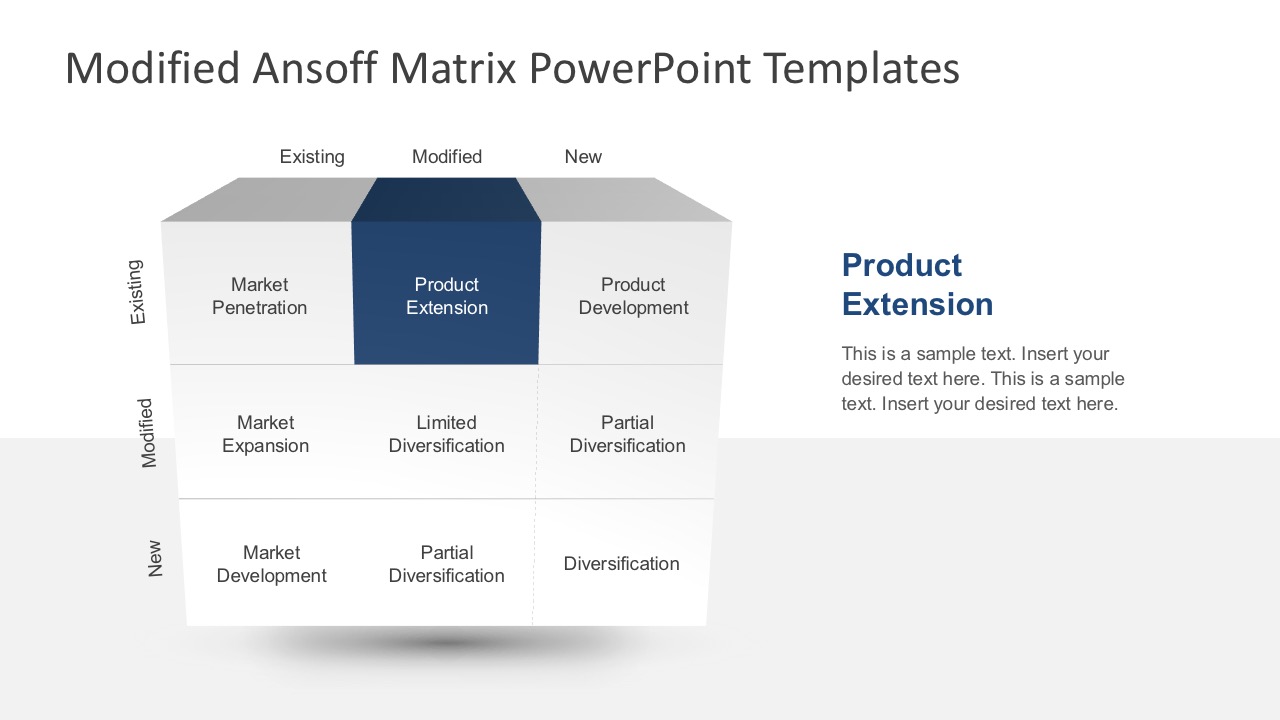
Modified Ansoff Matrix PowerPoint Template is a strategic framework for planning. It helps executives, senior managers, and marketers devise strategies for business growth. The Ansoff diagram otherwise known as the Product or Market Expansion Grid revolves on the major growth alternatives for businesses.
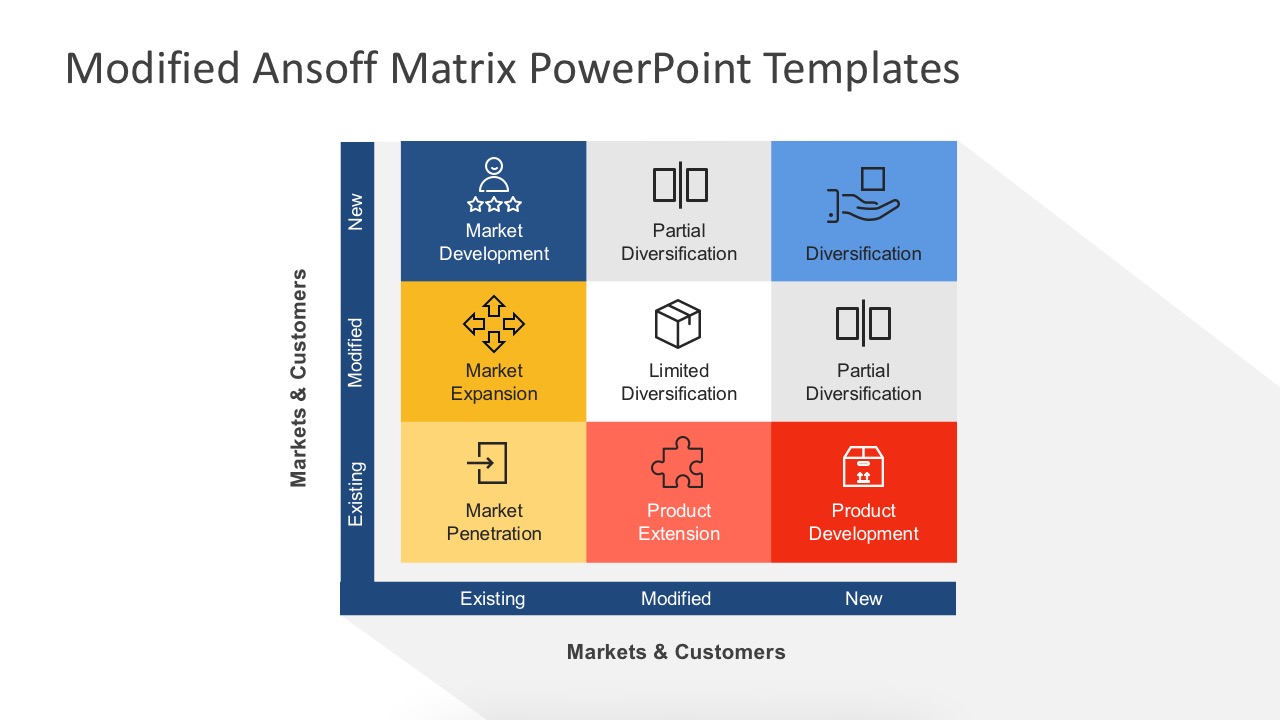
However, this Modified Ansoff Matrix presents nine alternatives which boil down into these four areas:
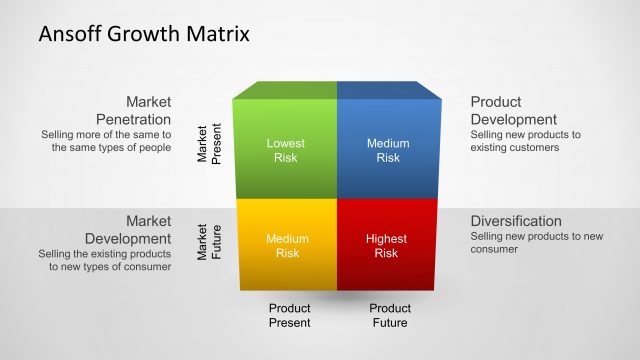
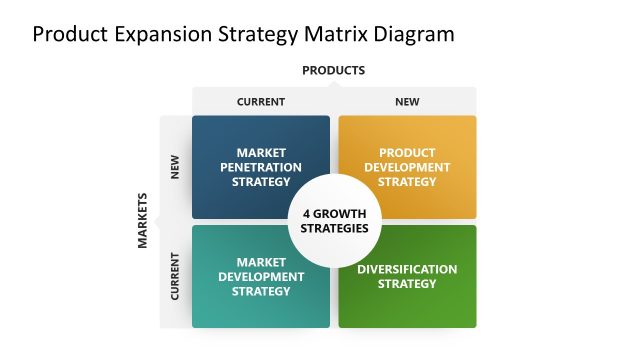
- Market Penetration is when the business tries to grow using its existing goods and services increasing product value from the customer’s perspective. For example, price adjustment, increase in promotion and distribution support, and product refinements.
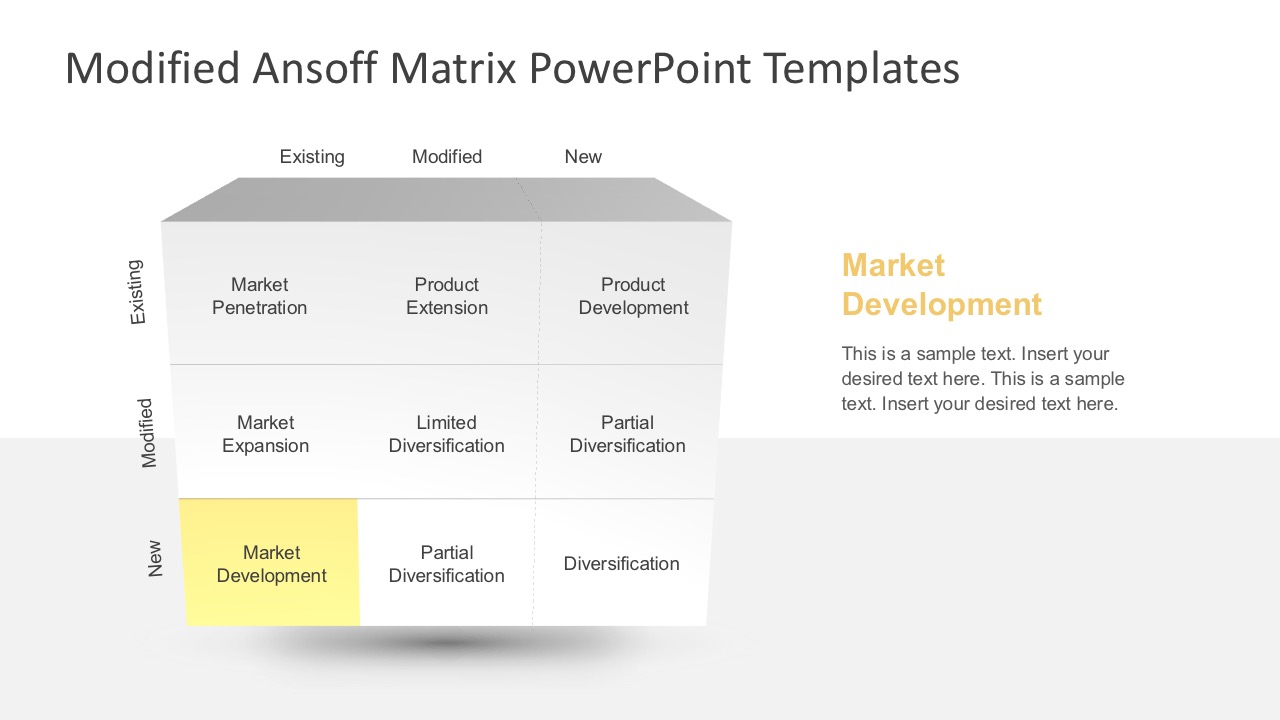
- Market Development is the business expansion into new markets using its existing offerings. Through developing different customer segments, using of product technology to leverage in the new market, or diversifying the target market.
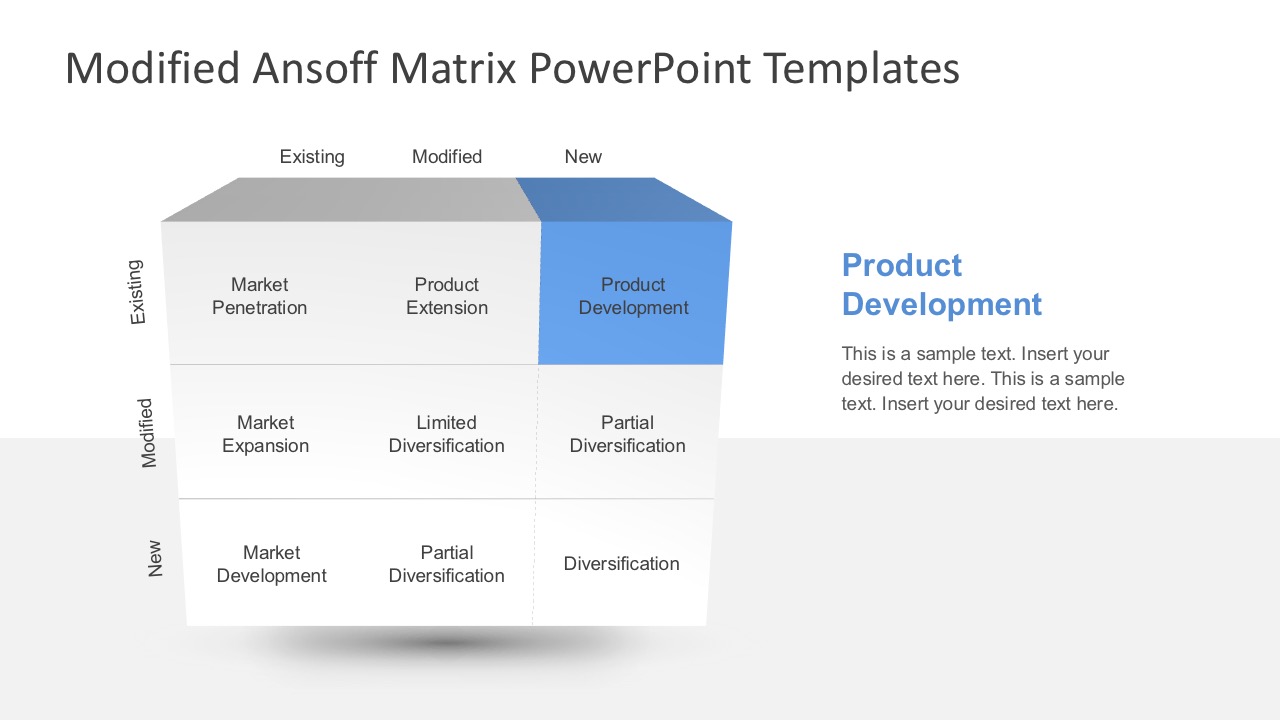
- Product Development is the reinvention or creation of new goods and services for the existing markets to achieve growth.
- Diversification is when the business introduces new offerings in new markets. However, the riskiest strategy because both product and market development are required. Basically, launching unproven goods and services into an entirely new market.
It helps analyze the risks associated in every quadrant. Each time the business move into a new quadrant (horizontally or vertically), the risk increases. Thus, it needs careful planning, testing, reevaluation, and reinvention. Hence, there are numerous business tools and frameworks available to help companies.
What’s inside this template
Example presentation scenarios
- A strategy consultant can use the 3D 3x3 matrix to explain how existing, modified, and new markets connect to product growth choices during an executive planning session.
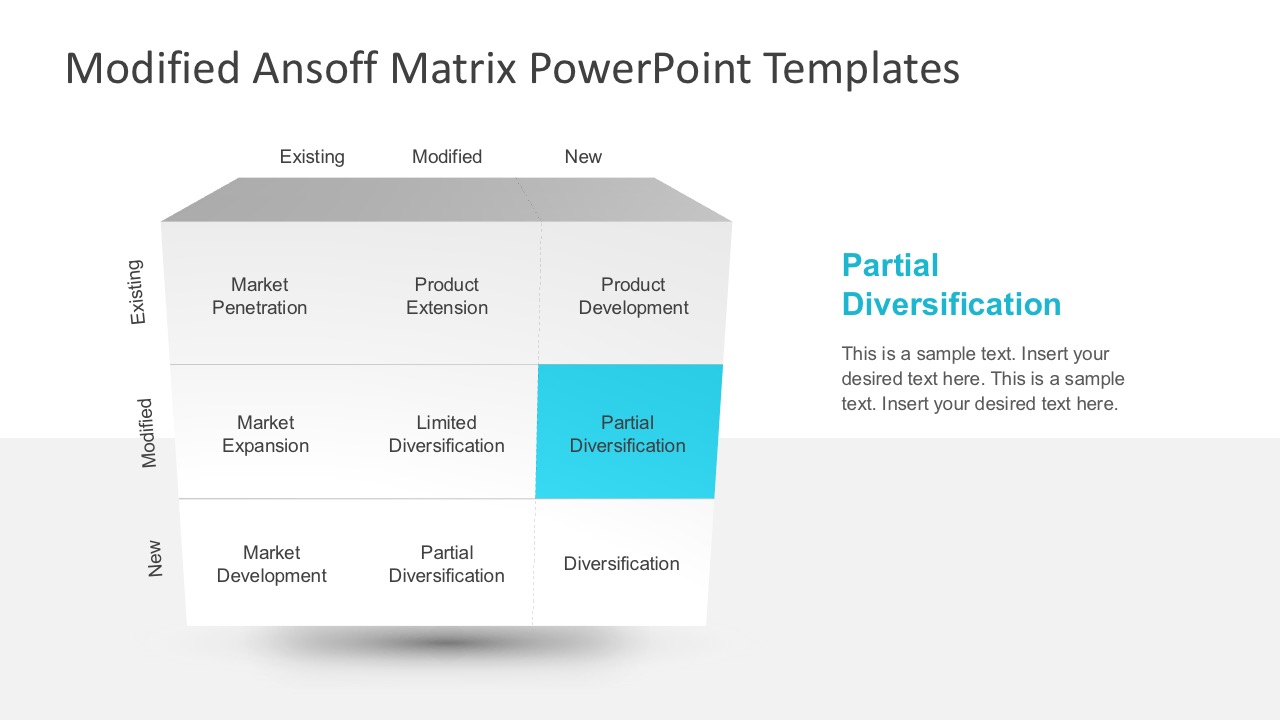
- A marketing director can use the single-cell highlight slides to compare market penetration, market development, product development, and diversification options in a campaign planning meeting.
- A business development manager can use the icon-based matrix to summarize growth paths for a leadership audience that needs a quick visual map of opportunities.
- A product leader can use the dark background overview slide to introduce a board-level discussion about higher-risk expansion moves such as partial diversification and diversification.
Features
- 100% editable presentation template
- Compatible with Microsoft PowerPoint and Google Slides
- 16:9 aspect ratio slides
- Scalable vector shapes, icons and illustrations
- AI-Ready for Microsoft Copilot and Claude
- Instant access and download
Frequently asked questions
Q: How should a presenter explain the modified Ansoff matrix without overwhelming the audience?
A: Start with the full 3D matrix to establish the two decision dimensions: markets and products. Then move through the single-cell highlight slides, explaining one strategic choice at a time. Keep each text block focused on the decision, the expected payoff, and the main risk so the audience compares options instead of reading definitions.
Q: Who is this template best suited for in a strategy conversation?
A: This template fits executives, senior managers, marketers, and consultants who need to frame growth alternatives before selecting initiatives. It is most useful when the discussion includes market penetration, product extension, product development, and diversification. The layout supports workshops where stakeholders need a shared language for comparing expansion paths.
Q: Why does the nine-cell matrix design help communicate growth risk?
A: The grid metaphor makes movement away from existing markets and products visible. The colored overview and isolated highlight slides show how each option sits inside the same strategic map, while the icon matrix adds quick recognition cues. This structure helps the presenter discuss relative complexity and risk without relying on dense explanation.








Modified Ansoff Matrix PowerPoint Template
13-slide presentation template for modified Ansoff matrix strategy, market expansion, and product growth planning
The Modified Ansoff Matrix PowerPoint Template is a 13-slide strategy diagram deck for comparing existing, modified, and new markets and products. It includes a 3D 3x3 Ansoff matrix, single-cell highlight slides, icon-based matrix layouts, and light and dark background variants for executives, senior managers, and marketers in Microsoft PowerPoint and Google Slides.
- Category
- Models
- Rating

 Loading...
- Aspect ratio
- 16:9, 4:3
- Item ID
- 7381-01
- Colors
 Microsoft PowerPoint
 Microsoft Copilot
 Claude for PowerPoint
Other formats supported
Subscribe today and get immediate
access to download our PowerPoint templates.