Slide 1 of 5 from 4-Quadrant Central Idea PowerPoint Template
Quadrants Diagram – Central Idea Template
4 Quadrants Central Idea PowerPoint Template
- Diagram
- Matrix Quadrant
- Strategic Analysis Slide
- 16:9
- 100% Editable
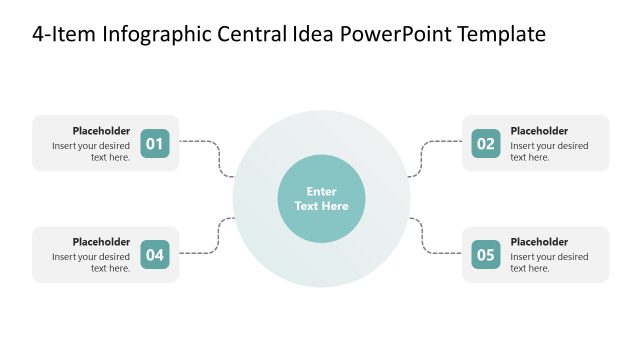
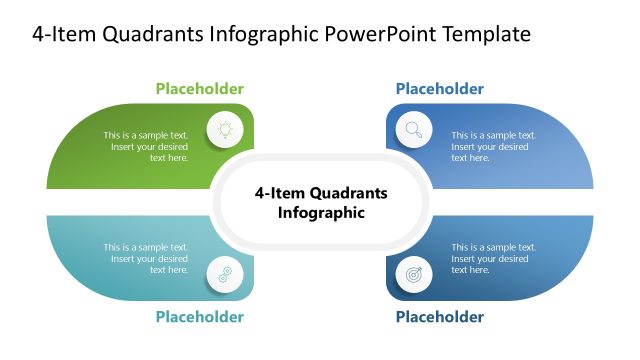
The 4 Quadrants Central Idea slide from the 4-Quadrant Central Idea PowerPoint Template offers a clear matrix diagram layout ideal for strategic analysis. This slide template supports business presentations such as SWOT analysis and project scope discussions by organizing four key factors around a central concept. Its editable shapes and vector icons enhance clarity, making it a useful slide template for corporate presentations and pitch decks requiring structured visual communication.
What’s on This Slide
The layout features a central circular node labeled '4 Quadrants Central Idea' surrounded by four colored quadrants. Each quadrant is a distinct shape: blue, green, yellow, and red. The quadrants contain text placeholders positioned centrally within each shape, allowing for alignment of text. Each quadrant also includes a relevant icon positioned at the top left corner. The central node is larger than the quadrants, creating a visual hierarchy. The overall composition is balanced, with a clear division between the quadrants and the central idea.
How to Use It
This layout serves as a matrix diagram for presenting a central concept with four related factors. It fits well in presentations that require a SWOT analysis, priority assessment, or project scope discussion. The quadrants can be used to categorize information or ideas, making it suitable for business strategy meetings or educational contexts. It is particularly effective for illustrating relationships between a central idea and its components in a clear, organized manner.
Text Placeholders & Capacity
Keep your copy within these limits so it fits without resizing. Node body slots can hold roughly 15-20 words each.
| Placeholder | Count | Max characters (approx.) |
|---|---|---|
| Slide title | 1 | 30 |
| Item body | 4 | 100 |
Slide Keywords
Download unlimited PowerPoint templates, charts and graphics for your presentations with our annual plan.
DOWNLOADReturn to 4-Quadrant Central Idea PowerPoint Template.