Slide 2 of 5 from 4-Quadrant Central Idea PowerPoint Template
Editable 4-Quadrant Central Idea PPT Slide
4 Quadrants Central Idea Diagram
- Diagram
- Matrix Quadrant
- Concept Explanation Slide
- 16:9
- 100% Editable
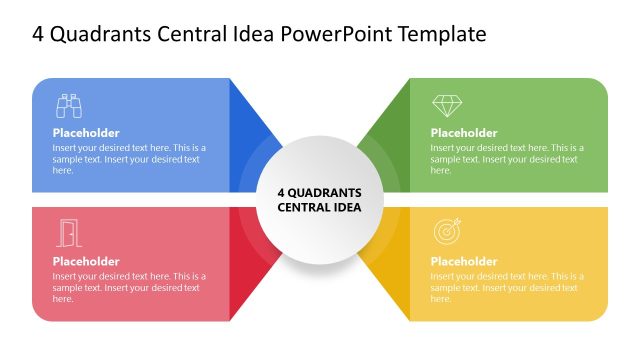
The 4 Quadrants Central Idea slide from the 4-Quadrant Central Idea PowerPoint Template offers a clear matrix diagram layout ideal for business presentations like SWOT analysis and strategic planning. This slide template features editable shapes arranged symmetrically around a central node, facilitating concept mapping and project prioritization within a professional slide deck.
What’s on This Slide
The layout features a central circular node labeled '4 QUADRANTS CENTRAL IDEA' surrounded by four quadrants. Each quadrant is a rectangular shape, with two positioned at the top left and top right, and two at the bottom left and bottom right. The top quadrants are colored blue and light blue, while the bottom quadrants are gray and light gray. Each quadrant contains a text placeholder aligned to the center. The overall composition is symmetrical, emphasizing the central idea. Background colors are light and neutral, enhancing visibility.
How to Use It
This layout serves as a matrix diagram to present a central concept with four related factors. It is suitable for business presentations, such as SWOT analyses or project prioritization discussions. Positioned after a problem-framing slide, it allows for a structured exploration of ideas. This layout can be used to clarify relationships between a central theme and its surrounding elements, making it effective for strategic planning or brainstorming sessions.
Text Placeholders & Capacity
Keep your copy within these limits so it fits without resizing. Node body slots can accommodate roughly 15-20 words each.
| Placeholder | Count | Max characters (approx.) |
|---|---|---|
| Slide title | 1 | 30 |
| Item body | 4 | 80 |
Slide Keywords
Download unlimited PowerPoint templates, charts and graphics for your presentations with our annual plan.
DOWNLOADReturn to 4-Quadrant Central Idea PowerPoint Template.