Slide 4 of 5 from 4-Quadrant Central Idea PowerPoint Template
4-Quadrant Central Idea Template for PowerPoint
4 Quadrants Central Idea Diagram
- Diagram
- Matrix Quadrant
- Concept Explanation Slide
- 16:9
- 100% Editable
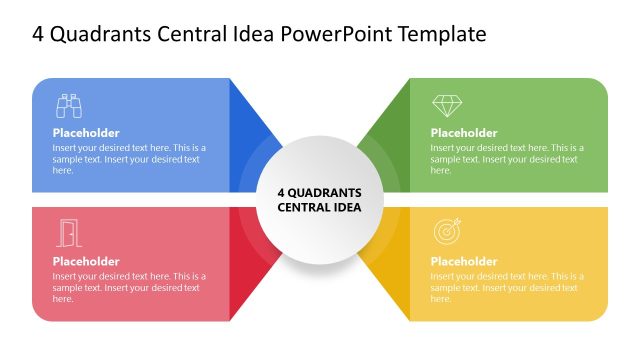
The 4 Quadrants Central Idea slide from the 4-Quadrant Central Idea PowerPoint Template offers a structured matrix diagram ideal for business presentations such as SWOT analysis and KPI categorization. This slide layout features editable shapes and vector icons arranged symmetrically around a central concept, facilitating clear communication of related factors. It integrates well within slide decks focused on project prioritization and corporate presentation needs, enhancing clarity and visual balance.
What’s on This Slide
The layout features a central circle labeled '4 Quadrants Central Idea' surrounded by four quadrants. Each quadrant contains a placeholder for text, with the bottom left quadrant highlighted in red. The quadrants are arranged in a symmetrical manner, with two on the top and two on the bottom. Icons are present in the top right and bottom right quadrants. The overall color scheme includes gray and red accents. Text placeholders are centrally aligned within each quadrant, maintaining a clear visual hierarchy and balance across the slide.
How to Use It
This layout serves as a matrix diagram to present a central concept with four related factors. It fits well in a presentation sequence where the central idea is introduced, followed by detailed discussions of each quadrant. This structure is useful for business scenarios such as SWOT analysis, project prioritization, or categorizing key performance indicators. It allows for clear visual separation of ideas while maintaining a cohesive overall theme.
Text Placeholders & Capacity
Keep your copy within these limits so it fits without resizing. Each node can hold a substantial amount of text, roughly 15-20 words each.
| Placeholder | Count | Max characters (approx.) |
|---|---|---|
| Slide title | 1 | 30 |
| Item body | 4 | 80 |
Slide Keywords
Download unlimited PowerPoint templates, charts and graphics for your presentations with our annual plan.
DOWNLOADReturn to 4-Quadrant Central Idea PowerPoint Template.