Slide 1 of 5 from 4-Item Quadrants Infographic PowerPoint Template
4-Item Quadrants Infographic Template – Cover Slide
4-Item Quadrants Infographic Overview
- Diagram
- Matrix Quadrant
- Comparison Slide
- 16:9
- 100% Editable
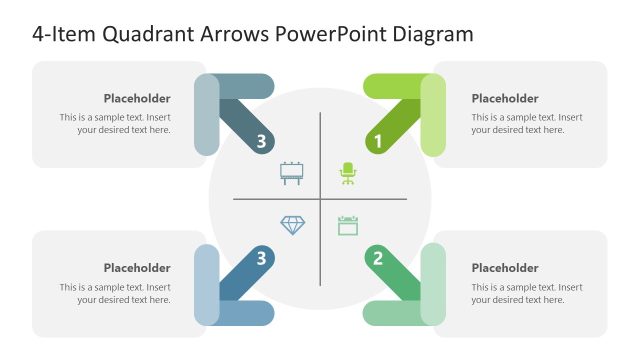
The 4-Item Quadrants Infographic slide from the 4-Item Quadrants Infographic PowerPoint Template offers a clear visual matrix ideal for business presentations. This slide layout uses editable shapes and vector icons arranged in a circular quadrant format, making it suitable for strategic comparisons such as SWOT analysis or project phase overviews. It supports effective communication of four related concepts within a corporate presentation or pitch deck template, enhancing clarity and audience engagement.
What’s on This Slide
The layout features four quadrants arranged in a circular format, with two quadrants on the top and two on the bottom. Each quadrant has a rounded shape and contains a text placeholder for content, positioned centrally within the shape. The central area includes a prominent title placeholder labeled '4-Item Quadrants Infographic.' Icons are placed within each quadrant, enhancing visual interest. The color scheme alternates between green and blue for the quadrants, creating a clear visual distinction. The overall composition is balanced, with equal spacing around the central title.
How to Use It
This layout serves as a comparative analysis tool, ideal for presenting four related concepts or categories. It fits well in presentations discussing strategic options, product features, or project phases. The structure allows for easy differentiation between the items, making it suitable for business contexts such as SWOT analysis or prioritization frameworks. This slide can be effectively used to summarize key points in a visually engaging manner, enhancing audience understanding.
Text Placeholders & Capacity
Keep your copy within these limits so it fits without resizing. Node body slots can accommodate about 8 words each.
| Placeholder | Count | Max characters (approx.) |
|---|---|---|
| Item body | 4 | 40 |
| Slide title | 1 | 40 |
Slide Keywords
Download unlimited PowerPoint templates, charts and graphics for your presentations with our annual plan.
DOWNLOAD