The classroom is one of the few professional settings where rank does not protect you. A senior manager presenting a business case to an MBA cohort gets the same skeptical questions as a first-year student. A trainer delivering a workshop to experienced professionals cannot coast on credentials. The room disengages the moment the content stops earning its attention.
That tension is what makes classroom presentations worth understanding on their own terms, separate from the boardroom skills most professionals already have. The format is structured, the audience is evaluative, and the standard for clarity and evidence is higher than in most professional contexts. Preparation, slide design, and audience engagement all work differently here.
This guide covers the full process, from structuring and preparing your content to designing slides that serve your argument and keeping the room engaged through the Q&A. It addresses business school presentations specifically, where analytical rigor and a credible Q&A are expected, and teaching presentations, where the measure of success is whether the audience actually understood.
The Role of Classroom Presentations in Learning
Classroom presentations serve a purpose well beyond proving that a student completed the assigned reading. When designed thoughtfully, a presentation in the classroom becomes a two-way learning event: the presenter deepens their understanding by organizing and communicating information, while the audience benefits from a fresh perspective on the topic.
In academic contexts, the presentation is a method of assessment, but it also teaches transferable skills: structured thinking, time management, design literacy, and the ability to speak with authority on a subject. In business schools, the classroom presentation mimics the real-world boardroom: students practice delivering data-driven arguments, fielding tough questions, and persuading an informed audience. These are exactly the skills that recruiters and employers value most in new hires.
For instructors, the teaching presentation is an equally powerful format. A well-constructed academic presentation can simplify complex concepts, use visuals to make abstract ideas tangible, and create a shared reference point for subsequent discussions. When a lesson plan is translated into a structured slide deck, it becomes easier to sequence content logically and ensure nothing is left out. If you are an educator looking to design your classroom presentations around a lesson framework, our article on how to present a lesson plan is a useful starting point.
How to Prepare a Classroom Presentation
Preparation is where most classroom presentations are won or lost. The delivery is important, but it is difficult to deliver something you have not thought through carefully. Solid preparation covers three areas: content research, narrative structure, and slide design.
Research and Content Selection
Start with a clear understanding of your assignment parameters: the topic, time limit, required sources, and whether you are expected to take a position or simply report information. Once you have those boundaries, research thoroughly but edit ruthlessly. A common mistake is trying to include every fact you found. Instead, identify the two or three core ideas your audience must walk away with, and build everything else around those.
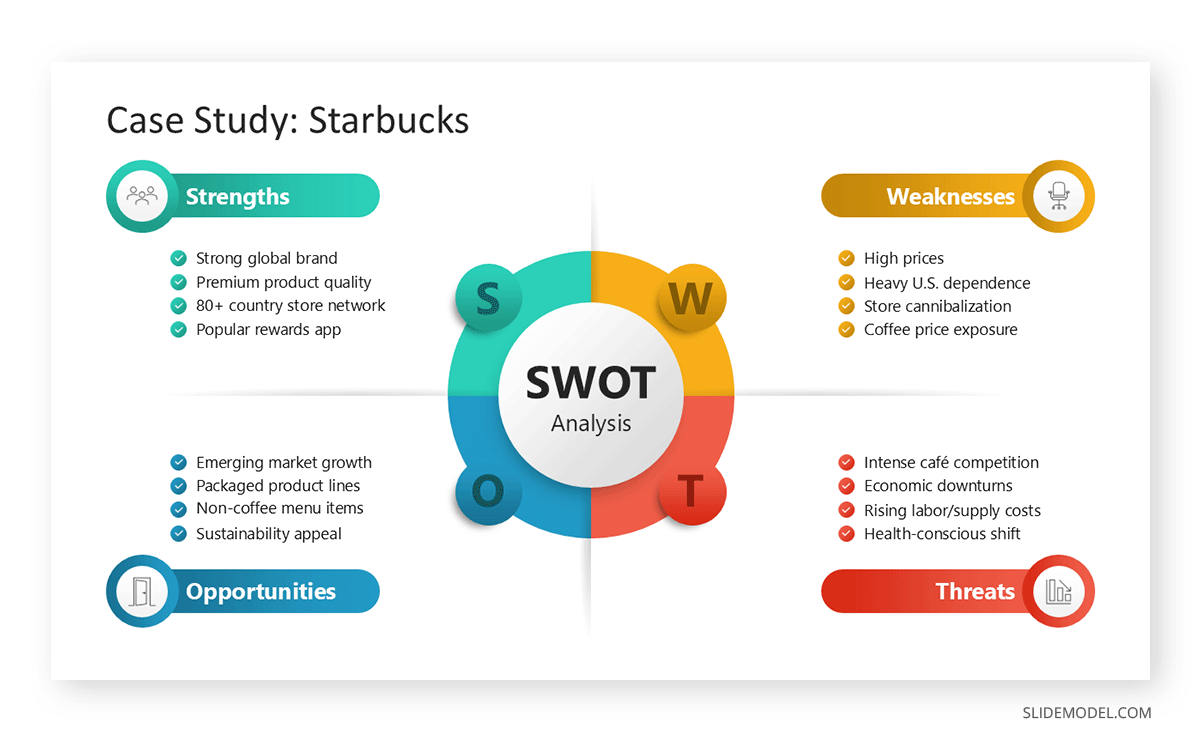
For business school presentations, this often means anchoring your content in a specific framework: a SWOT analysis, a market sizing model, a BCG Matrix, or a competitive positioning map. These frameworks give your audience familiar scaffolding on which to hang new information, and they signal analytical rigor to professors and peers alike.
Structuring Your Narrative
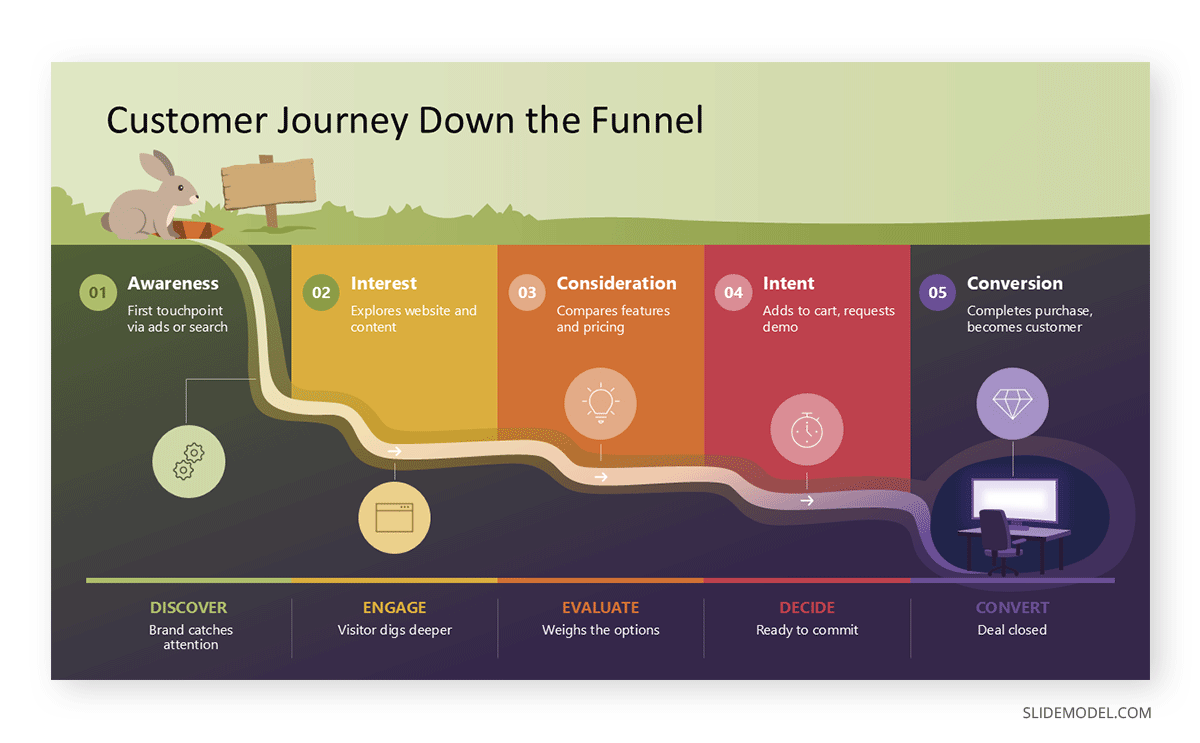
A classroom presentation is not a document read aloud. It is a narrative experience. Every strong presentation follows a version of the same arc: open with something that earns attention, establish why this topic matters, develop your argument or information systematically, and close with a clear takeaway or call to action.
One of the most effective structural approaches is to start with a central question that your entire presentation sets out to answer. This gives the audience a reason to pay attention from slide one. Storytelling in presentations is a well-documented technique for making information memorable; even data-heavy academic presentations benefit from being framed around a human challenge or real-world scenario rather than presented as a neutral list of facts.
Designing Your Slides
Your slides are a visual aid, not a transcript. Each slide should support what you say, not replace it. Apply the basic principles of visual communication: limit text per slide, use high-contrast color schemes that are readable from the back of the room, and let whitespace breathe. Color theory for presentations is a subject worth spending time on. Color choices affect readability, mood, and whether your visual hierarchy communicates what you intend.
Effective classroom presentation backgrounds matter more than most students realize. A cluttered or distracting background competes with your content. A clean, well-chosen classroom presentation template keeps the audience focused on your message rather than the design. SlideModel offers a wide library of professionally designed templates that are easy to adapt for academic and business school presentations alike.
Choosing the Right Classroom Presentation Tools
The software you use shapes how you build and deliver your presentation. The most common classroom presentation tools are Microsoft PowerPoint, Google Slides, and Canva, each with distinct strengths worth understanding.
PowerPoint remains the industry standard for business and professional presentations. It offers the most robust design flexibility, works offline, and exports cleanly for archiving or sharing. For presentations that include complex charts, embedded data, or custom animations, PowerPoint gives you the most control.
Google Slides is particularly useful in classroom environments because of its collaboration features. Presenting in Google Classroom is straightforward: you can share your deck directly through the platform, assign view or edit access to classmates or instructors, and present in real time without needing to download a file. Many instructors now ask students to submit presentations via Google Classroom precisely because it simplifies the collection and grading process. If you are wondering how to send a PowerPoint presentation to Google Classroom, the simplest method is to upload the .pptx file directly to your assignment submission, where it will render in Google’s viewer.
Canva occupies a middle ground: easier to use visually than PowerPoint for beginners, with strong template libraries, though slightly less flexible for highly technical content. Uploading a Canva presentation to Google Classroom works by either exporting it as a PDF or PowerPoint file or sharing a published link directly in the assignment comment.
Whichever tool you choose, prioritize consistency. Mixing fonts, colors, and slide layouts creates visual noise. Use a single template throughout, align with your institution’s or course’s branding when relevant, and test your file on the computer you will present from before the day of your presentation.
Presentation Techniques for the Classroom
Knowing your material is necessary but not sufficient. How you deliver your classroom presentation determines whether the audience retains what you share. Several presentation techniques consistently separate strong presenters from average ones.
Structure Your Delivery Around Key Moments
Professional presenters think in terms of key moments, not continuous flow. They know exactly where their strongest piece of evidence lands, when they will pause for effect, and when they will transition between sections. Practice your presentation enough times that these moments become natural rather than rehearsed-sounding. The 5-5-5 rule in public speaking is a useful discipline: spend no more than five minutes on any single idea before giving the audience a new stimulus.
Use Your Voice and Body Intentionally
Your voice is the primary instrument of a classroom presentation. Vary your pace, volume, and pitch to emphasize important points and prevent monotony. Slow down for critical data or complex concepts; speed up slightly for contextual background that the audience can absorb quickly. Body language in presentations is equally significant. Stand with an open posture, make deliberate eye contact with different sections of the room, and use hand gestures to reinforce rather than distract from what you are saying.
Avoid the habit of reading from your slides. The audience can read; they need you to interpret, contextualize, and add value beyond what is written.
Manage the Q&A With Confidence
The Q&A session is part of the presentation, not an appendix to it. Prepare for it by anticipating the hardest questions someone could ask about your content. In business school settings in particular, professors use Q&A sessions to test the depth of your understanding. A polished deck with a weak Q&A performance will undermine an otherwise strong presentation. Moderating a Q&A session well means listening fully to each question before responding, acknowledging good questions without over-praising them, and being honest when you do not have a definitive answer, rather than speculating.
How to Grab Your Audience’s Attention in Classroom Presentations
Audience attention is finite and not guaranteed. In a classroom setting, especially one where participants have been sitting through back-to-back presentations, earning and maintaining attention requires deliberate effort. Understanding audience engagement principles is the foundation of any classroom presentation that actually lands.
Open With Something That Earns the Room
The first 30 seconds of your presentation determine whether the audience pays attention. Avoid opening with a self-introduction and a title slide read aloud. Instead, open with a provocative question, a counterintuitive statistic, a brief story, or a bold statement that immediately signals the audience will hear something worth their time. Opening techniques like the three-part open, where you state a problem, hint at the solution, and promise a clear payoff, are consistently more effective than reciting an agenda.
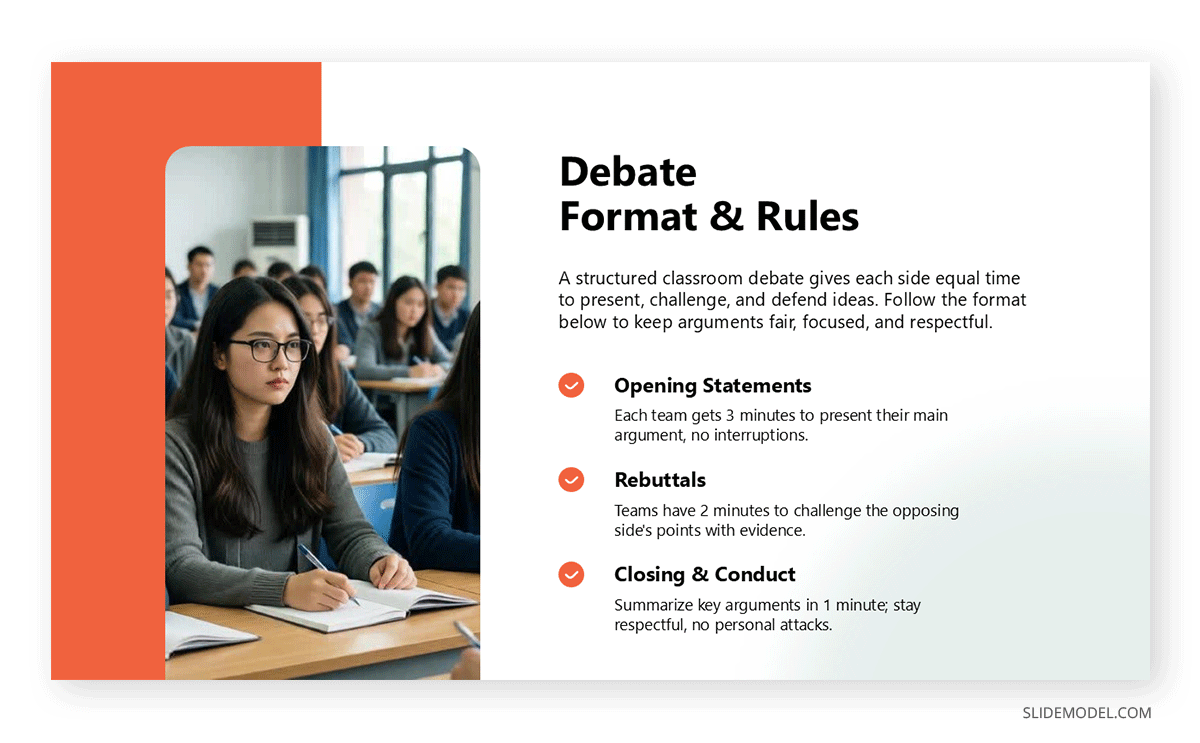
Driving curiosity, suspense, and surprise throughout your slides keeps attention from lapsing after a strong opening. Use reveal moments, where you build to an unexpected finding or flip an assumption, to re-engage the audience at natural attention valleys, typically around the five-minute and ten-minute marks of any presentation.
Use Polls and Surveys to Create Participation
One of the most effective classroom presentation techniques for engagement is live audience interaction. Polls and surveys transform passive listeners into active participants and provide real-time insights into what your audience already knows or believes.
Tools like Mentimeter, Poll Everywhere, and Slido allow you to embed a live poll directly into a presentation moment. For example, before presenting your findings on a business case, ask the audience what they think the answer is. Then reveal your data as a correction or confirmation. This creates an investment in the outcome before you deliver it. Even in Google Classroom environments, you can link to a pre-created Google Form poll and give students 60 seconds to respond before discussing the results live.
For teaching presentations, polls serve an additional purpose: formative assessment. A quick two-question poll at the midpoint of a lesson reveals whether students have understood the first half before you move to content that builds on it. When presenting survey results in PowerPoint, use simple bar charts or word clouds that communicate the distribution of responses at a glance. Detailed tables are too slow to read in a live presentation context.
Delivering Your Classroom Presentation
Preparation builds the foundation; delivery is the live performance. On the day of your presentation, a few disciplines make the difference between a confident, polished delivery and a shaky one.
Practice out loud, not just in your head. Mental run-throughs feel effective but do not train your vocal cords, pacing, or slide-transition muscle memory. Time your practice runs with a stopwatch and adjust your content if you are consistently over or under the time limit. Rehearse in a room with similar acoustics to the one you will present in, if possible.
On the day, arrive early enough to check the equipment, load your file, and test the display resolution. Many classroom presentations have been derailed by font substitutions, missing files, or an aspect ratio mismatch between the presenter’s laptop and the classroom projector. Know whether the room uses a 4:3 or 16:9 ratio and design your slides accordingly.
During the presentation itself, hold your position more than you move. Presenters who pace or shift weight constantly signal anxiety to the audience. A slightly slower speaking pace than feels natural reads as confidence and authority. Remember that strong presentation skills are built through repeated practice; each classroom presentation you deliver makes the next one easier.
Classroom Presentations for Business Schools
Business school presentations deserve their own treatment because their expectations are distinct from those of general academic presentations. In MBA programs, executive education, and undergraduate business courses, presentations are graded not just on content knowledge but on strategic framing, analytical quality, and the ability to handle scrutiny.
The standard business school presentation format typically includes: an executive summary or situation overview, a clearly stated problem or opportunity, an analytical framework applied to the data, a recommendation with supporting evidence, and an implementation roadmap or risk analysis. This structure mirrors the formats used in management consulting and corporate strategy, which is intentional. Business schools are training students for those environments.
Classroom management in this context means knowing your numbers. If your slide shows a 23% market growth rate, be prepared to explain the source, the time period, the methodology, and why it supports your recommendation. Slides that present data without context or recommendations without supporting analysis will be challenged. Business school professors are simulating the boardroom precisely to stress-test how well students can defend their work.
On timing, structure, and audience dynamics, business school students should practice giving presentations to peers beforehand and ask specifically for feedback on logical gaps and unsupported claims, not just delivery style. A classroom presentation rubric shared by the instructor is one of the most valuable preparation tools available; if one exists, use it as a checklist before you consider your deck finished.
Classroom Presentations for Elementary and K-12 Students
For younger students, the classroom presentation serves different but equally important developmental goals. At the elementary and middle school level, presentations are often the first time a student has to organize their own thinking into a structured format for an audience. The skill being developed is less about persuasion and more about basic communication: What do I know? How do I explain it clearly? How do I show it?
Effective classroom presentation ideas for younger students lean on visual storytelling, props, demonstrations, and interactive moments. A presentation about the water cycle becomes more memorable when it includes a diagram that the student drew themselves or a simple physical demonstration. A presentation about a book report lands better when it includes a character comparison the student created using a basic slide template.
Teachers guiding elementary students through their first classroom presentations should focus on three fundamentals: knowing what each slide is for (one idea per slide), practicing enough so they don’t read from the screen, and making eye contact with the audience. Established early, these habits carry directly into the stronger presentation skills students will need in high school and beyond.
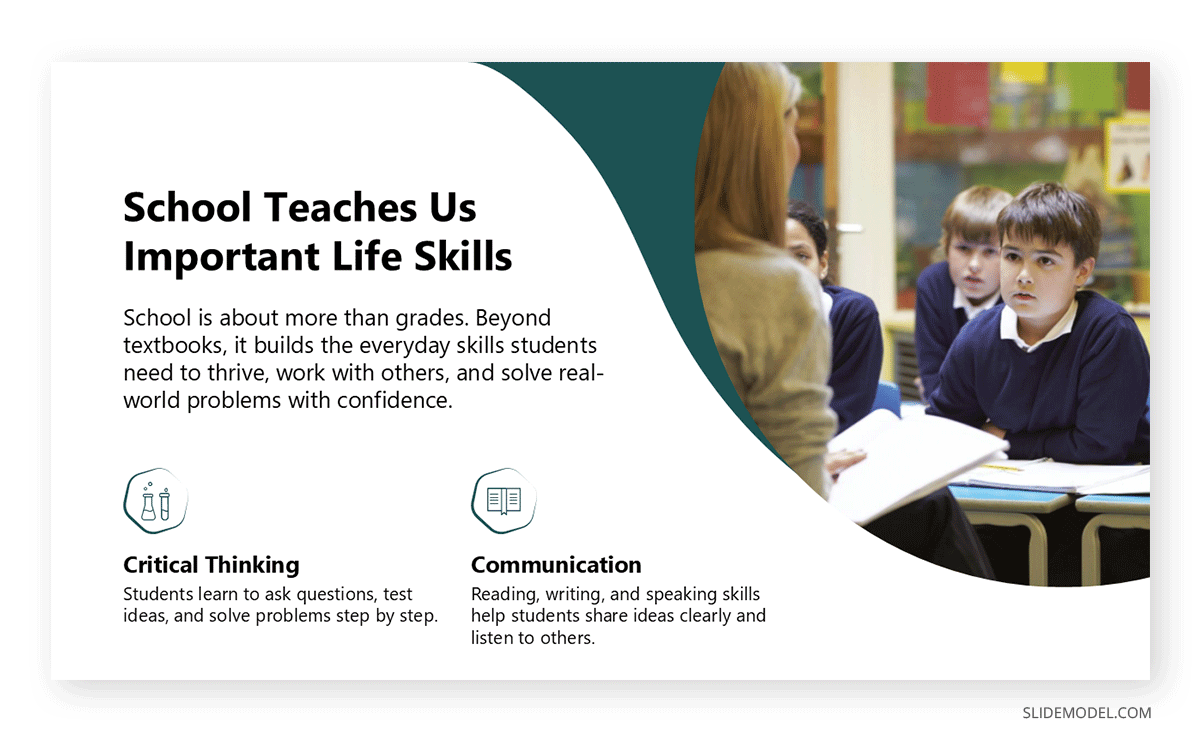
For K-12 teachers building their own teaching presentations, a clean classroom presentation background designed for a younger audience, with brighter colors, larger fonts, and more imagery, is more effective than a standard corporate template. Classroom presentation software options like Google Slides, Nearpod, and Pear Deck offer interactivity specifically designed for K-12 classrooms, including live quizzes, drawing prompts, and student-paced navigation.
FAQs
What is a classroom presentation?
A classroom presentation is a structured communication activity in which a student or instructor delivers information, an argument, or a lesson to a classroom audience, typically supported by slides or visual aids. It can serve as an assessment, a teaching tool, or a professional skill-building exercise, depending on the educational level and context.
How long should a classroom presentation be?
Most classroom presentations range from 5 to 20 minutes, depending on the assignment and course level. Business school presentations are often 10 to 15 minutes with an additional 5 minutes for Q&A. Elementary presentations are typically 3 to 5 minutes. Always confirm the time limit with your instructor and practice to fit within it.
How do I start a presentation in class without reading from my slides?
Begin with a strong opening: a question, a statistic, or a brief story that you have memorized and can deliver naturally. Use your slides as prompts, not scripts. Each slide should contain only the key phrase or visual that reminds you what to say, not the full text of your talking points.
How do I present in Google Classroom?
To present in Google Classroom, attach your Google Slides deck to the assignment or open it from Google Drive during class. You can use Presentation mode directly from Google Slides in the browser, which enters full-screen mode. If your instructor is using Google Meet for a virtual class, share your tab or screen to present remotely.
How do I send a PowerPoint presentation to Google Classroom?
Go to your Google Classroom assignment, click Add, and choose File to upload your .pptx file directly from your computer or from Google Drive. Google Classroom will display it as a viewable file. Alternatively, convert it to Google Slides format by uploading to Google Drive, right-clicking, and selecting Open with Google Slides.
How do I upload a Canva presentation to Google Classroom?
From Canva, use the Share menu and either export as a PDF or PowerPoint file to upload directly, or select Present and Record to generate a shareable link that you can paste into the Google Classroom assignment as a link submission.
How do I add an editable Slides presentation to Google Classroom?
When creating an assignment in Google Classroom, attach your Google Slides file and select Make a copy for each student from the dropdown. This gives every student their own editable version of the deck. If you want them to view only, select Students can view file instead.
How do I cite my professor’s classroom PowerPoint presentation?
In APA 7th edition, cite a professor’s presentation as: Last name, Initial. (Year). Title of presentation [PowerPoint slides]. Course Management System. URL. In MLA format: Instructor Last Name, First Name. Presentation Title. Course Name, Institution, Date, Platform. Confirm the citation style required by your instructor.
How do I present slides in Google Classroom remotely?
Open your Google Slides presentation and click Present to enter full-screen mode. If you are in a Google Meet session, share your browser tab or full screen using the share screen feature. This displays your slides to all participants while you control the transitions from your keyboard or mouse.
What makes a good classroom presentation template?
A good classroom presentation template has a clean, readable font hierarchy, high-contrast color combinations visible on a projected screen, consistent layouts across slides, and enough whitespace to prevent visual overload. Business-focused templates should convey professionalism; templates for younger audiences can use brighter colors and larger images.
How do I manage classroom presentation anxiety?
Preparation is the most effective anxiety reducer. The more you have practiced, the less uncertainty you carry into the room. On the day, focus your attention on the content and the audience rather than on your own performance. Slow, deliberate breathing before you begin lowers the physical symptoms of anxiety. Arriving early to test the equipment and get comfortable in the space also reduces surprises.
What are some good classroom presentation ideas for engaging an audience?
Open with a surprising statistic or counterintuitive question. Embed a live poll at the start to gauge what the audience already thinks. Use real-world case studies or analogies to ground abstract information. Build in one interactive moment: a quick vote, a think-pair-share, or a scenario question, to re-engage attention halfway through.
What is the role of polls and surveys in a classroom presentation?
Polls and surveys turn a one-directional lecture into a two-way interaction. They reveal what the audience already knows, create investment in your findings before you deliver them, and give instructors or facilitators a real-time check on comprehension. Tools like Mentimeter, Poll Everywhere, and Google Forms can be integrated into a presentation with minimal setup.
How should a business school presentation be structured?
A standard business school presentation follows this structure: situation overview, problem or opportunity statement, analytical framework and findings, recommendation, implementation plan, and risk analysis. Each section should be concise, supported by data, and connected logically to the one before it. The Q&A portion is treated as an extension of the presentation, not a separate activity.
How do I present a lesson plan as a teaching presentation?
Structure your lesson plan presentation around learning objectives: what students will know or be able to do by the end. Map each slide to a stage of the lesson: introduction, instruction, practice, and assessment. Use visuals to illustrate concepts rather than presenting text-heavy explanations, and build in moments for student interaction or formative checks. For a full walkthrough, see the SlideModel guide on presenting a lesson plan.
Conclusion
A classroom presentation is one of the most practical communication formats you will encounter in academic and professional life. Whether you are delivering a business case analysis in an MBA seminar, an academic presentation at a university conference, or a teaching presentation to a room of middle schoolers, the fundamentals remain the same: know your audience, structure your content logically, design slides that support rather than replace your voice, and engage the room deliberately.
The skills you develop by doing presentations in class, from research synthesis and structured argument to visual storytelling and real-time adaptability, transfer directly to every professional context where communication matters. Treat each classroom presentation not as an obstacle to clear but as a deliberate rehearsal for the larger stages ahead.