Present the multiple stages to achieving a specific business goal using the metaphor with our Rabbit Hole PowerPoint Template. A rabbit follows a special path to reach his hole. This is used as a metaphor for the journey toward a specific objective. The rabbit hole illustration can be used in academia to depict career progression. In business, the rabbit hole refers to a target or goal the organization aims to achieve. They set the target and plan the growth roadmap to achieve it within a given time period. The rabbit hole diagram is useful for project managers to illustrate their project path in the project team presentations. This also helps team members review the milestones and align their activities with the project goals. The program managers use the layout to explain the organizational workflow to achieve cross-functional team collaboration.
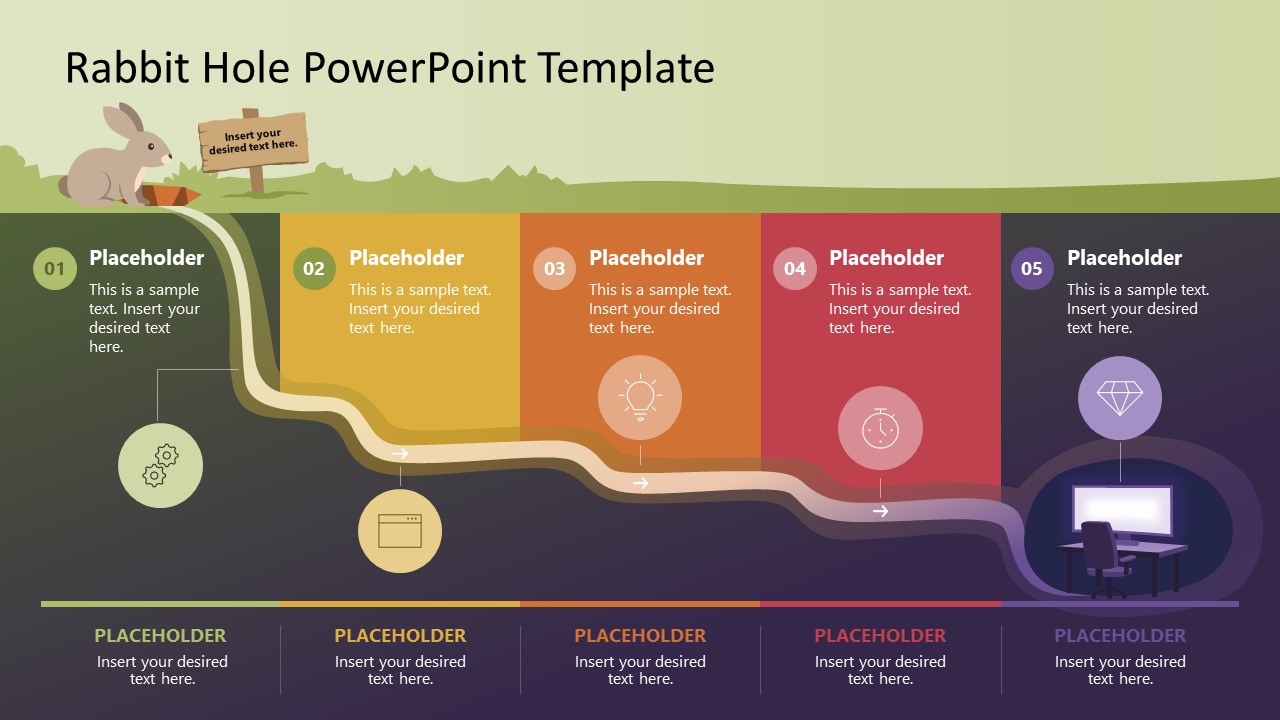
The Rabbit Hole PowerPoint Template features a single slide with a rabbit hole diagram illustration. A rabbit is sitting on the ground at the start of the journey. The bottom right corner shows the hole diagram. There is a curvy path from the start to the hole that the rabbits follow to reach their destination. This curvy path is divided into five segments that SaaS developers use to highlight stepwise feature development before the final launch. Business development experts present the five-step growth framework to BD teams during strategic planning presentations. In addition, professionals can change the colors of segments or elements in the layout to match their needs.
At the bottom, a segmented bar runs through the steps simultaneously, and operational managers use it to clearly outline the flow. Download the rabbit hole template for PowerPoint and customize the design to communicate your plans effectively.
What’s inside this template
Example presentation scenarios
- A project manager can explain a delivery roadmap to a team by mapping each milestone to one of the five numbered panels along the curved path.
- A product lead can present feature development before launch by using the underground route as a sequence from concept to final release.
- A training facilitator can introduce a learning process by assigning lessons or practice stages to the five steps and icon callouts.
- A business development manager can show a growth framework by connecting each footer segment to an action area or accountable workstream.
Features
- 100% editable presentation template
- Compatible with Microsoft PowerPoint and Google Slides
- 16:9 aspect ratio slides
- Scalable vector shapes, icons and illustrations
- AI-Ready for Microsoft Copilot and Claude
- Instant access and download
Frequently asked questions
Q: How should a presenter explain the five-step journey without making the metaphor feel decorative?
A: Start by naming the destination first, then explain why the rabbit hole represents the target. Treat each numbered panel as a required decision, milestone, or behavior change. Keep the panel text short and use the footer bar for labels or ownership so the audience sees one continuous path instead of five disconnected notes.
Q: Who is this template best suited for in a business presentation?
A: This template works best for presenters who need to simplify a path to a goal, such as project managers, program leads, product teams, and trainers. The rabbit start point, curved route, and final hole help explain progression, uncertainty, and arrival better than a plain bullet list when the message depends on sequence.
Q: Why does the rabbit hole metaphor help communicate a roadmap or learning process?
A: The design turns an abstract goal into a visual journey. The above-ground rabbit shows the current state, the underground path shows effort and transition, and the destination hole shows the target. Because the five panels follow the path visually, the audience can track movement, priority, and completion in one glance.
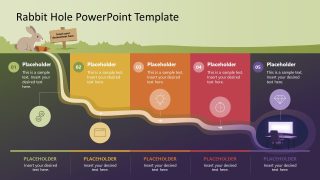
Rabbit Hole PowerPoint Template
1-slide presentation template with rabbit hole journey diagram and five-step goal path
Rabbit Hole PowerPoint Template is a 1-slide diagram for showing a five-step path toward a target. The slide uses a rabbit, curved underground route, destination hole, numbered milestones, icon callouts, and a segmented footer bar. It is built for project, learning, and business goal presentations in Microsoft PowerPoint and Google Slides.
- Category
- Diagrams
- Rating

 Loading...
- Aspect ratio
- 16:9
- Item ID
- 23673-01
- Colors
 Microsoft PowerPoint
  Microsoft Copilot
  Claude for PowerPoint
 Other formats supported
Subscribe today and get immediate
access to download our PowerPoint templates.