Slide 1 of 3 from U-Curve for PowerPoint
6121-03-u-curve-1
U-Curve Diagram for PowerPoint
- Diagram
- Other
- Concept Explanation Slide
- 16:9
- 100% Editable
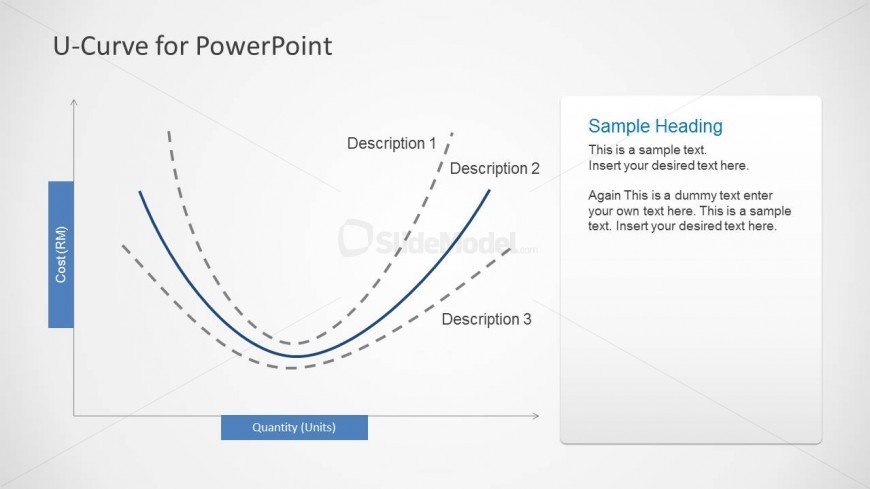
The U-Curve Diagram with Descriptions slide from the U-Curve for PowerPoint template provides a clear visual tool for explaining cost dynamics and economic theories. This slide layout features editable shapes and vector icons that enhance the presentation of business models, making it suitable for corporate presentations and pitch deck templates. Its design supports easy customization within PowerPoint templates or Google Slides templates, facilitating effective communication of complex concepts in a business presentation.
What’s on This Slide
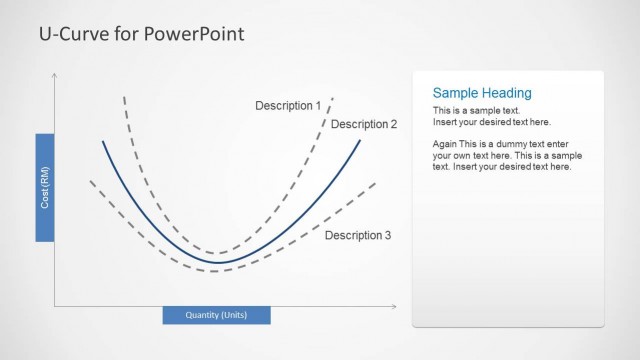
The slide features a U-curve diagram positioned centrally, with a horizontal axis labeled 'Quantity (Units)' and a vertical axis labeled 'Cost (RM)'. The curve is represented by a solid blue line, with two dashed gray lines indicating additional descriptions. Text placeholders are located on the right side, with a heading at the top and body text below. The overall layout is clean, with a light background and a clear visual hierarchy, emphasizing the curve and accompanying text. The design allows for easy insertion of relevant content.
How to Use It
This layout serves as a visual representation of U-shaped relationships, ideal for illustrating concepts in business or economics. It fits well in presentations discussing cost versus quantity dynamics. The slide can be used to explain theories or models that involve U-curves, making it suitable for educational or analytical contexts. It is effective in a sequence where foundational concepts are introduced before delving into detailed analysis or case studies.
Text Placeholders & Capacity
Keep your copy within these limits so it fits without resizing. Body slots can hold approximately 20-30 words each.
| Placeholder | Count | Max characters (approx.) |
|---|---|---|
| Slide title | 1 | 30 |
| Item heading | 3 | 20 |
| Body paragraph | 3 | 150 |
Slide Keywords
Download unlimited PowerPoint templates, charts and graphics for your presentations with our annual plan.
DOWNLOADReturn to U-Curve for PowerPoint.