Slide 13 of 13 from Think Inside & Outside the Box Template for PowerPoint
6139-01-think-inside-outside-the-box-13
Closed and Opened Boxes Diagram for Presentations
- Diagram
- Comparison Split
- Concept Explanation Slide
- 16:9
- 100% Editable
The Closed and Opened Boxes slide from the Think Inside & Outside the Box Template for PowerPoint uses a clear comparative diagram to support strategy discussions and brainstorming sessions. This slide layout, featuring editable shapes and vector icons, is designed to visually distinguish concepts of closed versus open thinking, making it a practical addition to business presentation templates and pitch deck templates focused on creativity and problem-solving.
What’s on This Slide
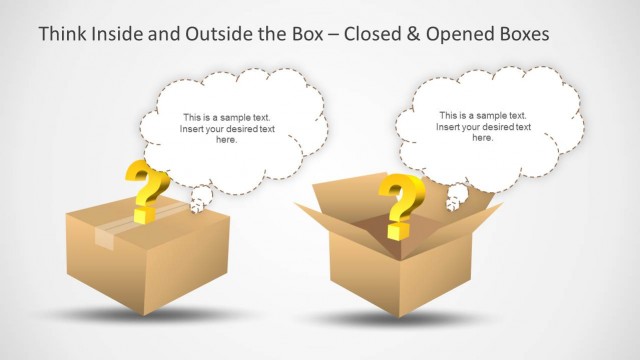
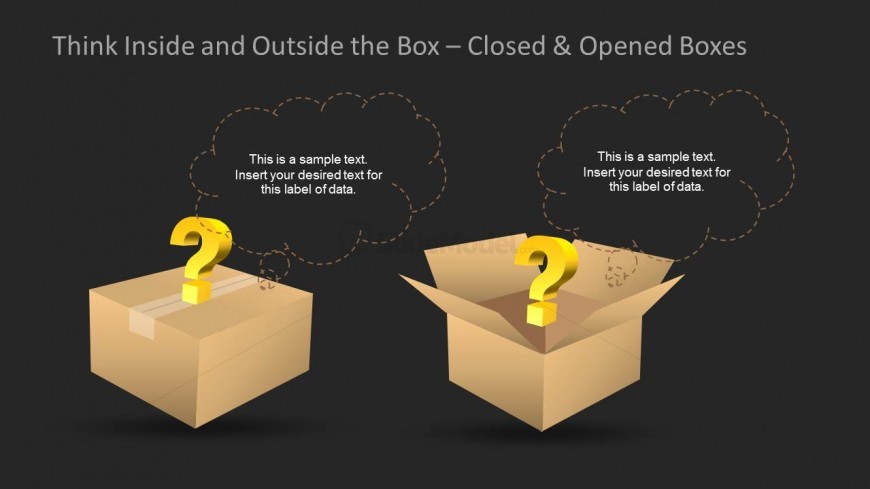
The layout features two cardboard boxes positioned on the left and right sides of the slide. The left box is closed, while the right box is open, both containing a yellow question mark icon. Above each box, there are cloud-shaped text placeholders for labeling data, aligned centrally above each box. The background is dark, enhancing the visibility of the boxes and icons. The overall composition emphasizes a clear visual separation between the two concepts of thinking inside and outside the box, supported by the text placeholders.
How to Use It
This layout serves as a comparative diagram illustrating concepts of closed versus open thinking. It fits well in a presentation sequence discussing creativity, problem-solving, or brainstorming techniques. Business scenarios include workshops on innovation, team discussions on strategy, or presentations on overcoming challenges. The visual structure allows for clear differentiation of ideas, making it suitable for facilitators and coaches.
Text Placeholders & Capacity
Keep your copy within these limits so it fits without resizing. Node body slots are tight, roughly 10-12 words each.
| Placeholder | Count | Max characters (approx.) |
|---|---|---|
| Slide title | 1 | 40 |
| Item heading | 2 | 50 |
| Item body | 2 | 70 |
Slide Keywords
Download unlimited PowerPoint templates, charts and graphics for your presentations with our annual plan.
DOWNLOADReturn to Think Inside & Outside the Box Template for PowerPoint.