Slide 3 of 5 from Thermometer Shapes for PowerPoint
Vertical Thermometer Shapes for PowerPoint
Thermometer Charts for PowerPoint
- Chart
- Gauge
- Evaluation Slide
- 16:9
- 100% Editable
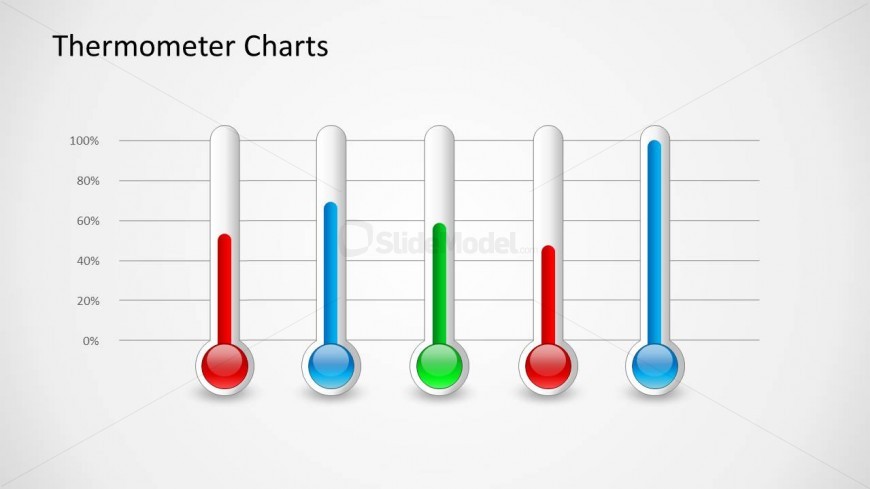
The Thermometer Charts slide from the Thermometer Shapes for PowerPoint template offers a clear visual tool for evaluating project status, sales performance, or capacity levels. This slide layout uses editable shapes and vector icons to represent progress with vertical thermometer gauges, making it suitable for business presentations and pitch deck templates that require precise status tracking.
What’s on This Slide
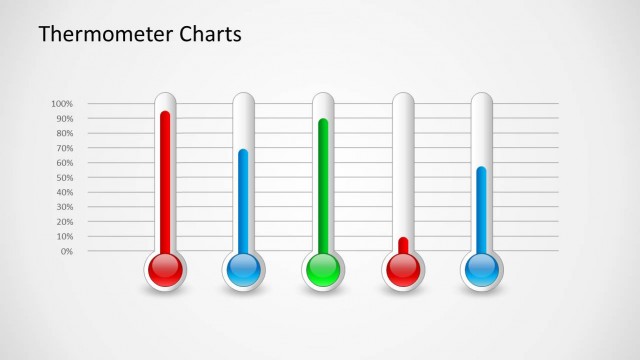
The layout features five vertical thermometer charts aligned horizontally across the center. Each thermometer has a bulb at the bottom and a slender body extending upward, filled with colored liquid indicating levels. The leftmost thermometer is filled with red, followed by green, and then blue, with the rightmost thermometer also in blue. The background is light gray, and there are horizontal grid lines marking levels from 0% to 100%. A title placeholder is located at the top left, emphasizing the theme of thermometer charts.
How to Use It
This layout serves as a visual representation of progress or levels, suitable for business presentations. It fits well after problem identification slides, illustrating metrics or performance levels. This structure is ideal for scenarios such as project status updates, sales performance tracking, or capacity assessments. It can effectively communicate varying degrees of achievement or status across multiple categories in a clear and concise manner.
Text Placeholders & Capacity
Keep your copy within these limits so it fits without resizing. The title slot can accommodate about 4-5 words comfortably.
| Placeholder | Count | Max characters (approx.) |
|---|---|---|
| Slide title | 1 | 20 |
Slide Keywords
Download unlimited PowerPoint templates, charts and graphics for your presentations with our annual plan.
DOWNLOADReturn to Thermometer Shapes for PowerPoint.