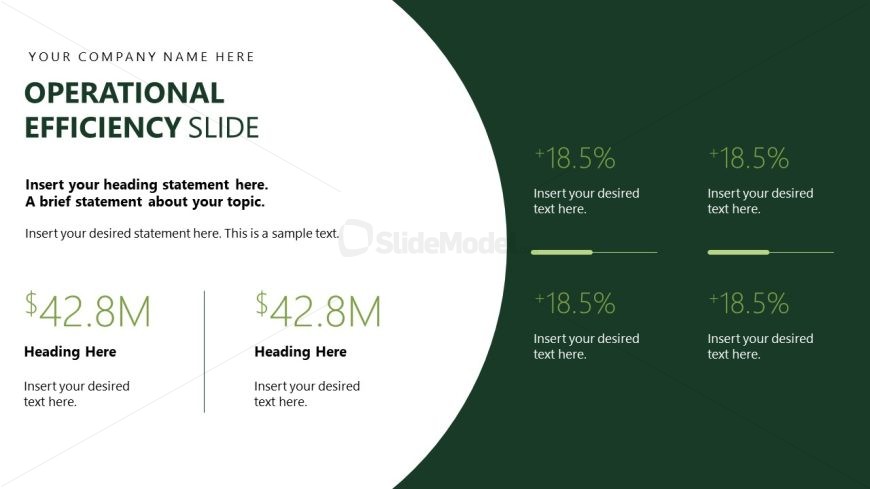
Slide 8 of 17 from Operational Excellence PowerPoint Template
Operational Efficiency Metrics and Performance Overview Slide
Operational Efficiency Presentation Slide
- Text Layout
- Other
- Financial Summary Slide
- 16:9
- 100% Editable
The Operational Efficiency Slide from the Operational Excellence PowerPoint Template is designed for clear presentation of financial summaries and performance metrics. This slide layout supports business presentations focused on operational strategy and performance reviews, featuring editable shapes and organized text placeholders to highlight key financial data effectively within a corporate presentation or pitch deck template.
What’s on This Slide
The layout features a large circular shape on the right side, with a dark green background. The title 'OPERATIONAL EFFICIENCY SLIDE' is positioned at the top left, followed by two text placeholders for headings and brief statements. Below, two columns display financial figures, each with a heading and a text placeholder. The right column includes four percentage indicators, each accompanied by a text placeholder. The visual hierarchy emphasizes the title and financial data, while the circular shape creates a distinct separation for the content.
How to Use It
This layout serves as a summary or highlight of operational efficiency metrics, suitable for presenting key financial figures and performance indicators. It fits well in a presentation sequence after discussing operational strategies or performance reviews. This slide is ideal for business meetings where financial results and efficiency improvements are discussed, allowing for clear communication of critical metrics and insights.
Text Placeholders & Capacity
Keep your copy within these limits so it fits without resizing. Body slots can accommodate roughly 10-15 words each.
| Placeholder | Count | Max characters (approx.) |
|---|---|---|
| Slide title | 1 | 30 |
| Body paragraph | 2 | 50 |
| Item heading | 2 | 10 |
| Item body | 2 | 50 |
| Statistic value | 4 | 10 |
| Statistic label | 4 | 10 |
Slide Keywords
Download unlimited PowerPoint templates, charts and graphics for your presentations with our annual plan.
DOWNLOADReturn to Operational Excellence PowerPoint Template.


