Effectively illustrate your business growth roadmap in meetings with our editable Looking Forward Slide PowerPoint Template. The roadmap diagram with a human illustration is useful for providing an overview of the project or business development plan in executive meetings. The use of relevant icons further enhances the impact of the presentation. The presentation of goals and strategies through creative visuals enables team members to align their activities and contribute to project success. Project managers, growth marketers, BD experts, and sales associates can use this editable PPT template for business presentations.
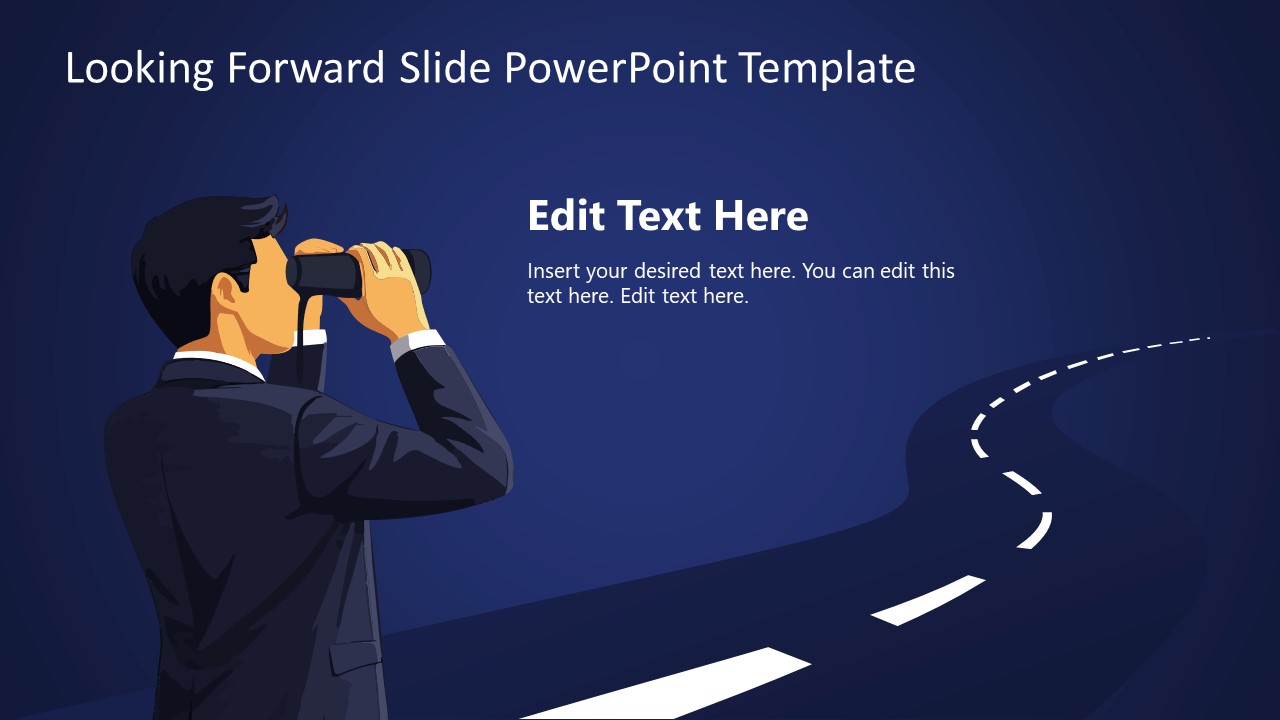
The Looking Forward Slide PowerPoint Template features a curved road diagram in the night scene. There is a human illustration on the left, holding binoculars over his eyes. This represents the concept of planning, how you see the future, and what your vision and mission are. The gentleman is dressed like a corporate professional, and the overall scene helps visualize how the company plans to navigate challenges to achieve success.
The first slide has a white text segment for showing a single title with a description.
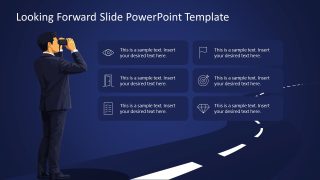
The second slide shows the same scenic view, but with six text blocks featuring infographics over the curved road. This helps professionals to mention multiple challenges along the way to success. Or they can edit the slides to showcase steps to project completion.
This vector image PPT template has a dark theme, but users can easily customize the elements to match their preferences. They can also repurpose the slide diagram for their relevant presentations. Download the looking forward slide template for presentation and customize it in PowerPoint or Google Slides.
What’s inside this template
Example presentation scenarios
- A project manager can use the six-item icon roadmap to explain upcoming milestones, risks, or decision points during a team planning meeting.
- A growth marketer can use the title vision slide to introduce a market expansion objective before explaining the path forward on the roadmap slide.
- A business development lead can present opportunity stages with the road diagram and icon cards to align sales, partnerships, and leadership teams.
- An executive presenter can use the binoculars illustration as a future-state metaphor when opening a strategy update or mission discussion.
Features
- 100% editable presentation template
- Compatible with Microsoft PowerPoint and Google Slides
- 16:9 aspect ratio slides
- Scalable vector shapes, icons and illustrations
- AI-Ready for Microsoft Copilot and Claude
- Instant access and download
Frequently asked questions
Q: How should a presenter frame the message with only two slides?
A: Use the first slide to state the future view in one clear sentence, then add a short explanation of why it matters. Use the second slide to break that vision into six concrete checkpoints, such as objectives, obstacles, owners, or milestones. The road should represent movement toward the stated future, not a decorative background.
Q: Who is this template best suited for in a business presentation?
A: This template fits presenters who need to turn a strategy, roadmap, or mission into a simple planning story. Project managers can show milestones, product owners can summarize a future release path, and business development teams can explain opportunity stages. It works best when the audience needs orientation before detailed planning begins.
Q: Why does the binoculars and curved road metaphor help the audience understand the plan?
A: The binoculars suggest looking ahead, while the road gives the audience a path to follow. This pairing separates the big-picture vision from the sequence of actions needed to reach it. The six icon cards make the abstract plan easier to scan because each point has a visual cue and a short text block.


Looking Forward Slide PowerPoint Template
2-slide presentation template for future vision roadmap planning with binoculars illustration and road diagram
Looking Forward Slide PowerPoint Template is a 2-slide 16:9 diagram presentation template for future planning and growth roadmap discussions. It includes a binoculars businessperson illustration, a curved road scene, a title and description layout, and a six-item icon roadmap. It is designed for managers and teams using Microsoft PowerPoint or Google Slides.
- Category
- Diagrams
- Rating

 Loading...
- Aspect ratio
- 16:9
- Item ID
- 23558-01
- Colors
 Microsoft PowerPoint
  Microsoft Copilot
  Claude for PowerPoint
 Other formats supported
Subscribe today and get immediate
access to download our PowerPoint templates.