Illustrate the journey of struggle and challenges in your team motivation presentations with our Roadmap to Success PowerPoint Template. Startup founders in their investor pitch decks use the roadmap-to-success diagram layout to build trust and credibility and secure funding for scaling plans. Project managers, in their annual reporting presentations, use the roadmap-to-success metaphor to communicate the hardships and challenges the team faced during the period. This also helps decision-makers examine the current position and plan more effectively for upcoming challenges. Strategy directors discuss how to navigate through problems arising in business workflows to maintain productivity in their employee training presentations. The roadmap diagram layout enables marketers to demonstrate the five milestones of the brand development process.
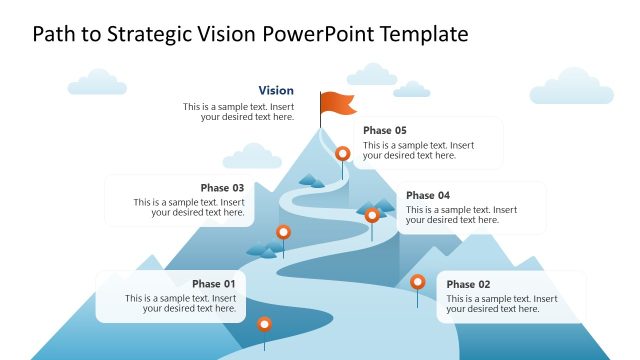
The diagram shows a curved road passing through a snow-covered mountain range. The roadmap outlines five key milestones in the business processes. At each point, management consultants can use the text box and a relevant infographic to communicate details visually. In change management discussions or when conveying digital transformation plans, the roadmap-to-success diagram layout helps leaders visualize the deliberate path to successful implementation. At the bottom left, three blocks allow product directors to highlight key achievements or fixes along the way. After the cover slide, there are five slides with the same metaphor diagram, each highlighting a different point. You can also try our other strategy PPT templates for your executive presentations.
The presenters can also edit the Roadmap to Success PowerPoint Template with Google Slides and other PowerPoint versions. Each element in our template is editable, and users from specific domains can edit the design to match their specific brand identity. Download the roadmap to success PPT template to visualize the complex path in an understandable way in your stakeholder presentations. Outline your thoughts and plans with clarity.
What’s inside this template
Example presentation scenarios
- A startup founder can present a scaling plan to investors by using the five-milestone roadmap overview to show how the team will move from current traction to a defined growth destination.
- A project manager can review annual progress with executives by pairing the individual milestone focus slides with achievements, setbacks, and next actions for each stage.
- A product manager can explain a product roadmap to cross-functional teams by assigning each callout to a release phase, capability milestone, or customer adoption target.
- A strategy director can train employees on a change management journey by using the mountain road metaphor to show why each stage requires effort before the final outcome.
Features
- 100% editable presentation template
- Compatible with Microsoft PowerPoint and Google Slides
- 16:9 aspect ratio slides
- Scalable vector shapes, icons and illustrations
- AI-Ready for Microsoft Copilot and Claude
- Instant access and download
Frequently asked questions
Q: How should a presenter structure the message with this roadmap template?
A: Start with the full five-milestone overview to establish the destination and the path. Then use the single-milestone slides to explain one decision, obstacle, or action at a time. Close with the recap slide so the audience remembers the full journey and can connect each step to the final success point.
Q: Who is this template best suited for?
A: This template is a good fit for presenters who need to explain progress through uncertainty, such as founders, project managers, product managers, consultants, and team leaders. The curved road and mountain goal work well for growth plans, transformation programs, career roadmaps, and annual planning updates where the sequence matters.
Q: Why does the road-to-mountain metaphor help the presentation?
A: The visual metaphor turns a plan into a journey with distance, obstacles, and a destination. The winding road prevents the story from feeling like a simple checklist, while the mountain peak gives the audience a clear end state. Color-coded milestone callouts separate stages without breaking the overall path.
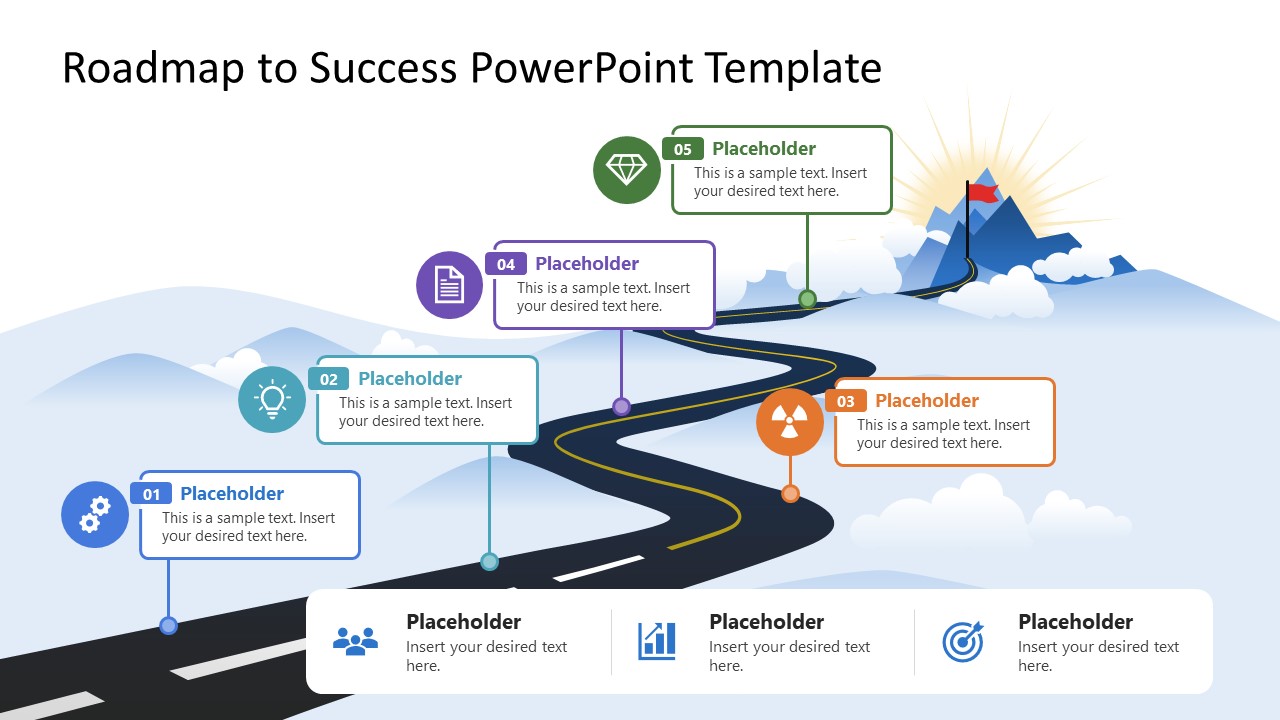









Roadmap to Success PowerPoint Template
7-slide presentation template for curved roadmap milestones, mountain journey planning, and success narratives
The Roadmap to Success PowerPoint Template is a 7-slide roadmap diagram deck for planning and progress storytelling. It shows a curved road through mountains, five milestone callouts, individual milestone focus slides, and achievement summary blocks. It is designed for teams presenting strategy, product plans, change journeys, or career goals in Microsoft PowerPoint and Google Slides.
- Category
- Timelines & Planning
- Rating

 Loading...
- Aspect ratio
- 16:9
- Item ID
- 23644-01
- Colors
 Microsoft PowerPoint
  Microsoft Copilot
  Claude for PowerPoint
 Other formats supported
Subscribe today and get immediate
access to download our PowerPoint templates.