Visualize long-term business direction in your investor presentations with our editable Strategic Roadmap Slide PowerPoint Template. Organizations prefer making strategic moves that ultimately drive business growth. They set goals and create an action plan aligned with those SMART goals. This strategic roadmap diagram slide is useful for project managers to outline the project’s milestones. They can explain how to accomplish project goals effectively in their sprint presentations. The product developers outline the key phases of the development and final launch of the new SaaS or retail product. The curves in the diagram highlight that the journey is not straight; rather, it’s full of challenges and tough events. In manufacturing process discussions, the four-step roadmap lets professionals explain the continuous execution stages to the workers. The startup founder uses the roadmap diagram to showcase the business growth strategy to the investors to win funding.
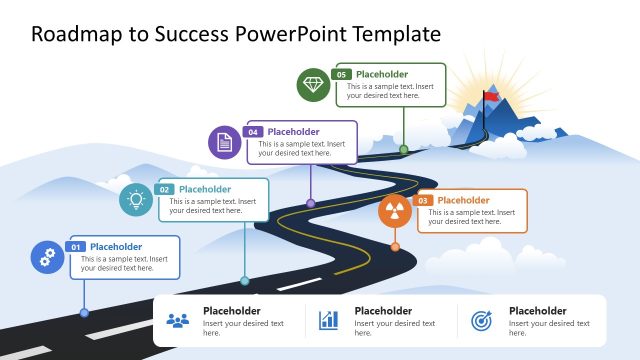
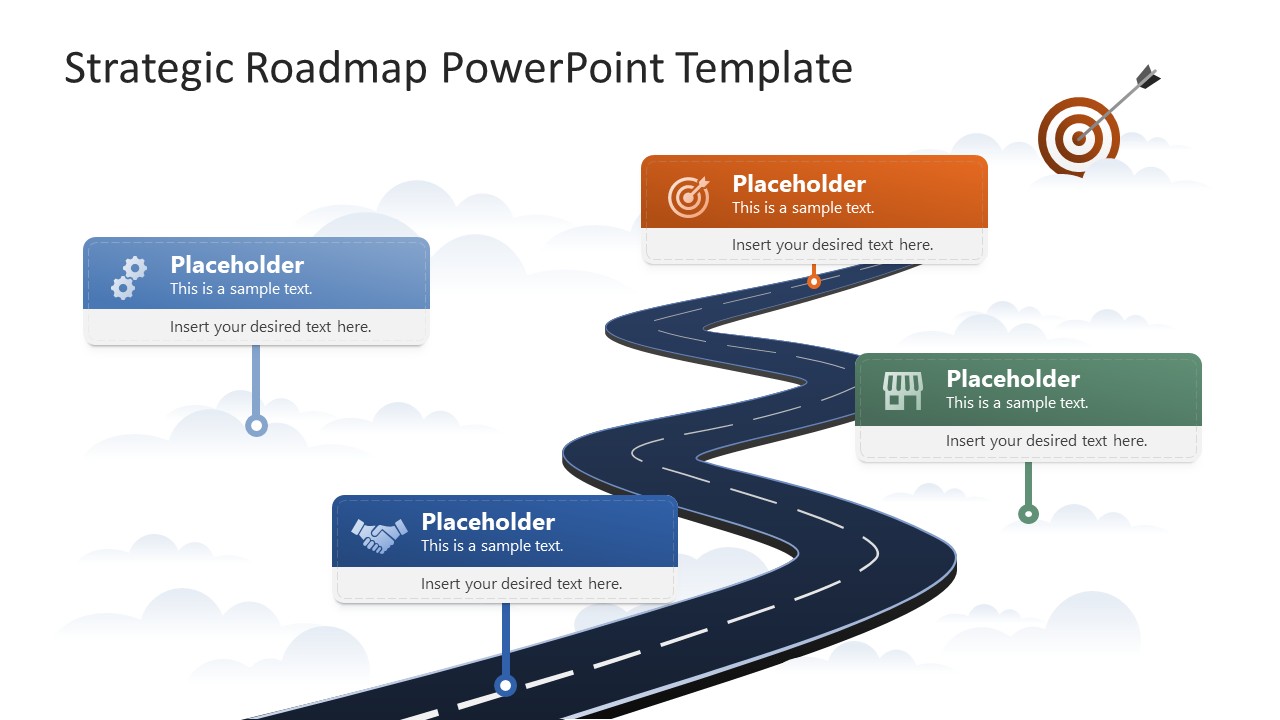
The Strategic Roadmap Slide PowerPoint Template features an illustration of a winding road leading to a specific target. At the end of the road, an archery target shows the arrow hitting perfectly in the center. This depicts that the roadmap steps certainly lead to achieving the business target. In sales planning presentations, sales directors use infographics to visually highlight the stages and steps that enhance the company’s sales and revenue. In brand development discussions, marketing directors can use the archery diagram of the strategic roadmap template. They can present the expected brand positioning and the steps to reach it. At each step in the road diagram, there are multiple boxes where you can add a title, description, and use graphical icons to explain the process stages.
Download the strategic roadmap slide layout for your business meetings, and share the project timeline in client presentations. Alternatively, you can download other client presentation templates for Microsoft PowerPoint & Google Slides.
What’s inside this template
Example presentation scenarios
- A startup founder can present a growth path to investors by using the winding road and target illustration to connect milestones with the final business objective.
- A product manager can explain a launch plan to internal teams by assigning each milestone callout card to a phase such as planning, development, market preparation, and release.
- A marketing director can outline a brand strategy by using the icon callouts to show key steps, decisions, and positioning actions along the roadmap.
- A sales leader can communicate a revenue improvement plan by placing sales actions in the four callout cards and using the target graphic as the desired outcome.
Features
- 100% editable presentation template
- Compatible with Microsoft PowerPoint and Google Slides
- 16:9 aspect ratio slides
- Scalable vector shapes, icons and illustrations
- AI-Ready for Microsoft Copilot and Claude
- Instant access and download
Frequently asked questions
Q: How should I present a roadmap without making it feel like a task list?
A: Use the road as the main story spine and limit each callout to one decision, milestone, or strategic move. Start with the current situation, move through the four callout cards in sequence, and finish at the target. Keep text short so the audience reads the route, not a list of project notes.
Q: Who is this template best suited for in a business presentation?
A: This template works best for presenters who need to summarize a direction rather than manage every detail. Founders, product managers, marketing leaders, and project managers can use it to align stakeholders around a path to market, a growth plan, a brand objective, or a strategic initiative.
Q: Why use a winding road and target metaphor instead of a straight timeline?
A: The winding road signals that strategy has turns, tradeoffs, and progress points, while the target makes the end goal unmistakable. This metaphor helps audiences understand that the plan is directional and outcome-driven, not just chronological. The four callouts give enough structure without overwhelming the visual message.
Strategic Roadmap Slide PowerPoint Template
1-slide presentation template for strategic roadmap planning with milestone callouts and target visuals
The Strategic Roadmap Slide PowerPoint Template is a 1-slide, 16:9 presentation template for showing strategy as a winding road toward a target. The slide includes four milestone callout cards, vector icons, a central road illustration, and a target goal visual for managers, founders, and marketing teams using Microsoft PowerPoint or Google Slides.
- Category
- Strategy
- Rating

 Loading...
- Aspect ratio
- 16:9
- Item ID
- 23645-01
- Colors
 Microsoft PowerPoint
  Microsoft Copilot
  Claude for PowerPoint
 Other formats supported
Subscribe today and get immediate
access to download our PowerPoint templates.