Slide 7 of 8 from Gear Shape for PowerPoint
8015-gears-shape-wide-7
9 Gears Diagram for Process Explanation
- Diagram
- Comparison Split
- Process Slide
- 16:9
- 100% Editable
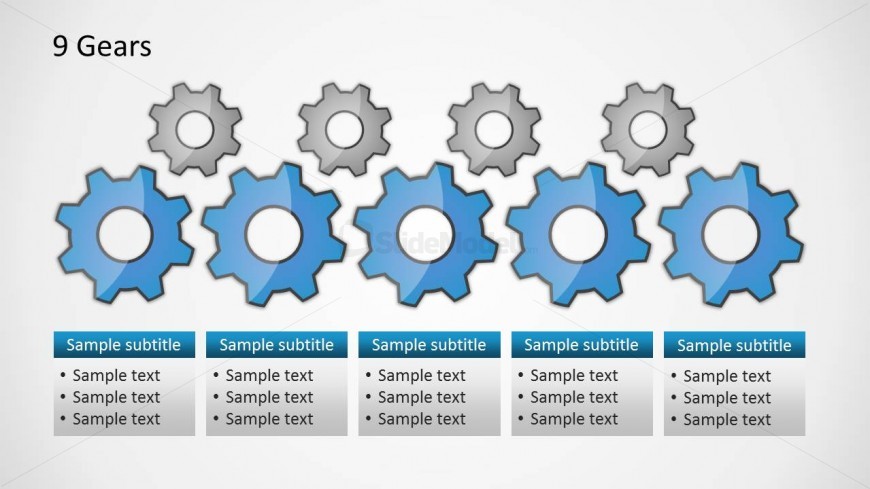
The 9 Gears Diagram slide from the Gear Shape for PowerPoint template offers a clear visual for process analysis and operational improvement. Featuring editable shapes arranged as interconnected gears, this slide supports business presentations and corporate slide decks focused on quality management and team collaboration. Its structured layout with text placeholders enhances explanation of complex relationships, making it a practical choice among presentation templates for illustrating multi-component processes.
What’s on This Slide
The layout features nine gear shapes arranged in two rows. The top row contains five gears, with the middle gear highlighted in blue, while the bottom row has four gears in gray. Each gear has a central hole, allowing for visual connection. Below the gears, there are four text placeholders aligned horizontally, each containing a subtitle and bullet points. The placeholders are rectangular and evenly spaced, providing a structured area for text. The background is light, enhancing the visibility of the gears and text.
How to Use It
This layout serves as a comparison diagram, ideal for illustrating relationships or processes involving multiple components. It fits well in a presentation sequence after introducing a problem and before detailing solutions. This structure is useful in quality management, Six Sigma discussions, or operational improvement presentations, where multiple factors are analyzed or compared. It allows for clear communication of complex ideas through visual representation.
Text Placeholders & Capacity
Keep your copy within these limits so it fits without resizing. Body slots can hold roughly 15-20 words each.
| Placeholder | Count | Max characters (approx.) |
|---|---|---|
| Item heading | 9 | 20 |
| Subtitle | 4 | 30 |
| Body paragraph | 4 | 100 |