Customize our FAB Model Slide Template for PowerPoint for your business planning presentation. The FAB model is a model that helps professionals estimate the reasons customers choose their brand. This analysis is applied to develop better marketing strategies to enhance revenue. FAB is an acronym for Features, Advantages, and Benefits. By using this business model, analysts get to know the key elements that make their brand different from their competitors. Thus, keeping these points in mind, professionals focus on improving the features, advantages, and benefits of their service or product to grow customer engagement. This FAB Model PowerPoint template features three slide designs to present these F, A, and B points. Users can choose between either slide to use in their presentations.
The first slide of the FAB Model Slide Template for PowerPoint shows a diagram with three concentric circles made out of PowerPoint shapes. Each circular component represents one component of the FAB. The representative bold alphabet is mentioned in each circle, i.e., F, A, and B. A vibrant color scheme, along with 3D shadow effects, is used in this diagram. This slide template also carries three editable text boxes having meaningful graphical icons (settings, thumbs up, and reward symbols). An introductory statement is also mentioned with the diagram that can be edited accordingly.
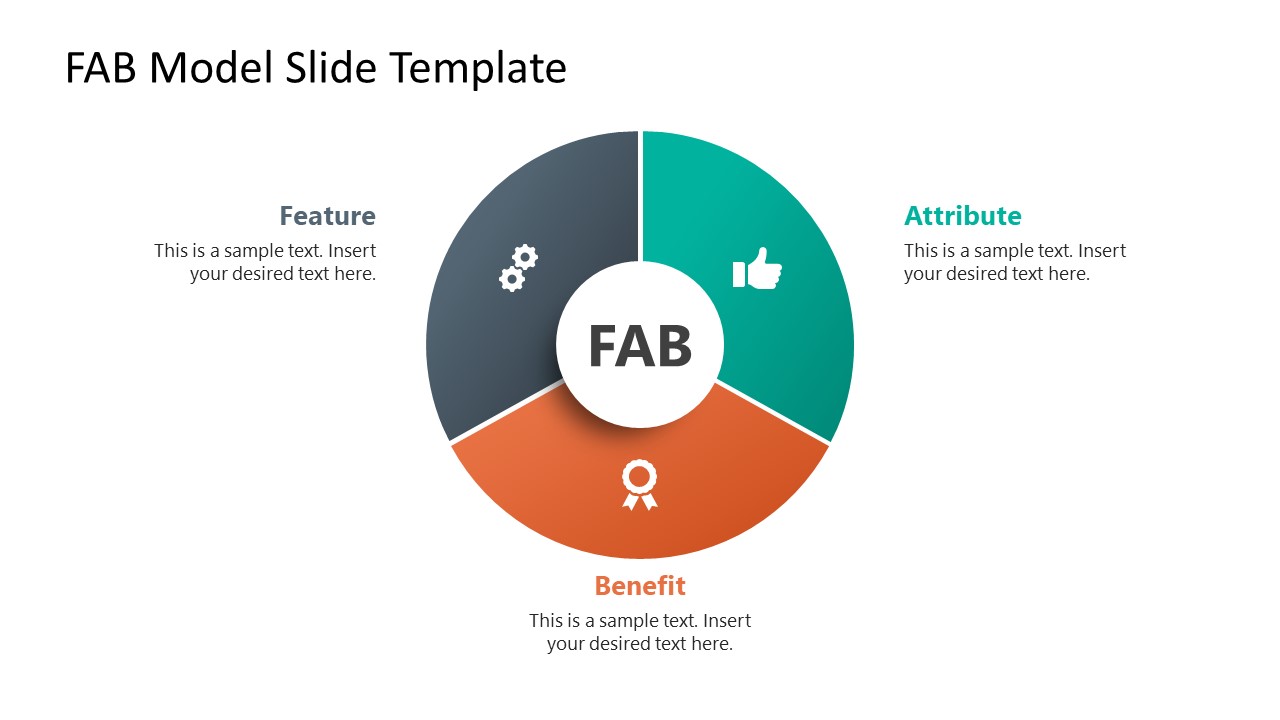
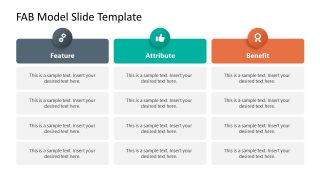
The second slide carries a central three-segment pie-chart diagram. The segments have PowerPoint icons, and the core element mentions the FAB title. Users can add relevant descriptions using the attached text boxes around the segments. In contrast, the third slide is a three-column slide with multiple rows where presenters can mention more than one feature, advantage, or benefit. So, this FAB model slide template can help business and marketing professionals to discuss and understand why customers acquire their products or services, allowing marketing teams to align the sales strategy to those interests.
What’s inside this template
Example presentation scenarios
- A marketing manager can use the three-column table to align campaign messages by listing product features, matching attributes, and the customer benefits that should appear in ads or sales copy.
- A product manager can use the concentric circle diagram to explain how product capabilities connect to customer-facing value during a roadmap or launch planning meeting.
- A sales enablement lead can use the FAB wheel to train representatives on translating technical details into benefits that matter in discovery calls.
- A startup founder can use the callout cards and FAB table to prepare a concise value proposition discussion for investors, advisors, or early customers.
Features
- 100% editable presentation template
- Compatible with Microsoft PowerPoint and Google Slides
- 16:9 aspect ratio slides
- Scalable vector shapes, icons and illustrations
- AI-Ready for Microsoft Copilot and Claude
- Instant access and download
Frequently asked questions
Q: How should a presenter explain FAB without turning the slide into a feature list?
A: Start with the customer problem, then use the FAB structure to translate each feature into an attribute and a benefit. The table slide works best for detailed mapping, while the circle and wheel diagrams should summarize the logic. Keep feature text short and make the benefit column describe the customer outcome.
Q: Who is this template best suited for in a business presentation?
A: This template fits marketing, product, and sales teams that need a shared language for value messaging. It is most useful when a team already knows the product details but needs to clarify why those details matter to customers. The FAB table is especially practical for campaign planning, sales scripts, and launch messaging.
Q: Why do the circle and three-part diagrams help communicate the FAB model?
A: The concentric circle implies that benefits should sit at the core of the message, not afterthoughts. The three-segment wheel shows feature, attribute, and benefit as connected parts of one value argument. These visual metaphors reduce confusion by showing the relationship before the presenter adds detailed text.



FAB Model Slide Template for PowerPoint
3-slide 16:9 presentation template for FAB model diagrams, value messaging, and benefit comparison
The FAB Model Slide Template for PowerPoint is a 3-slide business model deck for explaining feature, attribute, and benefit logic. It includes a concentric circle diagram, a three-segment FAB wheel, and a three-column comparison table for marketing teams, product managers, and sales presenters in Microsoft PowerPoint and Google Slides.
- Category
- Models
- Rating

 Loading...
- Aspect ratio
- 16:9
- Item ID
- 21637-01
- Colors
 Microsoft PowerPoint
 Microsoft Copilot
 Claude for PowerPoint
Other formats supported
Subscribe today and get immediate
access to download our PowerPoint templates.