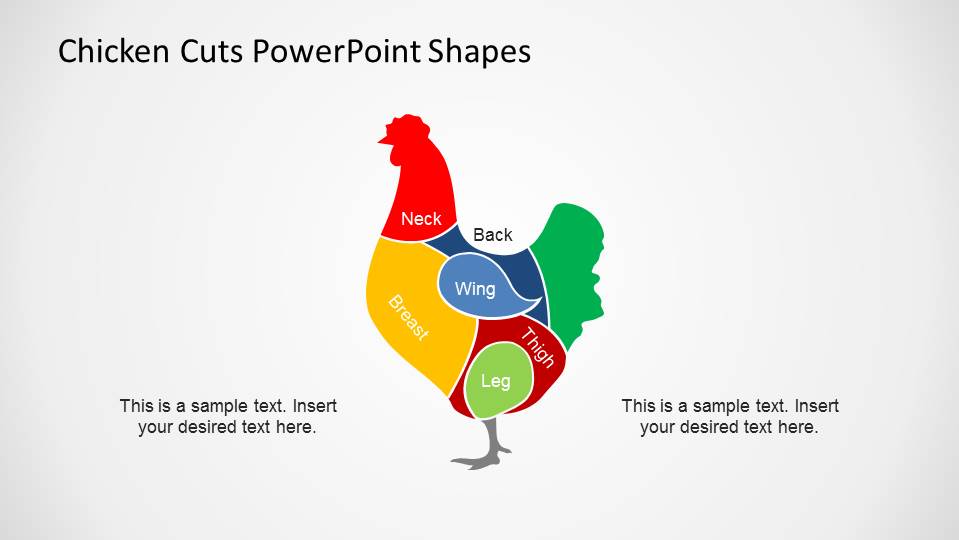
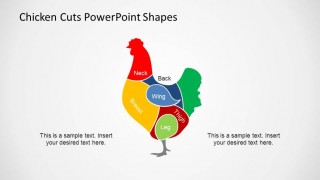
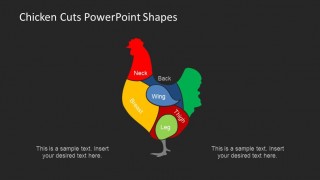
Chicken Cuts PowerPoint Shapes is a colorful Clipart containing a Chicken shape with the delimited chicken cuts. This professional PowerPoint shape can be used in cooking lectures, meat cut presentations, retail commerce lectures and of course when teaching about food. Each of the shapes are created as PowerPoint objects allowing the user to fully customize the properties as shape size, color, borders, fills and effects.
Chicken is the most consumed meat in the world, and has become even more popular in the western culture due to its low fat (comparing to bovine meat) and its ease of cooking. Since the XX century, chicken started to commercialize in separate pieces (or cuts) instead as a whole chicken. This has increased the prices of meat but with a higher comfort. Specific cuts have their own properties and allow different preparations.
Impress your audience and attract their attention with this colorful chicken cuts PowerPoint Shapes.
What’s inside this template
Example presentation scenarios
- A culinary instructor can use the full-color labeled chicken diagram to teach students where the neck, breast, wing, back, leg, and thigh are located before discussing preparation methods.
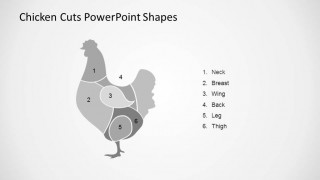
- A grocery meat department trainer can use the gray numbered diagram with legend to test staff recognition of poultry cuts during a product knowledge session.
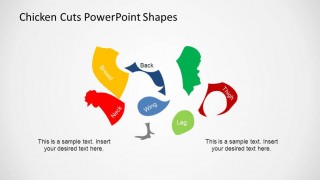
- A butcher or food service manager can use the exploded parts diagram to explain how a whole chicken is separated into retail cuts for merchandising or kitchen planning.
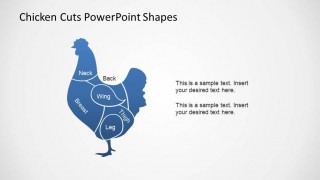
- A restaurant operations presenter can use the dark-background diagram to create a concise slide for a menu training deck about chicken parts and portion descriptions.
Features
- 100% editable presentation template
- Compatible with Microsoft PowerPoint and Google Slides
- 16:9 aspect ratio slides
- Scalable vector shapes, icons and illustrations
- AI-Ready for Microsoft Copilot and Claude
- Instant access and download
Frequently asked questions
Q: How should a presenter explain the chicken cuts without overloading the audience?
A: Start with the full-color assembled chicken diagram so the audience can see every cut in context. Move through the labels in a consistent order, such as top to bottom or front to back. Use the two text placeholders for cooking notes or handling rules, not long definitions that compete with the diagram.
Q: Who is this template best suited for?
A: This template fits presenters who need to teach recognition of poultry cuts rather than report performance data. Culinary instructors, grocery retail trainers, butchers, and restaurant managers can use the labeled, numbered, and exploded diagrams to connect part names with physical locations, preparation choices, or retail product descriptions.
Q: Why include both assembled and exploded chicken cut views?
A: The assembled view builds spatial understanding because each cut appears in its natural place on the chicken. The exploded view separates the parts, which helps the audience focus on individual pieces and compare shapes. That shift from whole to parts is an effective visual metaphor for butchering or preparation.


Chicken Cuts PowerPoint Shapes
5-slide presentation template with editable chicken cut diagrams for poultry and cooking education
Chicken Cuts PowerPoint Shapes is a 5-slide diagram template for explaining poultry parts with editable chicken cut illustrations. Visible layouts include a full-color labeled chicken diagram, a blue monochrome cut diagram, a gray numbered diagram with legend, an exploded parts diagram, and a dark-background variant for cooking, retail, or food education presentations in PowerPoint and Google Slides.
- Category
- Shapes
- Rating


 Loading...
- Aspect ratio
- 16:9, 4:3
- Item ID
- 6541-01
- Colors
 Microsoft PowerPoint
  Microsoft Copilot
  Claude for PowerPoint
 Other formats supported
Subscribe today and get immediate
access to download our PowerPoint templates.