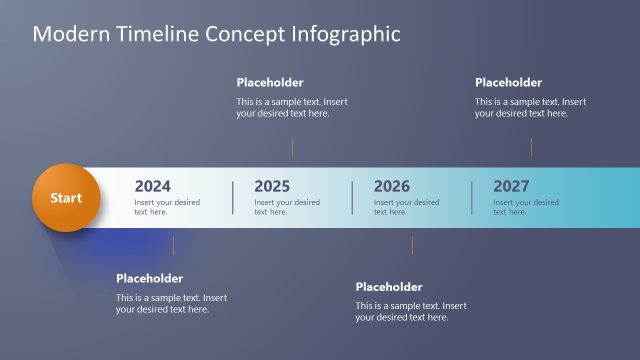
Customize our Animated Corporate History Timeline PowerPoint Template to present your company’s achievements and development history engagingly. Professionals discuss the company’s background, past successful initiatives, the growth model, and the strategic approach to impress the investors and their employees. We have created this template to help professionals explain these aspects to their juniors, partnering companies, and potential investors. So that they can comprehend the development opportunities in the firm. Our corporation history timeline template is 100% editable and is specially created for corporate trainers, operational managers, project managers, and other personnel.
The Animated Corporate History Timeline PowerPoint Template has nine slides with an attractive design. There is a title text, a description placeholder text, and a relevant image of the slide to enhance the presentation’s visuals. All the slides have an image in the background, engaging the slide design and capturing the audience’s attention. This can help presenters communicate their ideas effectively and make the presentation more impactful. All the elements in this template have animations and move into the slide with a smooth flow. At the bottom left corner of the slides is a large digital representation of the year number of the achieved milestone. Further, there is a simple bar with dots at the lower side of the slide design.
With the progressive key points in the executive presentation, the number of dots changes based on the year. In this way, users can discuss the timeline in distinct slides. Moreover, the corporate history timeline template is compatible with all versions of Microsoft PowerPoint. Users can also change the PowerPoint shapes and components of the template to fit their needs. Depending on their theme, they can change the colors, shapes, icons, and other infographics. Download our animated history timeline slide template and present your company’s historical milestones in the executive sessions. Grab it now! Alternatively, check our collection of timeline templates and history PowerPoint templates.
What’s inside this template
Example presentation scenarios
- A founder can use the horizontal timeline slides to introduce the company's origin, first office, international client, and later expansion during an investor meeting.
- A corporate trainer can use the milestone slides and large year markers to teach new employees how the organization grew and why key decisions mattered.
- An operations manager can present office growth, client count, employee scale, and acquisition activity using the map, people icons, bar chart, and hub diagram.
- An executive team can adapt the award and employee milestone slides for an anniversary event that recognizes achievements across specific years.
Features
- 100% editable presentation template
- Compatible with Microsoft PowerPoint
- 16:9 aspect ratio slides
- Scalable vector shapes, icons and illustrations
- Ready with Animations & Transitions in PowerPoint
- AI-Ready for Microsoft Copilot and Claude
- Instant access and download
Frequently asked questions
Q: How should a presenter structure the company story with this timeline template?
A: Start with the cover as the identity frame, then treat each dated slide as one turning point rather than a list of facts. Keep the headline outcome-driven, use the body copy for context, and let the timeline dots show progression. The map, client count, employee count, and acquisition hub should each answer what changed at that stage.
Q: Who is this template best suited for in a business presentation?
A: This template fits executives, founders, HR leaders, and operations managers who need to explain how a company reached its current position. It is strongest for onboarding, investor background, anniversary recaps, and partner briefings because the visible layouts connect dates with offices, clients, employees, awards, and acquisitions.
Q: Why does the repeated timeline design help the audience follow the history?
A: The repeated bottom timeline acts as a visual anchor, so the audience always knows where they are in the story. Large transparent year numerals create emphasis without replacing the content. The maps, bars, people icons, and acquisition hub add different evidence types while preserving one consistent chronology.


Animated Corporate History Timeline PowerPoint Template
9-slide animated presentation template for corporate history timelines, milestone maps, and growth updates
Animated Corporate History Timeline PowerPoint Template is a 9-slide Microsoft PowerPoint deck for presenting company milestones over time. Visible layouts include a cover slide, horizontal year-by-year timeline, world map with location pins, bar chart with map, employee milestone slide, and acquisition hub diagram for corporate history storytelling.
- Category
- Timelines & Planning
- Rating

 Loading...
- Aspect ratio
- 16:9
- Item ID
- 94002-02
- Colors
 Microsoft PowerPoint
 Microsoft Copilot
 Claude for PowerPoint
Other formats supported
Subscribe today and get immediate
access to download our PowerPoint templates.