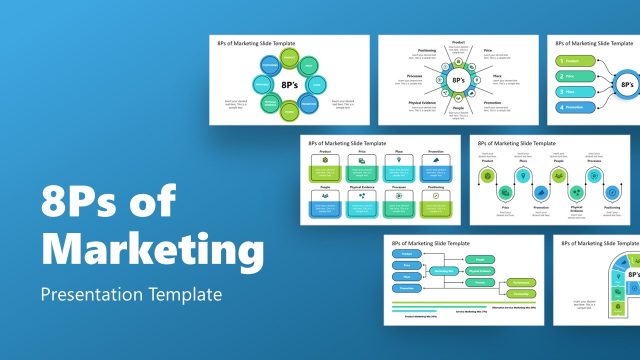
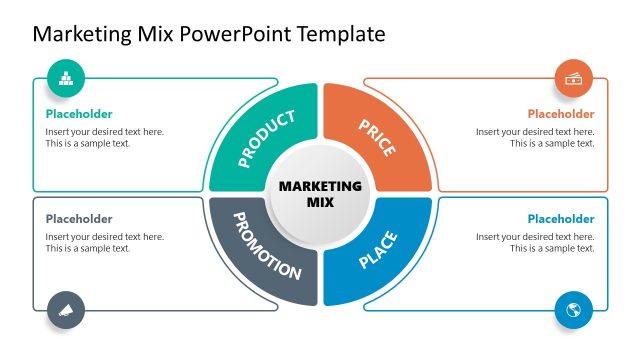
Design and present your brand’s marketing strategy summary through our 6P Marketing Slide Template for PowerPoint. To compete with the current business challenges, brands and companies focus more on designing better growth strategies that rely on marketing tactics. The primary aim of every marketing campaign is to reach the target audience and generate potential leads that enhance sales. The 6Ps of marketing provide a way to prepare an efficient marketing plan by pointing to the focus areas that must be covered to achieve desired outcomes. This PowerPoint template offers an editable layout to present these marketing 6P’s through its infographic representations.
The 6P Marketing Slide Template for PowerPoint comprises three template slides with editable text areas and PowerPoint icons. The first template slide features a central mega-phone icon encircled in a semi-transparent circular shape denoting the marketing concept. This central icon has six rectangular text areas arranged on either side. These shapes represent each of the marketing 6P’s that are:
- Product: the actual provision of the brand (product or service) depending upon the market requirements.
- Price: a competitive cost of the product based on the market analysis
- Place: appropriate placement where the product is accessible to the customers
- Promotion: the marketing campaigns to attract visitors and notify people about the launch
- People: nature, need, and pain points of the target customer group
- Presentation: special arrangements to increase user interest in buying from you
Presenters can list these details to prepare a comprehensive marketing plan template. The following slide also has a similar design and structure but varies for the tag lines in each rectangular segment. Here, users can mention further details of each marketing P according to their plan. The last slide of this template has three infographic diagrams for presentation points (one of the 6P’s). It is helpful for the consultants to which they can define the strategies to enhance user interaction and loyalty, e.g., through impressive packaging, messaging, and branding.
Our 6P Marketing Slide Template is an engaging slide design with its modern graphics and vibrant color scheme. The transparent effect of the text box and shapes adds value to the professional presentations. Users can edit this PPT template and utilize it for proposing the marketing budget before investors and company executives based on the marketing strategy they designed.
What’s inside this template
Example presentation scenarios
- A marketing manager can use the 6P framework slide to brief executives on how product, price, place, promotion, people, and presentation connect within a campaign plan.
- A consultant can use the question-based card grid to guide a client workshop around customer pain points, market potential, competitor presence, and long-term demand.
- A product marketer can use the three-icon tactics slide to explain how packaging, messaging, and brand perception affect customer interest before a launch.
- A startup founder can use the megaphone hub and 6P cards to organize an investor-facing summary of the go-to-market assumptions behind a new offering.
Features
- 100% editable presentation template
- Compatible with Microsoft PowerPoint
- 16:9 aspect ratio slides
- Scalable vector shapes, icons and illustrations
- AI-Ready for Microsoft Copilot and Claude
- Instant access and download
Frequently asked questions
Q: How should a presenter explain the 6P framework without overloading the audience?
A: Start with Slide 1 as the organizing map and define each P in one sentence. Use the central megaphone as the shared marketing idea, then move card by card from the offering to the customer-facing presentation. Keep supporting detail for Slide 2, where the question prompts help turn each category into a planning discussion.
Q: Who is this template best suited for in a marketing discussion?
A: This template works best for marketing managers, consultants, product marketers, and founders who need to align stakeholders around a concise plan. It is especially useful before a campaign launch, brand review, or client strategy session because the 6P cards and planning questions make assumptions visible and easy to discuss.
Q: Why does the template use a megaphone and circular icon visuals?
A: The megaphone gives the framework a communication metaphor, which fits marketing strategy better than a plain list. The surrounding cards show that each P contributes to the market message. On Slide 3, the circular icon groups separate packaging, messaging, and brand perception so the audience can compare three customer-facing tactics quickly.


6P Marketing Slide Template for PowerPoint
3-slide marketing presentation template with 6P framework, megaphone hub, and presentation tactics icons
The 6P Marketing Slide Template for PowerPoint is a 3-slide marketing strategy template for Microsoft PowerPoint. It shows a 6P framework around a central megaphone, a question-based card grid for market planning, and a three-icon tactics slide for packaging, messaging, and brand perception.
- Category
- Marketing
- Rating

 Loading...
- Aspect ratio
- 16:9
- Item ID
- 21547-01
- Colors
 Microsoft PowerPoint
 Microsoft Copilot
 Claude for PowerPoint
Other formats supported
Subscribe today and get immediate
access to download our PowerPoint templates.