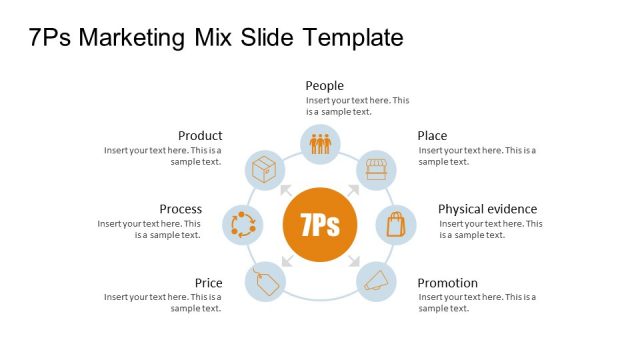
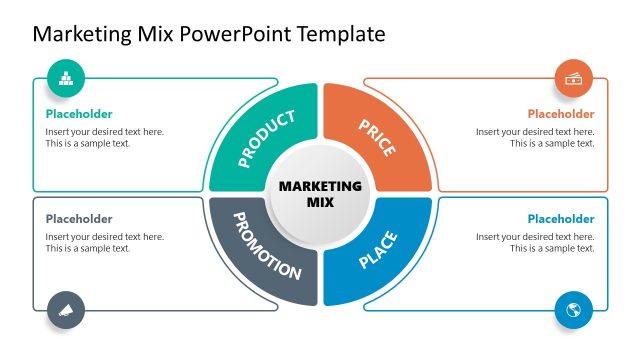
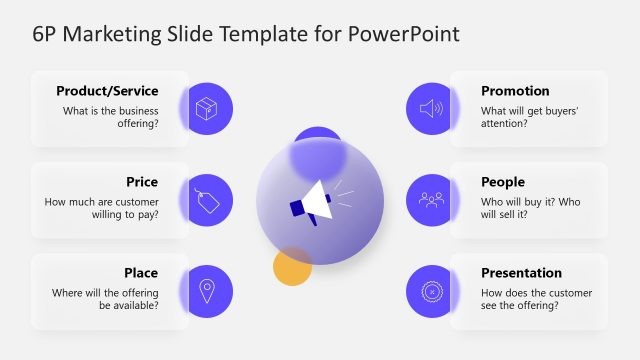
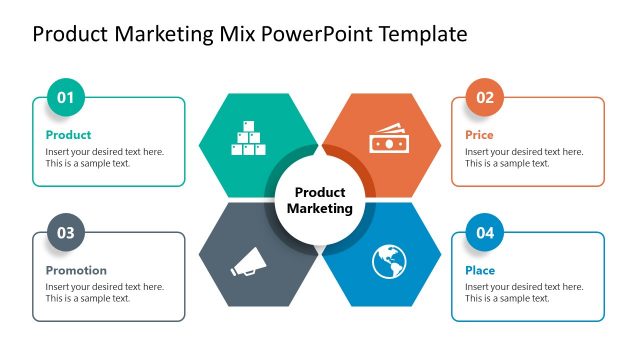
The 8Ps of Marketing PowerPoint Template is a deck of creative slides with different models presenting the marketing mix components. The 8Ps of the marketing mix represent the factors that must be aligned to gain a competitive advantage and increase sales. Businesses consider these elements to plan for promoting their newly launched product or service and design their marketing strategies. This PowerPoint template includes six designs to showcase these marketing points. Presenters can choose between these slides and edit them to showcase their marketing strategy point.
Our 8Ps of Marketing PPT template begins with a title slide with snapshots of the following slides. The following slides carry 8Ps marketing diagrams, i.e.,
- Eight 3D circular shapes arranged in a ring format
- Mind map diagram with branches
- Half color-filled square shapes with infographic icons
- 8-Segment circular figure
- Curved roadmap design with alternating elevations
- P diagram with eight puzzle shape compartments
These slides also carry editable text areas to mention the necessary details with each point. The representative graphical icons are created to visually communicate each marketing P’s concept. For instance, the coins icon denotes the price, and the megaphone is used for promotion. An attractive color scheme is used on each diagram, but users can also change them to match their destination theme.
The last slide of the 8Ps of Marketing PowerPoint Template has a horizontal flowchart diagram to show varying components of the product, service, and alternative service marketing mix. It indicates which factors are associated with each type of marketing mix. Presenters can use this slide for training the professionals about how they can focus on specific parameters while designing the marketing strategies for their businesses. All the slides of our 8Ps PPT template are 100% editable with PowerPoint and Google Slides. So, download this design and create remarkable marketing presentations.
What’s inside this template
Example presentation scenarios
- A marketing manager can use the circular 8Ps ring diagram to introduce the full marketing mix before a product launch planning session.
- A consultant can use the icon card grid to compare how each P affects a client's go-to-market strategy and assign discussion owners.
- A sales leader can use the horizontal flowchart to show how the 4Ps expand into service and alternative service marketing mix factors.
- A trainer can use the P-shaped segmented diagram and radial wheel to teach professionals how product, people, process, and positioning connect.
Features
- 100% editable presentation template
- Compatible with Microsoft PowerPoint and Google Slides
- 16:9 aspect ratio slides
- Scalable vector shapes, icons and illustrations
- AI-Ready for Microsoft Copilot and Claude
- Instant access and download
Frequently asked questions
Q: How can a presenter explain all 8Ps without making the session feel like a list?
A: Start with the circular ring or hub-and-spoke slide to frame the 8Ps as one connected system. Then move to the icon card grid when you need detail on each element. Keep one short decision question under each P, such as pricing fit, channel choice, or evidence needed, so the audience sees strategy choices rather than definitions.
Q: Who should choose this template for a marketing presentation?
A: This template fits marketing managers, consultants, product leaders, and trainers who need to explain how product, price, place, promotion, people, physical evidence, processes, and positioning work together. It is especially useful for planning workshops, launch discussions, and service marketing sessions where teams must align around several controllable factors.
Q: Why do the circular, P-shaped, and flowchart layouts work well for the 8Ps message?
A: The circular layouts show the 8Ps as interdependent parts of one marketing system, while the P-shaped diagram creates a memorable visual anchor for the concept. The final flowchart adds sequencing and scope by showing how the classic 4Ps expand toward service marketing and alternative service marketing mix factors.


8Ps of Marketing PowerPoint Template
8-slide presentation template for marketing mix strategy with 8P segmented diagrams and flowchart layouts
The 8Ps of Marketing PowerPoint Template is an 8-slide marketing mix presentation template for explaining product, price, place, promotion, people, physical evidence, processes, and positioning. It includes a cover, circular segmented diagrams, mind map, icon cards, a P-shaped diagram, and a horizontal flowchart for marketers, consultants, and trainers in Microsoft PowerPoint and Google Slides.
- Category
- Marketing
- Rating

 Loading...
- Aspect ratio
- 16:9
- Item ID
- 21577-01
- Colors
 Microsoft PowerPoint
 Microsoft Copilot
 Claude for PowerPoint
Other formats supported
Subscribe today and get immediate
access to download our PowerPoint templates.