Slide 3 of 3 from 3D Organizational Chart for PowerPoint
6050-01-3d-organizational-chart-diagram-3
3D Organizational Chart Diagram for PowerPoint
- Diagram
- Radial Hub
- Org Structure Slide
- 16:9
- 100% Editable
The 3D Organizational Chart Diagram slide from the 3D Organizational Chart for PowerPoint template offers a clear radial hub layout ideal for illustrating team structures and reporting lines. This slide is designed with editable shapes and vector icons to enhance corporate presentations and HR reporting, making it suitable for business presentations requiring a visual hierarchy of roles within a project or organization.
What’s on This Slide
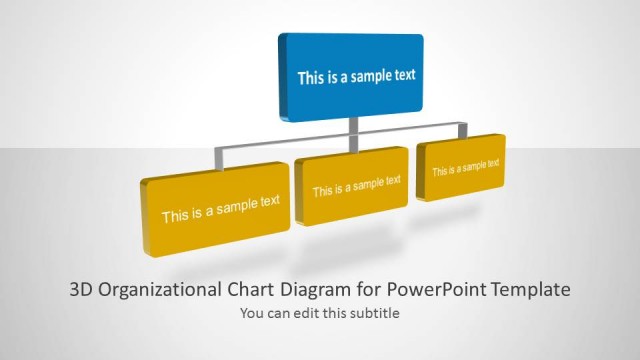
The layout features a central circular node in blue, surrounded by six rectangular nodes in yellow. The nodes are arranged in a semi-circular pattern, with three nodes on each side of the central node. Each node contains a placeholder for text, with the central node's text placeholder being larger and more prominent. The background is light gray, providing contrast to the colored nodes. The title is positioned at the top left, while a subtitle placeholder is located directly beneath it. The overall composition emphasizes the central node as the focal point.
How to Use It
This layout serves as a 3D organizational chart, ideal for illustrating team structures or reporting lines. It fits well in a presentation sequence after introducing a team or project context. This structure is useful for HR presentations, management meetings, or any scenario where clarity in hierarchy is needed. The central node can represent a team leader or project head, while surrounding nodes depict team members or departments, facilitating clear communication of roles.
Text Placeholders & Capacity
Keep your copy within these limits so it fits without resizing. Node slots can accommodate brief text, roughly 5-6 words each.
| Placeholder | Count | Max characters (approx.) |
|---|---|---|
| Slide title | 1 | 40 |
| Subtitle | 1 | 40 |
| Item body | 6 | 30 |
| Item body | 1 | 50 |
Slide Keywords
Download unlimited PowerPoint templates, charts and graphics for your presentations with our annual plan.
DOWNLOADReturn to 3D Organizational Chart for PowerPoint.