Slide 1 of 3 from 3D Organizational Chart for PowerPoint
6050-01-3d-organizational-chart-diagram-1
3D Organizational Chart Diagram for PowerPoint
- Diagram
- Tree Hierarchy
- Org Structure Slide
- 16:9
- 100% Editable
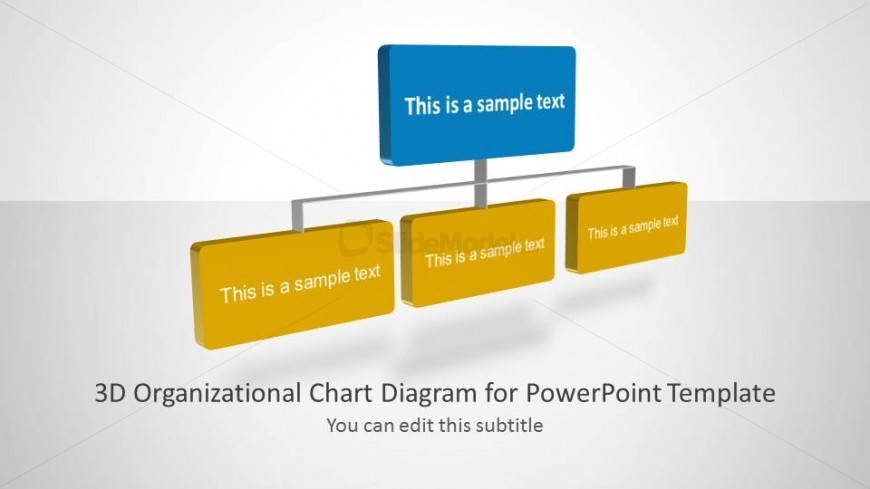
The 3D Organizational Chart Diagram from the 3D Organizational Chart for PowerPoint template provides a clear visual hierarchy ideal for business presentations focused on team structure and organizational changes. This slide layout uses editable shapes and vector icons to effectively illustrate reporting lines, making it suitable for HR onboarding and corporate presentations requiring precise organizational visualization.
What’s on This Slide
The layout features a central blue rectangular node at the top, labeled with placeholder text. Below it, two yellow rectangular nodes are positioned symmetrically on either side, each containing placeholder text. These nodes are connected by thin lines to the central node, indicating a hierarchical relationship. The background is a light gradient, enhancing the 3D effect of the shapes. There is a subtitle placeholder at the bottom, aligned centrally, providing additional context. The overall composition emphasizes the central node's importance in the hierarchy.
How to Use It
This diagram serves as a visual representation of organizational structure, suitable for illustrating reporting lines or team hierarchies. It fits well in presentations aimed at HR teams or managers discussing team dynamics or organizational changes. The layout can be used in various business contexts, such as onboarding, team introductions, or restructuring discussions, effectively communicating relationships within the organization.
Text Placeholders & Capacity
Keep your copy within these limits so it fits without resizing. Node labels can accommodate about 4-5 words each.
| Placeholder | Count | Max characters (approx.) |
|---|---|---|
| Slide title | 1 | 30 |
| Subtitle | 1 | 40 |
| Item heading | 3 | 20 |
Slide Keywords
Download unlimited PowerPoint templates, charts and graphics for your presentations with our annual plan.
DOWNLOADReturn to 3D Organizational Chart for PowerPoint.