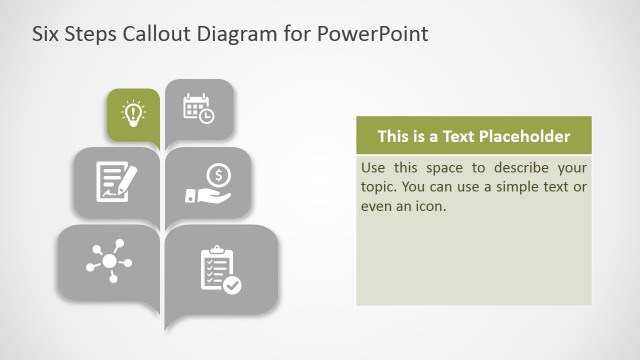
Slide 4 of 6 from 3D Callout PowerPoint Diagram
Conceptual Presentation with 3D Shape Template
3D Callout PowerPoint Diagram Slide 4
- Diagram
- Process Flow
- Process Slide
- 16:9
- 100% Editable
About This Slide
The Conceptual Presentation with 3D Shape Template display vector graphics using 3D effects. The users can easily change these effects from drawing format menu bar. This slide highlights the middle level out of 5 levels in callout slide layout. While other four segments are grayed-out, enabling viewers to focus on one item at a time. Furthermore, the infographics are available to represent terms of each level. This level shows magnifying glass icons as common metaphor for search.
What’s on This Slide
The layout features five horizontal callout sections arranged vertically. Each section contains a rounded rectangle with a unique icon on the left, followed by a numbered label on the right. The first four sections are in varying shades of gray, while the third section is highlighted in a lighter beige. Text placeholders are present within each section, aligned to the left of the icons. The background is a subtle gradient, enhancing the 3D effect of the callouts. The visual hierarchy emphasizes the highlighted section.
How to Use It
This layout serves as a sequential process diagram, ideal for illustrating steps in a methodology or workflow. It fits well in presentations that require a clear, structured approach to complex ideas. Suitable scenarios include project timelines, product development stages, or training processes. It can be used to guide audiences through a series of actions or decisions, making it effective for both business and educational contexts.
Text Placeholders & Capacity
Keep your copy within these limits so it fits without resizing. Node body slots can hold about 15-20 words each.
| Placeholder | Count | Max characters (approx.) |
|---|---|---|
| Item heading | 5 | 30 |
| Item body | 5 | 100 |
Slide Keywords
Download unlimited PowerPoint templates, charts and graphics for your presentations with our annual plan.
DOWNLOADReturn to 3D Callout PowerPoint Diagram.