Slide 4 of 9 from 3D Arrows Concept Charts for PowerPoint
6021-3d-arrows-concept-charts-4
3D Arrow Comparison Chart for PowerPoint
- Diagram
- Arrow Sequence
- Timeline Slide
- 16:9
- 100% Editable
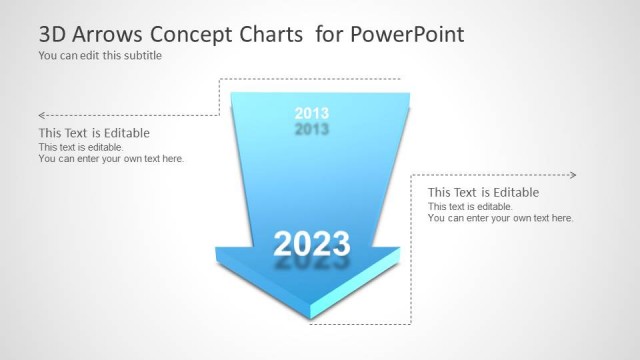
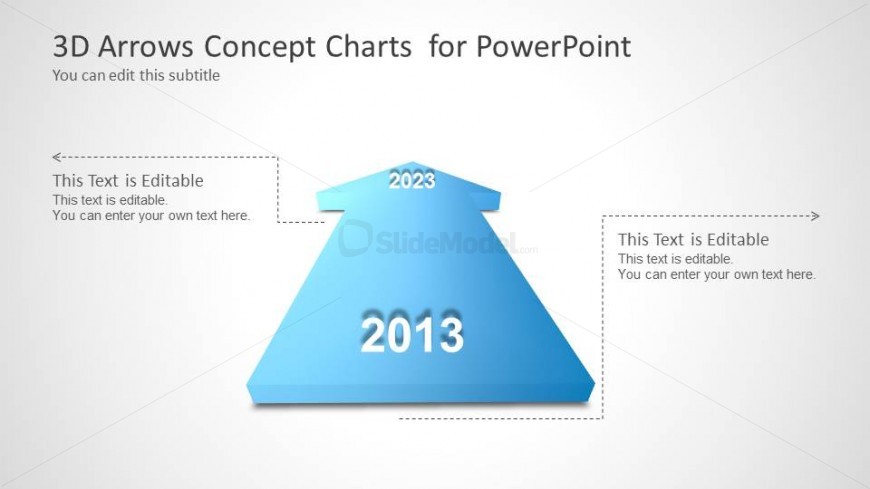
The 3D Arrow Comparison Chart slide from the 3D Arrows Concept Charts for PowerPoint template offers a clear timeline layout ideal for business presentations. Featuring editable shapes and vector icons, this slide effectively visualizes growth analysis and strategic planning by comparing data from 2013 to 2023. Its clean design supports concise commentary alongside the upward-pointing arrow, making it a practical choice for corporate presentation slide decks and pitch deck templates.
What’s on This Slide
The layout features a large upward-pointing 3D arrow centered on the slide. The arrow is divided into two sections, with the years 2013 and 2023 prominently displayed in blue, indicating a timeline or progression. Text placeholders are positioned on both sides of the arrow, aligned with the arrow's direction, allowing for additional commentary or data. The background is a light gradient, enhancing the 3D effect of the arrow. The overall composition is clean, with a clear visual hierarchy emphasizing the arrow and the years.
How to Use It
This layout serves as a timeline or comparison chart, effectively illustrating progress or change over time. It is suitable for business presentations that need to convey growth, trends, or milestones. This slide fits well in a sequence discussing past and future projections, making it ideal for reports on performance or strategic planning. It can be used to compare two time periods, highlighting achievements or shifts in data.
Text Placeholders & Capacity
Keep your copy within these limits so it fits without resizing. Node labels can hold about 4 characters each, while node bodies can accommodate roughly 50 characters.
| Placeholder | Count | Max characters (approx.) |
|---|---|---|
| Slide title | 1 | 30 |
| Subtitle | 1 | 30 |
| Item heading | 2 | 4 |
| Item body | 2 | 50 |
Slide Keywords
Download unlimited PowerPoint templates, charts and graphics for your presentations with our annual plan.
DOWNLOADReturn to 3D Arrows Concept Charts for PowerPoint.