Slide 1 of 2 from 10 Text Boxes with Numbers for PowerPoint
8060-02-table-with-numbers-1
10 Text Boxes with Numbers for PowerPoint
- Text Layout
- List Blocks
- Context Slide
- 16:9
- 100% Editable
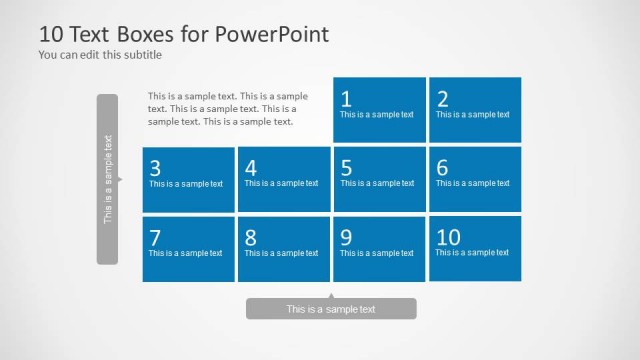
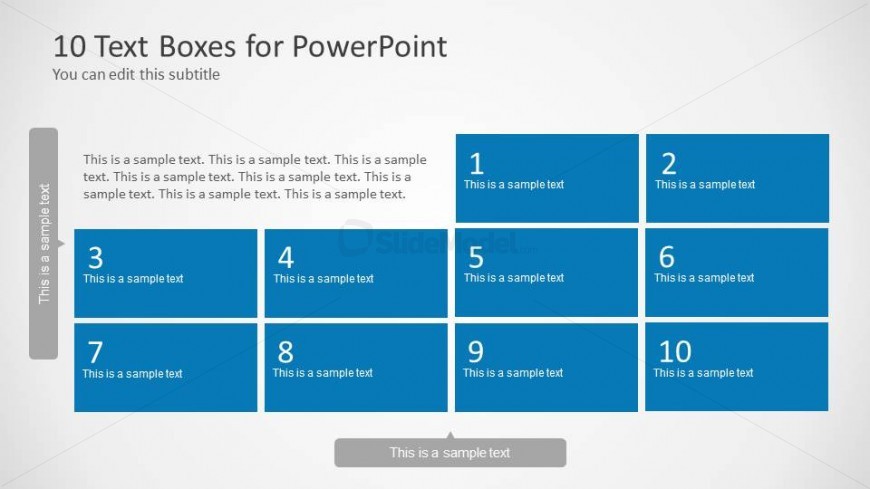
The Text Box Layout with Numbers slide from the 10 Text Boxes with Numbers for PowerPoint template offers a clear structure for presenting multiple points or categories. This slide layout is ideal for business presentations requiring organized project updates, feature highlights, or item comparisons. With its symmetrical grid of numbered text boxes and editable shapes, it enhances readability and content organization in professional slide decks and pitch deck templates.
What’s on This Slide
The layout features a grid of ten text boxes arranged in two rows and five columns. Each box is rectangular, with a consistent blue background and white text. The first row contains boxes numbered 1 and 2, while the second row has boxes numbered 3 through 10. A subtitle placeholder is positioned at the top left, aligned vertically. The overall composition is symmetrical, with equal spacing between the boxes. There is a footer area at the bottom center, which contains additional text. The visual hierarchy emphasizes the numbered boxes.
How to Use It
This layout serves as a structured text display, suitable for presenting multiple points or categories in a clear format. It fits well in presentations that require a straightforward comparison or listing of items. Ideal scenarios include project updates, feature highlights, or summarizing key information. This layout is effective for both individual and team presentations, allowing for easy readability and organization of content.
Text Placeholders & Capacity
Keep your copy within these limits so it fits without resizing. Node body slots can hold roughly 20 words each.
| Placeholder | Count | Max characters (approx.) |
|---|---|---|
| Slide title | 1 | 40 |
| Subtitle | 1 | 80 |
| Item heading | 10 | 30 |
| Item body | 10 | 100 |
| Footer | 1 | 40 |
Slide Keywords
Download unlimited PowerPoint templates, charts and graphics for your presentations with our annual plan.
DOWNLOADReturn to 10 Text Boxes with Numbers for PowerPoint.