Simple and powerful 10 Text Boxes with Numbers for PowerPoint can greatly enhance any 10-factor presentation. The layout is basic and generic which makes it extremely flexible. The user can relate it to general topics and come up with outstanding reports.
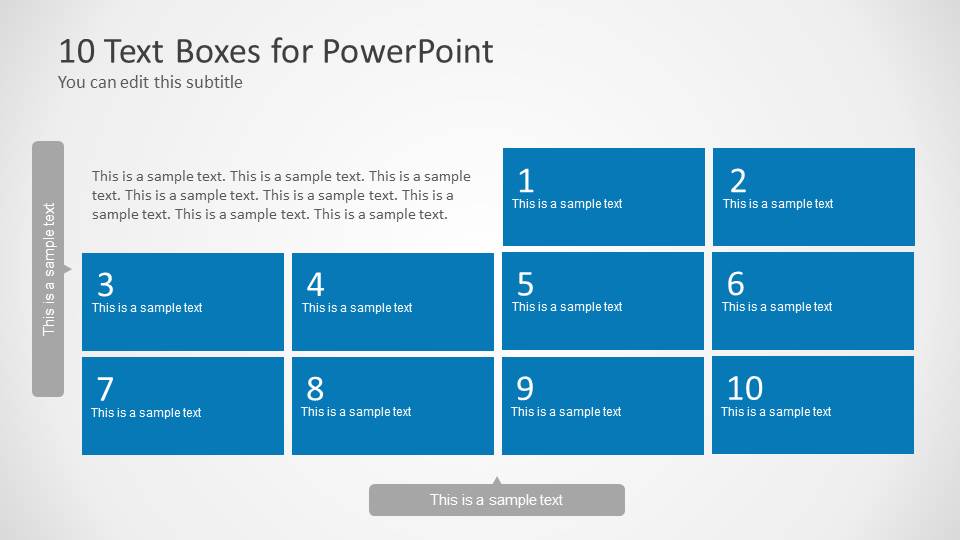
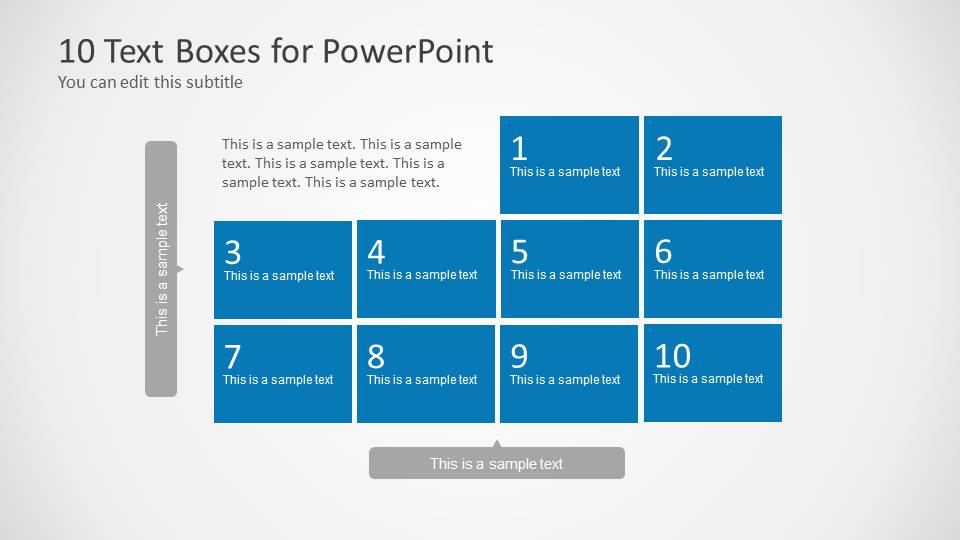
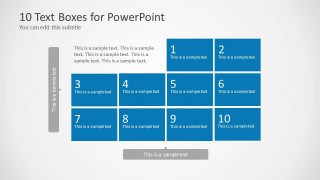
Two slides compose this PowerPoint template. Both have the same features except for the shape sizes. Even the text placeholders are placed in similar locations. On the top of the first slide, the title “10 Text Boxes for PowerPoint” is displayed. A subtitle can be entered by the presenter under that heading. The first row of boxes starts on the 3rd column. The blue text boxes are initially numbered from 1 to 10. The user can provide a quick background on the first and quite empty part of the list. The cool color stimulates calmness and easy understanding.
The layout can serve as a top 10 template. Other options are sequence stories. Any topic discussion with 10 points can be related to the slide designs because they are fully functional. It can also depict a list of tasks enumerated up to 10. The user can choose the sequence- ascending or descending. The template can be a checklist or priority reminders. It can outline the activities to be done within a week or a certain period of time.
Text Boxes with Numbers summarize items in 10 factors. The boxes depict a neat and minimal presentation. This means that it prohibits overcrowding of text characters. It is a graphic representation of whatever steps or elements the user decides to tackle. The template is a creative tool of presenting with graphics without being overwhelming.
Appeal to professional audiences with the 10 Text Boxes with Numbers for PowerPoint. The awesome visual aids can showcase simple and complex ideas to a comprehensive report. Download from the 8 Steps PowerPoint Templates of the SlideModel gallery.
What’s inside this template
Example presentation scenarios
- A project manager can use the large numbered text box layout to present ten open tasks, then use the bottom caption bar to state the next team action.
- A consultant can use the compact numbered grid to summarize ten findings from an assessment while keeping the short explanatory paragraph separate from the numbered list.
- A trainer can use the ten blue boxes as a lesson checklist, moving through each step while the vertical side label identifies the module or exercise.
- A team lead can use the layout to rank ten priorities for the week, with each numbered box holding a concise owner, task, or decision point.
Features
- 100% editable presentation template
- Compatible with Microsoft PowerPoint and Google Slides
- Scalable vector shapes, icons and illustrations
- AI-Ready for Microsoft Copilot and Claude
- Instant access and download
Frequently asked questions
Q: How should a presenter keep a ten-item slide from feeling overloaded?
A: Treat each blue box as a label, not a paragraph. Use one short phrase per number, then explain details verbally or in speaker notes. The visible design already separates context text, the numbered grid, and the bottom caption, so use those areas for setup, item labels, and the main takeaway.
Q: Who is this template best suited for?
A: This template fits presenters who need to organize ten related points without building a full report structure. Project managers, consultants, trainers, and team leads can use it for priorities, tasks, lessons, recommendations, or top 10 summaries where the audience must scan the full set at once.
Q: Why does the numbered box layout help communication?
A: The repeated blue rectangles create a simple sequence, while the numbers give the audience a clear path through the content. The gray side label and bottom caption act as anchors, so the slide can show both the list structure and the final takeaway without mixing all text into one block.
10 Text Boxes with Numbers for PowerPoint
2-slide PowerPoint presentation template for numbered text boxes, 10-point lists, and task priorities
10 Text Boxes with Numbers for PowerPoint is a 2-slide PowerPoint template for presenting ten numbered items. It includes large and compact 10-item text box grids, a title and subtitle header, a vertical side label, and a bottom caption bar for summaries, task lists, priorities, or discussion points.


 Loading...
 Microsoft PowerPoint
  Microsoft Copilot
  Claude for PowerPoint
 Other formats supported
Subscribe today and get immediate
access to download our PowerPoint templates.