UML PowerPoint Templates
When your software review is scheduled for Thursday, and the system architecture is still buried in a whiteboard sketch, you need slides that already know what a class diagram looks like. A UML PowerPoint template gives you that starting point: pre-structured layouts for the diagrams your team actually uses, so the presentation work does not compete with the technical work.
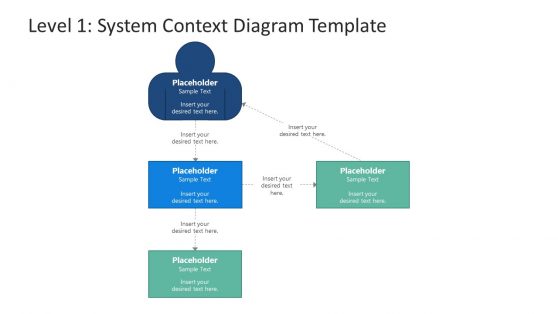
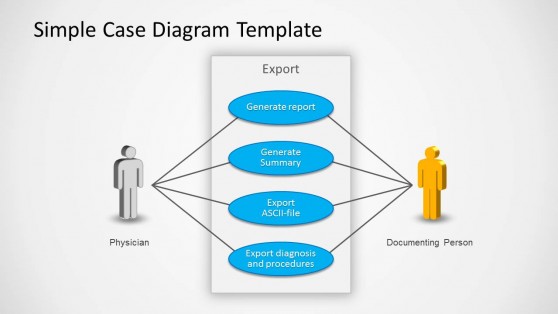
Use Case PowerPoint Diagram
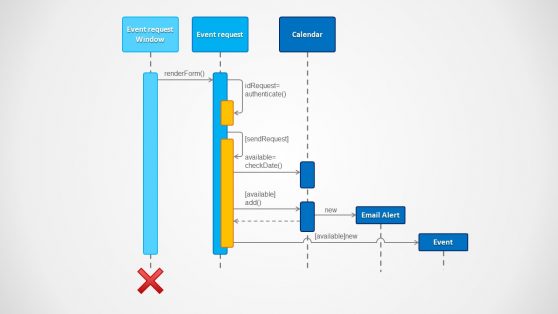
Sequence Diagram for PowerPoint
Visualize System Architecture with a UML PowerPoint Template
Every software project reaches a point where the system needs to be explained to someone who was not in the room when it was designed. That might be a new developer joining the team, a product owner reviewing a sprint, or an executive signing off on a technical proposal. In each case, the diagram has to carry the explanation on its own.
A UML PowerPoint template is built for exactly this. Rather than positioning shapes manually and guessing at notation conventions, you work from slide layouts that already reflect the visual language of UML: correct shapes for actors and use cases, the right arrow styles for associations and dependencies. The structured format that sequence and activity diagrams require is already in place.
Our UML templates cover the diagrams that engineers actually present. Use case diagrams map system functionality to actors. Class diagrams show object relationships and inheritance hierarchies. Activity diagrams trace workflow from start to end. Sequence diagrams document how components interact over time. Each layout is fully editable, so you can adapt the content to your system without having to rethink the structure.
The value is practical, not decorative. When you present software architecture to a mixed audience, the diagram format communicates rigor on its own. A well-formatted UML diagram signals that the design has been thought through, and a presentation built on the right template lets you deliver that signal without spending preparation time on slide mechanics.
What Is a UML PowerPoint Template?
A UML PowerPoint template is a pre-formatted slide deck designed to present Unified Modeling Language diagrams in a professional context. UML is the standard visual language for describing software systems, defining diagram types that serve specific purposes in documenting system structure and component interactions.
What makes a UML diagram template different from a blank slide is that the layouts are already aligned to UML conventions. The shapes, connectors, labels, and spatial arrangements match what engineers expect to see, which means you spend your time filling in system details rather than researching notation rules.
Our templates include slide layouts for the most widely used diagram types:
- Use case diagrams, mapping actors to system functions, and defining the system’s scope.
- Class diagrams, mapping object attributes and methods alongside inheritance and association relationships.
- Sequence diagrams, documenting message flows between system components over time.
- Activity diagrams, tracing process flows, and decision branches from input to output.
Beyond these core types, many templates also include component diagrams for system architecture overviews and state diagrams for modeling object lifecycles. Each is built for editing inside PowerPoint, with grouped shapes and labeled connectors you can update without affecting the surrounding layout. The collection pairs naturally with entity relationship diagrams when your presentation needs to cover both system behavior and data modeling.
Why Developers and Architects Choose PowerPoint UML Diagram Slides
Building a UML diagram from scratch in PowerPoint is a slow process. You align boxes, connect arrows, label every element, and then rebuild when the design changes. A PowerPoint UML diagram template cuts that cycle down considerably. You open a layout that already has the right structure, replace the placeholder labels with your system’s actual components, and the diagram is ready.
This matters most when you are preparing multiple diagrams for a single presentation. If a software architecture review requires use case diagrams alongside class diagrams in the same deck, starting from pre-formatted layouts keeps those slides visually consistent without extra effort. Fonts and colors match across slides, and connector styles stay consistent because they are inherited from the template rather than set manually on each one.
For engineers who present regularly, whether in sprint ceremonies, architecture reviews, or client-facing technical briefings, that consistency reduces the preparation overhead that accumulates over time. You focus on what the diagram needs to communicate, not on whether it looks right alongside the other slides. For process documentation that crosses team boundaries, swimlane diagrams work well as a complement to UML activity slides within the same deck.
Where and How to Use UML Templates in PowerPoint
Software developers preparing architecture documentation use UML in PowerPoint to walk teams through system design decisions. A class diagram slide makes inheritance structures legible to colleagues who were not involved in the original design. A sequence diagram slide shows the order and logic of API calls without requiring the audience to read code.
Systems analysts use use case diagram templates when documenting functional requirements for a new product or a system upgrade. Rather than describing actor interactions in paragraphs, a use case diagram makes the system’s scope visible in a single view, which is particularly useful for stakeholder sign-off meetings where the audience may not have a technical background.
Engineering managers use UML diagram templates in PowerPoint during project kickoffs to establish shared understanding before development begins. A component diagram that shows how modules relate to one another sets clear boundaries for the teams responsible for each part. Computer science educators teaching object-oriented design use UML slides to make class hierarchies and behavioral patterns visible to students who are still developing their system-thinking skills.
For presentations that also require process documentation, flowchart templates pair naturally with UML activity slides in the same deck. All UML templates are compatible with Google Slides. Upload the file to your Google Drive and open it in the browser to edit, share, or present without any additional software.
What types of diagrams are included in a UML PowerPoint template?
Most UML PowerPoint templates include layouts for use case diagrams, class diagrams, sequence diagrams, and activity diagrams. Some collections also include component diagrams and state diagrams for more specialized documentation needs, depending on the template set you choose.
Can I edit the shapes and connectors in a PowerPoint UML diagram template?
Yes. All elements are grouped and individually editable in PowerPoint. You can relabel shapes, reroute connectors, adjust colors, and add or remove elements to match your specific system design. No specialized UML software is required to make changes to the slides.
Are UML PowerPoint templates compatible with Google Slides?
Yes. Upload any UML PowerPoint template to Google Drive, then open it in Google Slides. Most formatting and layout elements transfer without adjustment, making it practical to present or collaborate in a browser-based environment without having to recreate diagrams from scratch.
How is a UML diagram template different from a general diagram template?
A UML template uses notation specific to Unified Modeling Language. The shapes follow UML standards for actors and classes, and the connector types distinguish associations, dependencies, and message flows. A general diagram template does not include this notation structure, so you would need to build or adapt the UML conventions manually.
Can I use a UML PowerPoint template for an academic thesis defense?
Yes. Computer science and software engineering programs regularly require UML diagrams in project submissions and thesis presentations. The templates provide clean, notation-compliant layouts that meet academic presentation standards and can be customized to match your institution’s branding.
How many slides does a typical UML template collection include?
This varies by template, but most collections include multiple layout variants for each diagram type, along with title and summary slides. You select the layouts that fit your presentation and leave the rest unused, so the number of slides in the source file does not affect your deck’s final length.