Slide 2 of 6 from Tables with Arrows Template for PowerPoint
8 Small Tables in PowerPoint with Arrows
8 Tables with Arrows for Presentations
- Table
- Comparison Table
- Comparison Slide
- 16:9
- 100% Editable
The 8 Tables with Arrows slide from the Tables with Arrows Template for PowerPoint offers a clear comparison layout ideal for business presentations. Featuring editable shapes arranged in two rows with distinct color-coded arrows, this slide template supports detailed feature comparisons and product descriptions. Its structured design enhances clarity in corporate presentations, making it a practical choice for pitch deck templates and slide decks requiring side-by-side evaluations.
What’s on This Slide
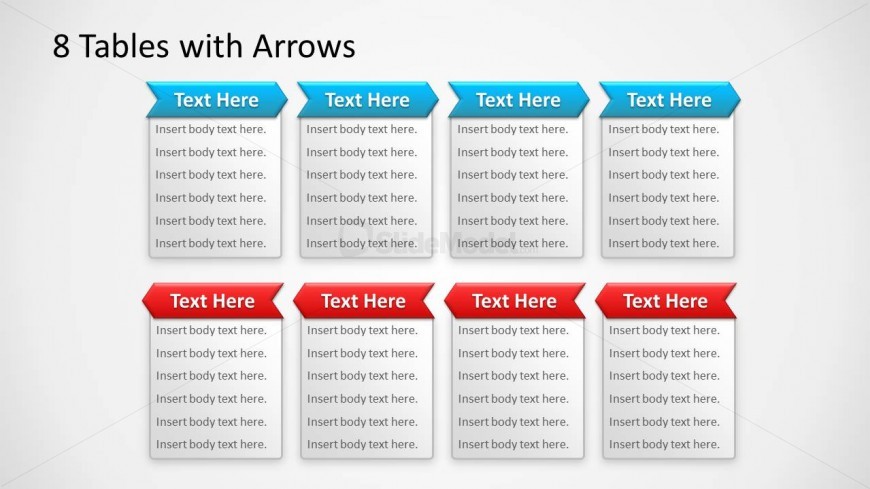
The layout features eight rectangular text boxes arranged in two rows of four. The top row contains blue boxes with a triangular point at the top, while the bottom row has red boxes with a similar design. Each box has a placeholder for a title at the top and additional placeholders for body text below. The boxes are evenly spaced, creating a structured appearance. The background is light, enhancing the visibility of the text boxes. The overall composition is balanced, with a clear visual hierarchy established by the color differentiation.
How to Use It
This layout serves as a comparative framework, allowing for side-by-side analysis of features or descriptions. It fits well in presentations discussing product features, project comparisons, or service descriptions. The structured arrangement aids in highlighting key points clearly. It is useful in business contexts where multiple options need to be evaluated or presented. This slide can be utilized in marketing, product development, or team discussions to facilitate decision-making processes.
Text Placeholders & Capacity
Keep your copy within these limits so it fits without resizing. Body slots can accommodate roughly 15-20 words each.
| Placeholder | Count | Max characters (approx.) |
|---|---|---|
| Item heading | 8 | 20 |
| Item body | 8 | 100 |
Slide Keywords
Download unlimited PowerPoint templates, charts and graphics for your presentations with our annual plan.
DOWNLOADReturn to Tables with Arrows Template for PowerPoint.