Slide 1 of 3 from SWOT Mind Map for PowerPoint
6026-05-swot-mindmap-1
SWOT Mind Map Diagram for Presentations
- Diagram
- Mind Map
- Strategic Analysis Slide
- 16:9
- 100% Editable
What’s on This Slide
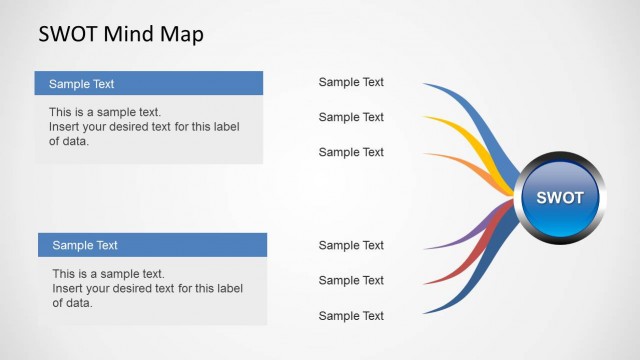
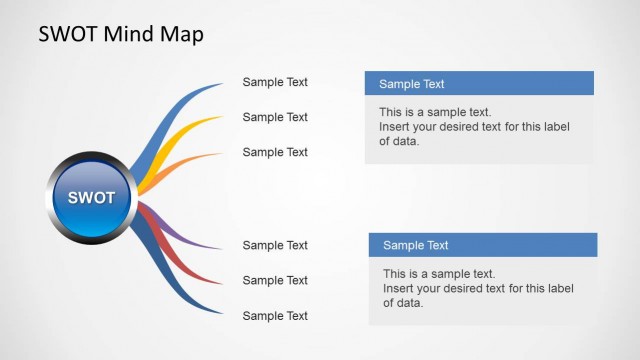
The layout features a central circular node labeled 'SWOT' surrounded by four colored branches extending outward. Each branch is labeled with categories: 'Strengths,' 'Weaknesses,' 'Opportunities,' and 'Threats.' The branches are visually distinct, with the left branches in blue and purple, while the right branches are green and red. Each category contains three text placeholders aligned vertically, positioned to the left and right of the central node. The background is light gray, enhancing the visibility of the colored elements. The overall composition is balanced and symmetrical.
How to Use It
This layout serves as a mind map for organizing SWOT analysis elements. It is effective for presenting strategic assessments in business contexts, such as during planning sessions or team discussions. The central node allows for a clear focus on the SWOT framework, while the branches facilitate easy categorization of ideas. This structure fits well at the beginning of a presentation to introduce strategic concepts or as a summary slide to encapsulate key points. It is suitable for workshops, strategy meetings, and educational settings.
Text Placeholders & Capacity
Keep your copy within these limits so it fits without resizing. Node body slots can accommodate roughly 3-4 words each.
| Placeholder | Count | Max characters (approx.) |
|---|---|---|
| Item heading | 4 | 20 |
| Item body | 12 | 20 |
| Slide title | 1 | 30 |
Slide Keywords
Download unlimited PowerPoint templates, charts and graphics for your presentations with our annual plan.
DOWNLOADReturn to SWOT Mind Map for PowerPoint.