Present your supermarket business plan in the investor meetings with this engaging Supermarket PowerPoint Template. A supermarket is a great business idea as it is everyone’s need, but it requires a lot of planning and investment. You need to showcase the right products in the right place to convince customers to buy more products and boost sales. We have created this supermarket template for PowerPoint to help professionals, startup founders, entrepreneurs, and other related persons present their comprehensive plans in business meetings. You can use this template to guide employees about your pricing plans, product categories, and other details. The template has slides with engaging layouts that enable professionals to persuade investors to give more funds for business scaling. This template is fully editable and crafted with 100% editable PPT shapes. You can also customize this design with Google Slides and Keynote.
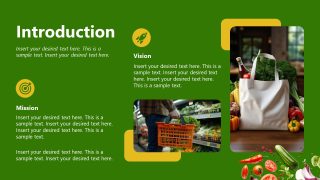
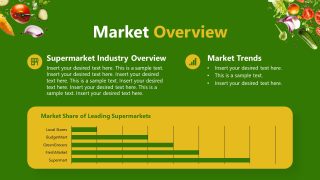
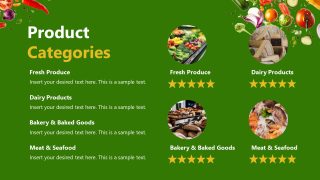
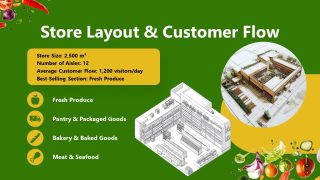
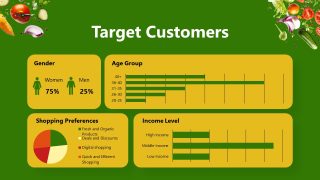
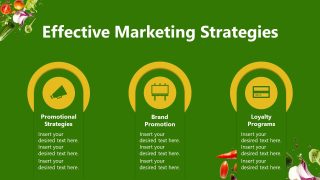
The Supermarket PowerPoint Template has a green color palette that attracts the audience’s attention and enhances their focus. This attractive style of presentation layout allows professionals to communicate their thoughts effectively in stakeholder sessions. The slide has relevant images of a supermarket to showcase the topics visually. Each slide has graphical items of vegetables. Professionals can start their presentation with an introduction and market overview. Then, we provided slides on product categories, store layout, and customer flow. In the target audience slide, there are multiple data visualizations for the age group, gender, income level, and shopping preferences of the target buyer. You can demonstrate your marketing strategies, pricing plans, discounts, and inventory management protocol with this template. Also, we have editable slides for:
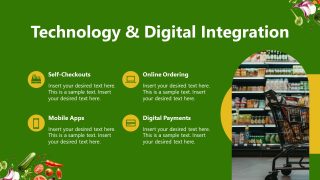
- Technology & Digital Integration
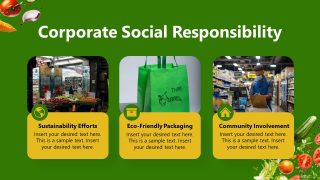
- Corporate Social Responsibility
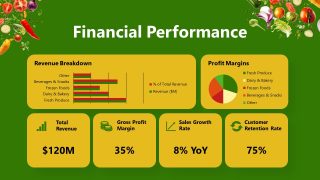
- Financial Performance
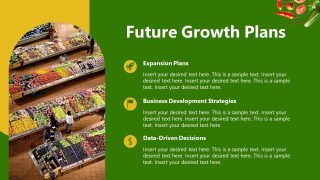
- Future Growth Plans
Users can customize the design layout to fit their presentation needs accurately. Download the supermarket PPT template and create your pitch decks today!
What’s inside this template
Example presentation scenarios
- A supermarket founder can pitch a new store concept to investors using the market overview, product categories, financial performance dashboard, and future growth plans.
- A retail operations manager can brief a store team on layout, customer flow, supply chain steps, inventory control, and technology integration.
- A marketing manager can present customer segments, shopping preferences, promotional strategies, loyalty programs, pricing models, and seasonal discounts.
- A sustainability lead can explain community and environmental commitments using the corporate social responsibility cards and connect them to store growth plans.
Features
- 100% editable presentation template
- Compatible with Microsoft PowerPoint and Google Slides
- 16:9 aspect ratio slides
- Scalable vector shapes, icons and illustrations
- Ready with Animations & Transitions in PowerPoint
- AI-Ready for Microsoft Copilot and Claude
- Instant access and download
Frequently asked questions
Q: How should the presenter structure the supermarket business story with this template?
A: Start with the store concept and mission, then prove the market with the overview slide before showing product categories and customer flow. Use the target customers dashboard to define demand, then move into marketing, pricing, inventory, and technology. Close with financial performance, CSR, and future growth plans so the audience sees both operations and upside.
Q: Who is this template best suited for?
A: This template fits supermarket founders, retail managers, and grocery business teams that need to explain a physical store plan. It works well when the audience must understand product mix, customer behavior, store operations, pricing, and expected performance in one meeting. The financial dashboard and growth plan slides make it especially useful for stakeholder or investor discussions.
Q: Why do the grocery visuals and operational diagrams help the message?
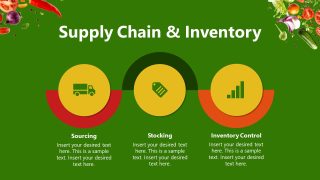
A: The produce photos and green retail palette immediately signal a supermarket context, while diagrams turn operations into recognizable patterns. The customer flow slide maps how shoppers move through the store, the supply chain slide simplifies back-end activity, and the KPI cards isolate the few numbers decision makers will remember.





Supermarket PowerPoint Template
14-slide supermarket presentation template with market overview, customer flow, pricing, and financial dashboard layouts
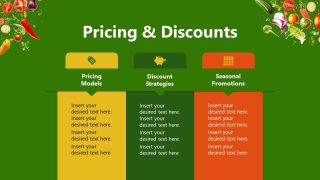
The Supermarket PowerPoint Template is a 14-slide retail business presentation template for planning or pitching a grocery store concept. It includes a market overview, product categories, store layout and customer flow, target customer dashboard, pricing columns, supply chain process, financial performance dashboard, CSR slide, and future growth plan for PowerPoint and Google Slides.
- Category
- PowerPoint Themes
- Rating

 Loading...
- Aspect ratio
- 16:9
- Item ID
- 94073-01
- Colors
 Microsoft PowerPoint
 Microsoft Copilot
 Claude for PowerPoint
Other formats supported
Subscribe today and get immediate
access to download our PowerPoint templates.