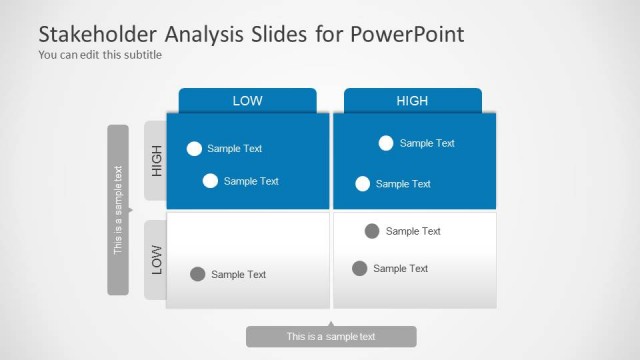
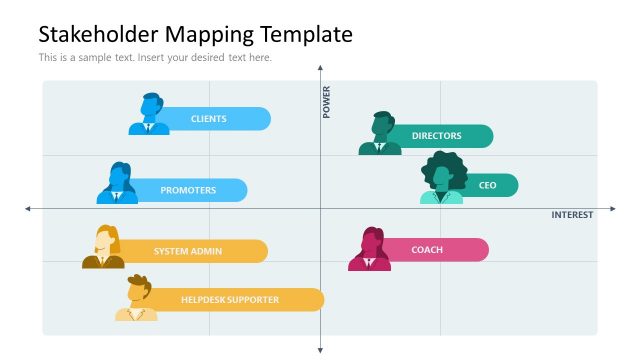
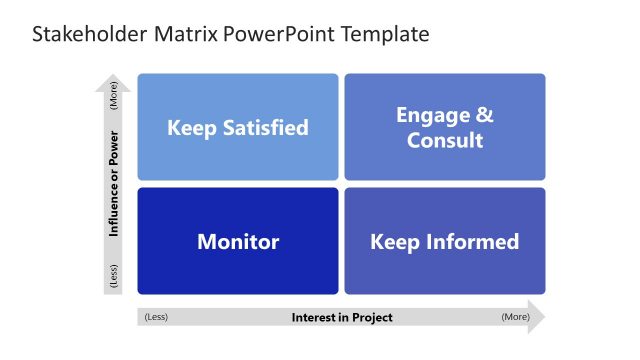
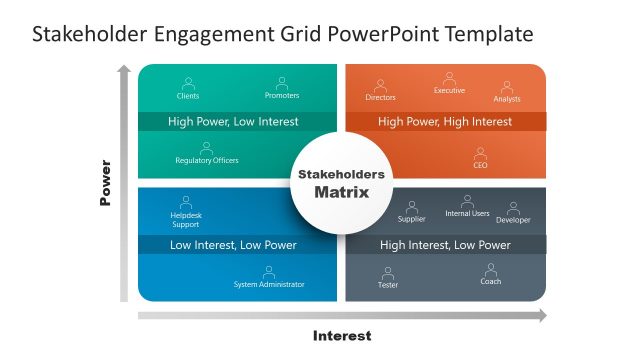
The Stakeholder Analysis PowerPoint Template is an outstanding presentation of project management and business administration skill. Most importantly, the entrepreneurs and startup companies must identify all stakeholder’s interests and categorize them. This classification directly or indirectly influences the decisions making process of an organization. The stakeholder is an entity which may affect or affected by the actions of an organization. It can be employee, customer, client or the society. This PowerPoint provides an incredible set of slides to demonstrate the types, classifications priorities and mapping of stakeholders. These are the sophisticated slide of vector design infographic PowerPoint. The presentation of terminologies through meaningful icons and symbols help audience which leaves the mind imprint of concept. For example, the circular icons inside a circle which displaying the list of potential participants to the company.
The creative diagrams and model presentation of Stakeholder Analysis PowerPoint Template makes it easier to explain various perspectives. For instance, define the types of stakeholders, categorize them as internal or external and discuss the dependencies. Further, priorities entities according to the influence and interest in the company activities. Additionally, this PowerPoint template has a creative stakeholder mapping design with predefine content to easily insert key points. This presentation is evaluation tool for different interest groups, analyze and formulate a communication strategy. Moreover, the stakeholder analysis presentation template contains 100% customizable shapes and icons. With this feature, users can alter colors, size and other options quickly.
The editable stakeholder analysis template has 5 slides to describe the aspects of managing entities involve in an activity. It helps represent relationships, tools and matrices to avoid or mitigate risks which may occur. There is one side of useful PowerPoint icons to add or replace the existing infographics in the stakeholder analysis templates. Alternatively, view this matrix and table presentation for stakeholder analysis slide of PowerPoint.
What’s inside this template
Example presentation scenarios
- A project manager can use the stakeholder ring diagram to show executives which internal and external groups may affect a new initiative.
- A startup founder can use the three-type stakeholder comparison to explain the difference between internal, connected, and external stakeholders during planning discussions.
- A strategy consultant can use the influence-interest priority map to recommend communication levels such as push communications, participation, or partnership.
- A change management lead can use the four-quadrant stakeholder analysis donut to group audiences as key players, least important, meet their need, or show consideration.
Features
- 100% editable presentation template
- Compatible with Microsoft PowerPoint and Google Slides
- 16:9 aspect ratio slides
- Scalable vector shapes, icons and illustrations
- AI-Ready for Microsoft Copilot and Claude
- Instant access and download
Frequently asked questions
Q: How should I present the stakeholder analysis so the audience moves from understanding to action?
A: Start with the ring diagram to define who the stakeholders are, then use the three-type comparison to create shared language. Move next to the influence-interest chevrons and four-quadrant donut to assign attention levels. End by replacing or reusing icons for the groups that need a tailored communication plan.
Q: Who benefits most from using this stakeholder analysis deck?
A: This deck works best for presenters who need a compact stakeholder briefing rather than a long report. Project managers, founders, consultants, and change leads can use it before a decision meeting, project kickoff, or communication planning session where the goal is to align people on influence, interest, and engagement level.
Q: Why do the circular and chevron diagrams help explain stakeholder strategy?
A: The circular layouts make the company or analysis topic the center of the conversation, with stakeholder groups arranged around it. The chevron priority map adds movement from low influence and interest toward partnership-level engagement. Together, these metaphors help audiences see both relationship structure and action priority.


Stakeholder Analysis PowerPoint Template
5-slide stakeholder analysis presentation template with stakeholder maps, priority quadrants, and decision planning
The Stakeholder Analysis PowerPoint Template is a 5-slide strategy presentation for mapping project and business stakeholders. It includes a stakeholder ring diagram, three-type stakeholder comparison, influence-interest priority map, four-quadrant analysis donut, and icon sheet for teams preparing decisions in Microsoft PowerPoint or Google Slides.
- Category
- Strategy
- Rating


 Loading...
- Aspect ratio
- 16:9, 4:3
- Item ID
- 7628-01
- Colors
 Microsoft PowerPoint
 Microsoft Copilot
 Claude for PowerPoint
Other formats supported
Subscribe today and get immediate
access to download our PowerPoint templates.