Slide 13 of 13 from Rebranding Strategy PowerPoint Template
Questions & Discussion Closing Slide for Rebranding Strategy Template
Questions and Discussion Slide
- Text Layout
- List Blocks
- Closing Slide
- 16:9
- 100% Editable
The Questions and Discussion slide from the Rebranding Strategy PowerPoint Template provides a structured closing layout ideal for facilitating audience engagement and summarizing key points. This slide layout supports business presentations by organizing discussion topics clearly, enhancing interaction during Q&A sessions. Designed as part of a comprehensive slide deck, it integrates seamlessly with editable slides and vector icons to maintain a professional corporate presentation style.
What’s on This Slide
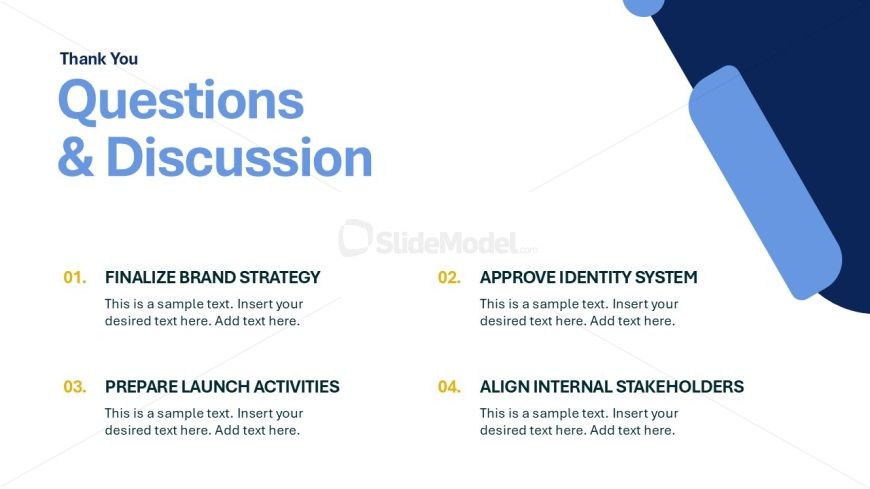
The layout features a large title at the top left, stating 'Thank You' in a smaller font. Below it, the main heading 'Questions & Discussion' is prominently displayed in a large, bold font. The slide is divided into four sections, each containing a numbered item with a title and a placeholder for text. The first item is aligned at the left, followed by the second item to the right. The third and fourth items are positioned below the first two, creating a two-column layout. Each section has a consistent font style and size, with placeholders indicating where additional text can be inserted.
How to Use It
This layout serves as a conclusion or wrap-up for a presentation, facilitating audience engagement through questions and discussions. It fits well at the end of a presentation sequence, allowing for feedback and clarification of key points. This structure is suitable for business meetings, workshops, or any scenario where audience interaction is encouraged. It can effectively summarize discussion topics or action items that require further elaboration, ensuring that all relevant points are addressed before concluding the session.
Text Placeholders & Capacity
Keep your copy within these limits so it fits without resizing. Node body slots can accommodate roughly 15-20 words each.
| Placeholder | Count | Max characters (approx.) |
|---|---|---|
| Slide title | 1 | 30 |
| Item heading | 4 | 40 |
| Item body | 4 | 100 |
Slide Keywords
Download unlimited PowerPoint templates, charts and graphics for your presentations with our annual plan.
DOWNLOADReturn to Rebranding Strategy PowerPoint Template.