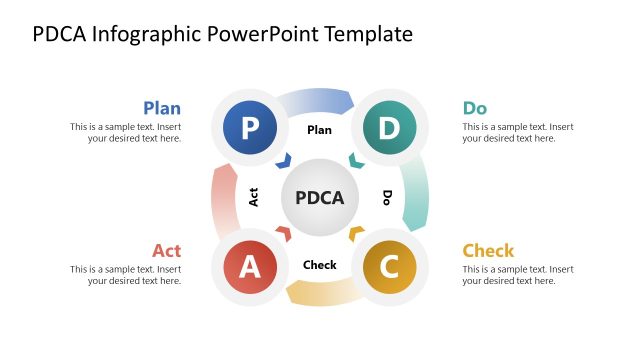
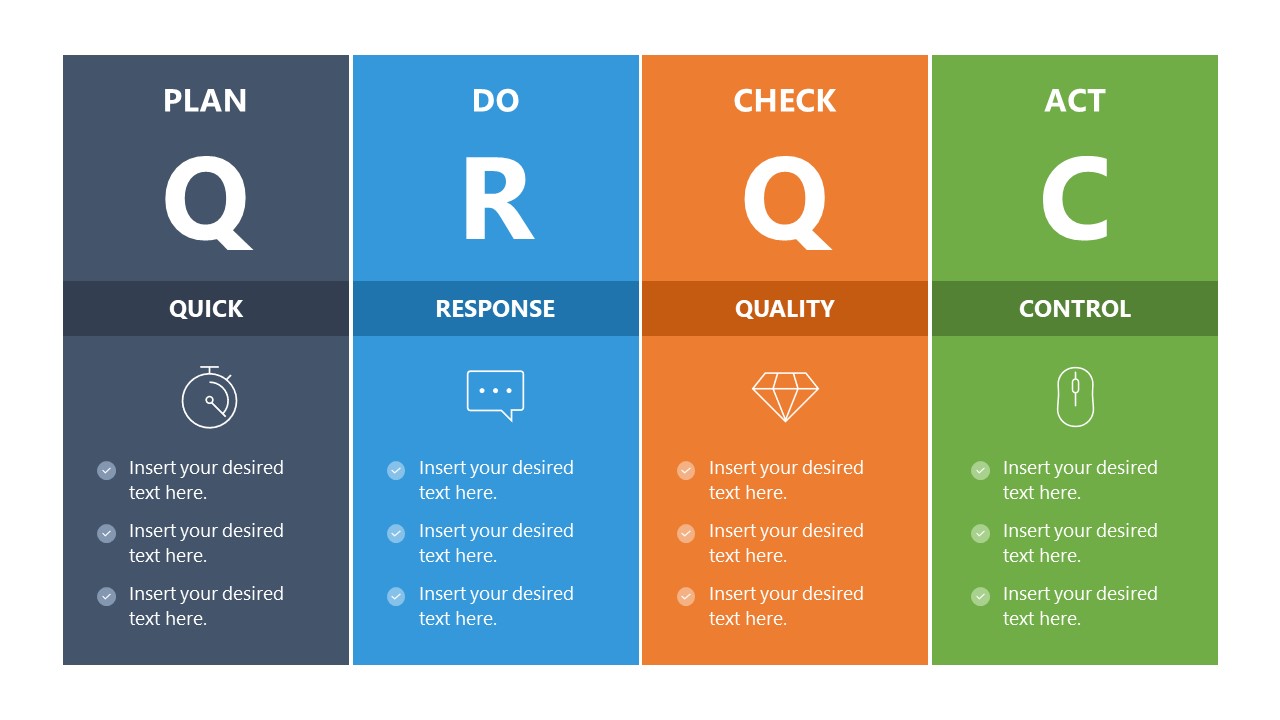
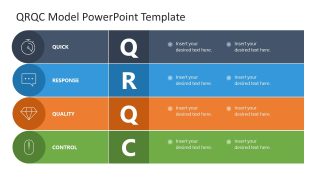
Showcase a four-stage management process in your team presentations with our QRQC Model PowerPoint Template. QRQC stands for Quick, Response, Quality, Control. This is a management strategy in which operational engineers plan an immediate response to a systemic failure and execute it within 24 hours. It is primarily used in production industries to keep systems running. The most important thing is that production supervisors maintain quality standards without disrupting the process. This QRQC model aligns with the PDCA ( Plan Do Check Act) framework, which is a continuous cyclic process for improvement of products, services, or workflows:
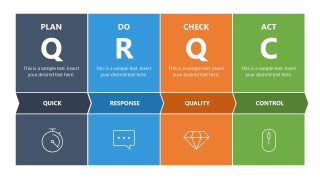
- Plan (Q – Quick): This is the Initial stage, focused on strategy or planning for rapid action.
- Do (R – Response): The action is implemented on the same day.
- Check (Q – Quality): The third stage is the assessment phase, in which the change is checked to ensure it meets quality standards.
- Act (C – Control): The act stage involves controlling processes and making necessary adjustments.
The QRQC Model PowerPoint Template features a four-column layout that outlines the QRQC model and the PDCA framework. Each column is specific to one of the above-mentioned stages. QC managers can use the QRQC slide with infographics to present a corrective action plan following a production failure. This PPT layout is also useful for automation experts or operations managers for quality management or process audit presentations. The four-section horizontal layout slide is also helpful for consultants to outline process improvement plans in review presentations. The last slide is similar to the first, but it has some subtle graphical changes.
Download the QRQC model slide template for your next business presentation and showcase the phase-by-phase quality management protocol. We invite you to check our collection of PDCA slide templates to select other complementary designs for strategy presentations.
What’s inside this template
Example presentation scenarios
- A quality manager can use the four-column QRQC panel to explain how a production issue moves from quick planning to response, quality check, and control.
- An operations leader can use the horizontal process table to align supervisors, engineers, and maintenance teams around same-day incident response responsibilities.
- A process improvement consultant can use the ribbon-based PDCA layout to compare current practices with a proposed corrective action workflow.
- A manufacturing trainer can use the icon-led stage blocks to teach new supervisors the difference between response, quality verification, and process control.
Features
- 100% editable presentation template
- Compatible with Microsoft PowerPoint and Google Slides
- 16:9 aspect ratio slides
- Scalable vector shapes, icons and illustrations
- AI-Ready for Microsoft Copilot and Claude
- Instant access and download
Frequently asked questions
Q: How should a presenter explain QRQC without turning it into a checklist?
A: Use the large Q R Q C structure as the talk track, not as a list of tasks. Start each stage with the decision it supports: what must be planned, what response happens now, how quality is checked, and what control prevents repeat failure. Keep the slide text short and reserve details for discussion.
Q: Who is this template best suited for in a quality review?
A: This template fits presenters who need to align operational teams after a production or process issue. Quality managers, production supervisors, and engineering leads can use the PDCA columns and horizontal process table to explain roles, timing, and controls without introducing a data-heavy report format.
Q: Why does the repeated four-stage visual structure improve communication?
A: The repeated columns, rows, and ribbon band make QRQC feel like a control board: each color owns one stage, each large letter anchors memory, and each icon cues the kind of action expected. This repetition helps audiences compare layouts while keeping the same process logic.


QRQC Model PowerPoint Template
3-slide presentation template for QRQC quality control, PDCA stages, and incident response workflows
The QRQC Model PowerPoint Template is a 3-slide presentation template for explaining Quick, Response, Quality, Control against the Plan, Do, Check, Act cycle. It includes four-column QRQC panels, a horizontal process table, and icon-led stage blocks for QC managers, operations leaders, and consultants in Microsoft PowerPoint and Google Slides.
- Category
- Models
- Rating

 Loading...
- Aspect ratio
- 16:9
- Item ID
- 23647-01
- Colors
 Microsoft PowerPoint
  Microsoft Copilot
  Claude for PowerPoint
 Other formats supported
Subscribe today and get immediate
access to download our PowerPoint templates.