Slide 13 of 20 from Professional Company Profile PowerPoint Template
Presentation of Company Profile Goals
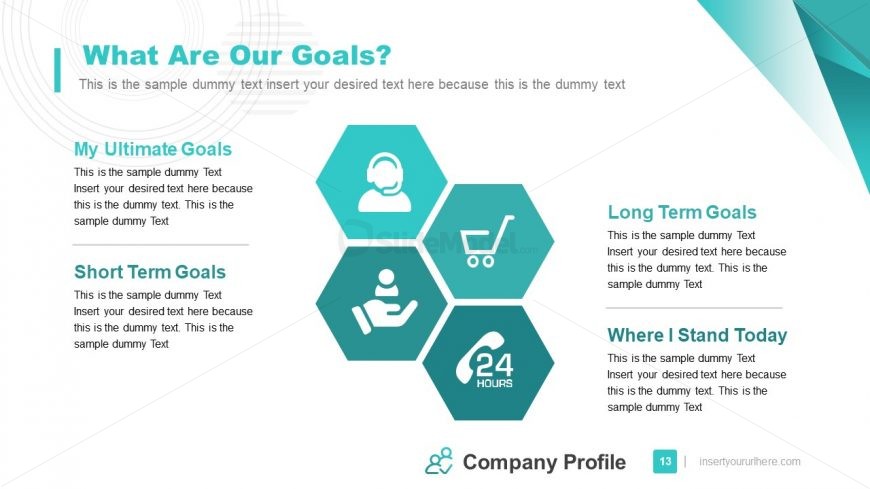
Goals honeycomb diagram with left and right details
- Diagram
- Honeycomb Hexagon
- Goal Setting Slide
- 16:9
- 100% Editable
What’s on This Slide
Top-left title and a smaller left-aligned subtitle occupy the upper third and set the visual hierarchy. The canvas divides into three vertical zones: a narrow left text column with two section headings and short paragraphs, a central cluster of four equal hexagon shapes arranged in a honeycomb pattern with flat white icons, and a right text column with two mirrored headings and paragraphs. Thin divider lines separate headings from body text. A slim footer band spans the page with a small logo, centered company label and a page-number badge at the bottom right. Background stays white with teal corner accents.
How to Use It
This layout functions as a goals-summary and alignment page that pairs four iconized goal segments with short explanatory text. Structurally it supports a tri-column read: descriptive details on left and right framing a central hexagon icon cluster for visual anchors. In a standard company profile sequence it sits after analysis slides and before timeline, financial or roadmap sections to translate findings into objectives. Use it for executive goal statements, quarterly roadmaps summarized at a glance, team OKRs, or client-facing priorities. The central icons create quick visual anchors while side paragraphs hold 1-3 sentence elaborations for each topic.
Text Placeholders & Capacity
Keep your copy within these limits so it fits without resizing. Side paragraph boxes hold roughly 180 to 220 characters each, about thirty to forty words per paragraph.
| Placeholder | Count | Max characters (approx.) |
|---|---|---|
| Slide title | 1 | 60 |
| Subtitle | 1 | 120 |
| Stage label | 4 | 30 |
| Body paragraph | 4 | 220 |
| Footer | 1 | 80 |
Slide Keywords
Download unlimited PowerPoint templates, charts and graphics for your presentations with our annual plan.
DOWNLOAD